








TL;DR:
- Litmos is an LMS built for corporate and compliance training. However, some teams find its customization, pricing, or day-to-day administration limiting as their needs grow.
- Choosing the best Litmos alternative depends on what your current and future needs look like: simpler admin work, stronger content creation, support for multiple audiences, or more room to customize your learning experience.
- This guide compares 7 options based on features, pricing, G2 ratings, scalability, and best-fit use cases.
Finding the right learning management system (LMS) isn’t just about ticking off feature lists. It’s about finding a platform your team will make the most of.
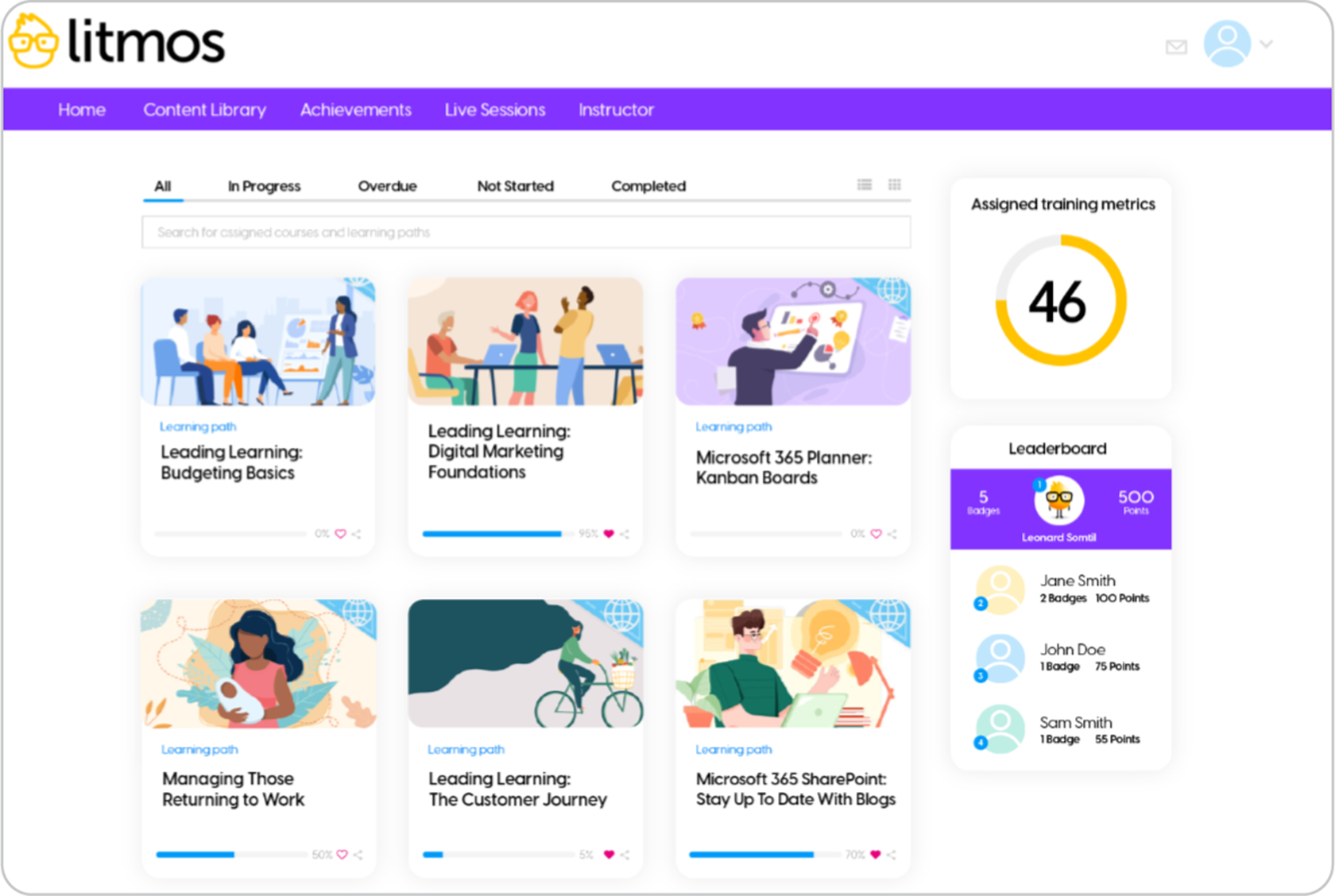
Litmos is a familiar name in corporate learning, used by organizations across a range of industries to deliver employee onboarding, compliance training, customer education, and large-scale learning programs. Its mobile learning capabilities and integrations make it a solid choice for many businesses.
But as organizations evolve, so do their priorities.
Some teams want more flexibility when creating courses. Others need more customization, pricing that fits the budget as they scale, or a platform that doesn’t require extensive work just to keep training running smoothly.
As one G2 reviewer puts it:
“Litmos is always iterating on their design, constantly trying to improve and make it better and more appealing both visually and technically. […] It would be great if the manager portal had a little more functionality in terms of changing their learners’ enrollments […] and being able to adjust those features and customize those for ourselves..”
So if you’re exploring alternatives, it doesn’t necessarily mean Litmos doesn’t do the job. But another LMS could be a better fit for the way your organization trains and works today.
To help narrow your search, we’ve compared 7 of the best Litmos training alternatives based on usability, implementation, pricing, AI capabilities, reporting, and support.
What are the best Litmos alternatives for 2026?
The best Litmos alternatives in 2026 are TalentLMS, Absorb LMS, iSpring LMS, LearnUpon, 360Learning, Docebo, and Moodle. These platforms address common Litmos pain points such as customization limits, administrative complexity, pricing, and scalability, while offering options for AI-powered course creation, compliance training, multi-audience learning, and open-source flexibility. Key selection criteria include ease of setup, cost, admin workload, audience support, customization needs, and how much your LMS requirements are likely to grow.
Top Litmos alternatives: How they compare at a glance
| Platform | Best for | G2 rating | Pricing |
|---|---|---|---|
| TalentLMS | SMBs, employee, customer, partner training, onboarding, compliance. | 4.6/5 (805 reviews) | Free plan, premium free trial, paid plans start from $119/month for 40 users. |
| Absorb LMS | Mid-sized and large organizations that need a modern LMS for extended enterprise training. | 4.6/5 (958 reviews) | No public pricing; third-party sources claim pricing starts at over $30K per year. |
| iSpring LMS | Teams looking for straightforward, PowerPoint-friendly training delivery. | 4.6/5 (167 reviews) | Active user price plans. Sources claim plans start at approx. $8K per year for 100 users. |
| LearnUpon | Organizations training multiple audiences via separate portals. | 4.5/5 (254 reviews) | No published pricing. Sources suggest plans start from $15k annually. |
| 360Learning | Companies prioritizing collaborative, peer-driven learning. | 4.6/5 (623 reviews) | Team plan from $8/user/month (up to 100 users), Business and Enterprise plans on custom quote. |
| Docebo | Large organizations that need enterprise-level features and multi-audience learning. | 4.3/5 (747 reviews) | No public list pricing; third‑party sources cite starting contracts around $35K/year, depending on scope. |
| Moodle | Organizations that want a flexible traditional LMS and can support setup. | 4.1/5 (448 reviews) | Open source and free LMS; hosting/setup costs may apply. |

How to choose the right Litmos alternative
Changing your LMS isn’t something most organizations do often. That’s why it’s worth thinking beyond today’s requirements and choosing a platform that will still work as your training grows.
Maybe Litmos has supported your business for years. But perhaps its capabilities now feel restrictive. Maybe your admins spend more time managing the platform than delivering training. Or perhaps you’re simply looking for an LMS that’s easier for managers and learners to adopt.
Whatever the reason, focus on the problems you’re trying to solve, not on choosing the platform with the longest feature list.
-
Consider how much work the LMS creates
Some learning platforms require dedicated admins, lengthy implementations, and extensive setup before training can even begin. Others are designed so HR, L&D, or operations teams can create courses, assign learners, and launch training without specialist IT support. If your team is already stretched, ease of use can be just as valuable as advanced functionality.
Almost every LMS now advertises AI. The difference is what it helps you achieve. Some AI-powered LMS platforms simply generate text. Others help you save time and brainpower. They support you to build courses, translate learning materials, generate images, identify knowledge gaps, answer learner questions, or support hands-on practice.
-
Choose a platform that grows with your business
Today’s priority might be employee onboarding. But what will your team’s needs look like two years from now? It’s worth considering future training needs and skills development before deciding.
The World Economic Forum’s Future of Jobs Report 2025 estimates that 39% of workers’ existing skill sets will be transformed or outdated by 2030. That makes scalability and the ability to adapt training programs important considerations when choosing an LMS.
The monthly subscription rarely tells the whole story. Implementation services, support packages, integrations, premium AI features, active-user pricing, or additional licenses can increase overall costs.
Litmos alternative #1: TalentLMS
Why we picked it
TalentLMS stands out as a top Litmos alternative LMS. The two things teams most often outgrow with Litmos, rigid customization and opaque pricing, are precisely where TalentLMS gives you room.
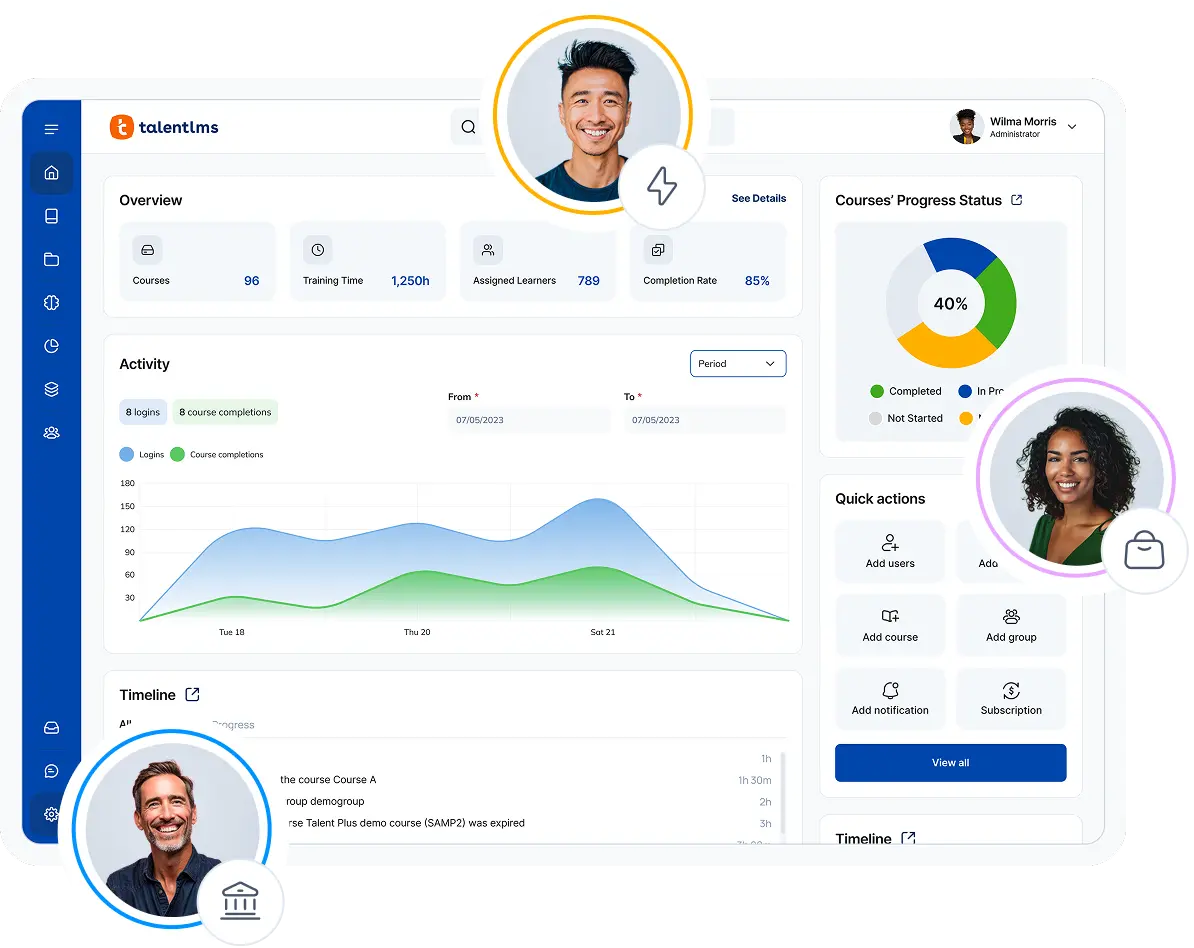
You get custom reports and configurable dashboards, strong branding control with your own domain, and separate Branches for each department, customer, or partner audience. Everything happens from a single, intuitive platform that’s easy for both admins and learners to navigate. Pricing is transparent, so costs are clear before you commit.
Creating a training course is also simple. With the AI course creator, TalentCraft, you can easily turn ideas into complete courses, generate assessments, and create visuals. As for hands-on practice, you can explore real day-to-day scenarios in Learning Playground. You can also save time on admin using TalentLMS’s automations and flexible audience management.
✔ Pros
- Quick to set up without specialist IT resources
- Supports employee, customer, and partner training
- Built-in AI for course creation and learner support
- Custom reports and configurable analytics dashboards
✖ Cons
- Not designed specifically for schools or universities
- Highly specialized enterprise requirements may need a custom plan
Key features:
- AI-powered course and assessment creation
- AI-generated images, videos, captions, and course translations
- AI Coach and scenario-based practice
- Reporting and analytics
- Learning paths
- Groups, branches, and group supervisors
- Automated assignments, reminders, and administrative actions
- SCORM 1.2, xAPI, cmi5, and LTI 1.3 support
- Instructor-led and virtual instructor-led training
- Certifications, gamification, tests, assignments, and surveys
- Native integrations and API access
Best for:
SMBs, employee, customer, and partner training, onboarding, and compliance.
Pricing:
Free plan available; Premium trial; Paid plans start from $119/month for 40 users.
What users are saying on G2:
The Good
“TalentLMS stands out as the best learning management platform because of its exceptional ease of use—both for administrators and learners. Setting up courses, managing users, and tracking progress is intuitive and requires minimal technical knowledge.” – Michiel M., L&D coordinator, Small-Business, 5/5
The Room for Improvement
“There isn’t an option to tier employees by job titles and levels. It would be really helpful to have a dropdown where I can customize and manage those titles. ” – Edwin M., Mentor, Mid-Market, 4.5/5
How 42 North Dental simplified compliance training across 1,600 employees
For healthcare organizations, training isn’t just about helping employees learn. It’s about ensuring certifications stay current, proving compliance during audits, and keeping onboarding consistent across every location.
42 North Dental, a rapidly growing dental support organization in the US, was facing that challenge.
Using TalentLMS, the company brought compliance training into one centralized platform. They replaced manual processes with automated certification and recertification workflows. And now managers can clearly track learner progress and training completion, while new hires complete onboarding faster and with greater consistency.
The results are significant:
- Centralized training for more than 1,600 employees
- Saved 10,500+ work hours
- Reduced onboarding by 35 hours per new hire
- Increased compliance visibility through automated certifications
- Reduced employee turnover from 40% to 25%
Rather than spending time chasing training records, the L&D team focused on improving learning outcomes and supporting the business as it continued to grow.

Litmos alternative #2: Absorb LMS
Why we picked it
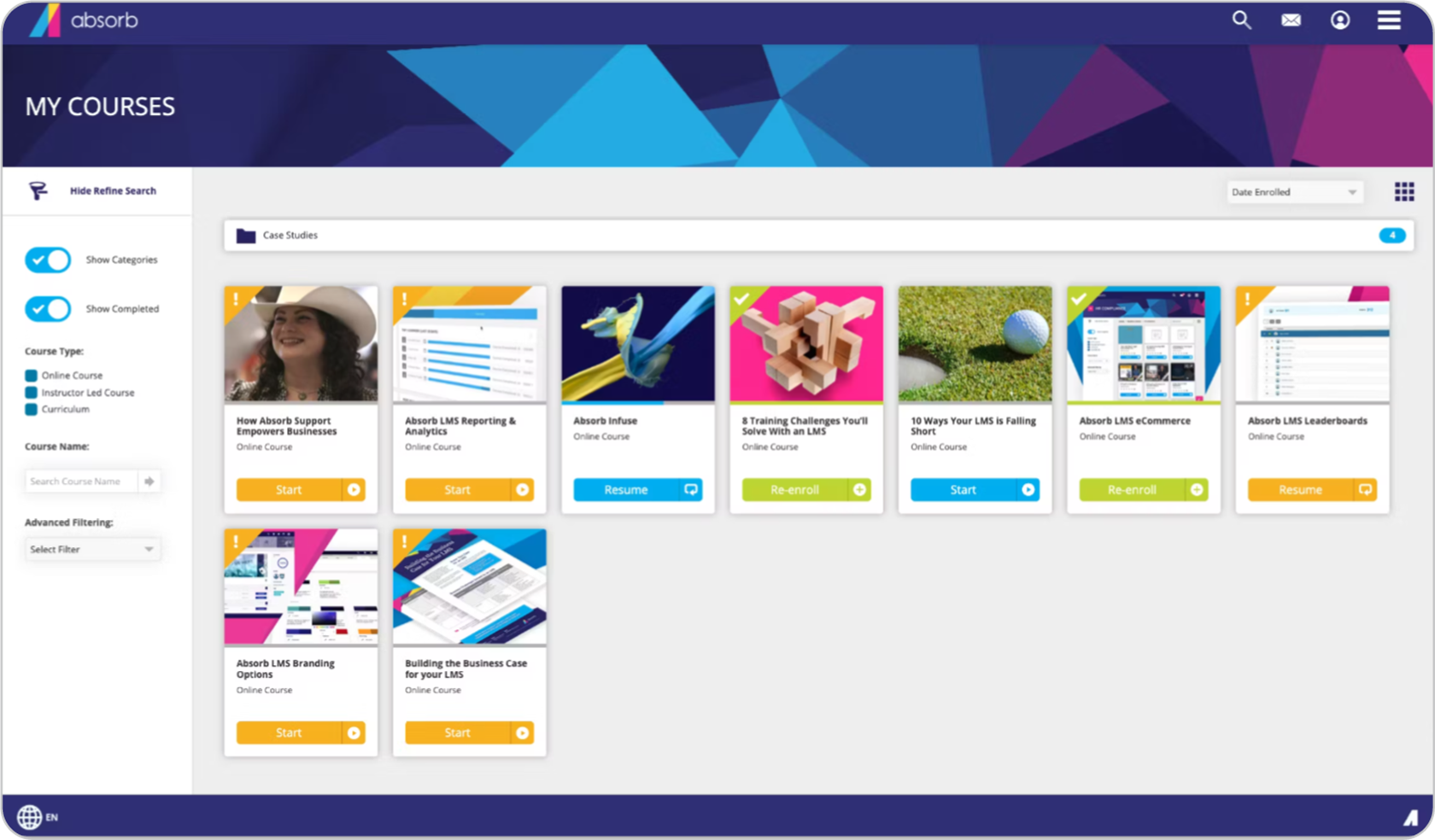
Absorb LMS can work well for teams managing training across multiple audiences or programs. It supports training employees alongside customer education, partner training, and compliance. This breadth can be useful if you need different branded experiences for different groups.
The trade-off? Its complexity. With many configuration options available, day-to-day admin work can require more planning and effort than what teams are looking for in an easier-to-use LMS.
✔ Pros
- Supports internal and external training audiences
- Offers configurable dashboards
- Provides AI-assisted course creation
- Configurable branding and learner experiences
✖ Cons
- Can be a significant investment for smaller organizations
- Its breadth of functionality may require substantial configuration
- Admins can face a learning curve when managing complex requirements
- Offers more functionality than a straightforward training program needs
Key features:
- AI-assisted course creation
- AI-powered search and administration
- Employee and extended-enterprise training
- Instructor-led and virtual training
- Certifications and compliance management
- Personalized learner dashboards
- Mobile learning
- HRIS, CRM, identity, and content integrations
Best for: Mid-sized and large organizations managing complex internal and external learning programs.
Pricing:
Absorb LMS does not publish plan prices. Pricing is customized according to learner volume, selected functionality, implementation requirements, and support. Third-party sources claim pricing starts at $30K per year.
What users are saying on G2:
The Good
“I like the look and navigation of Absorb LMS, which makes it easy for our technicians, who may not be very proficient with technology, to navigate the platform and enroll in training. I appreciate how Absorb LMS has adapted over time with continuous improvements, addressing a lot of our initial limitations.” – Verified User in Machinery, Mid-Market, 5/5
The Room for Improvement
“Absorb has a learning curve for administrators. There are many interconnected settings involving departments, enrollment rules, permissions, reporting relationships, integrations, and the learner experience. Administrators need dedicated time to understand how these elements work together.” – Stephanie P., Senior Human Resources Generalist, Mid-Market, 5/5
Litmos alternative #3: iSpring LMS
Why we picked it
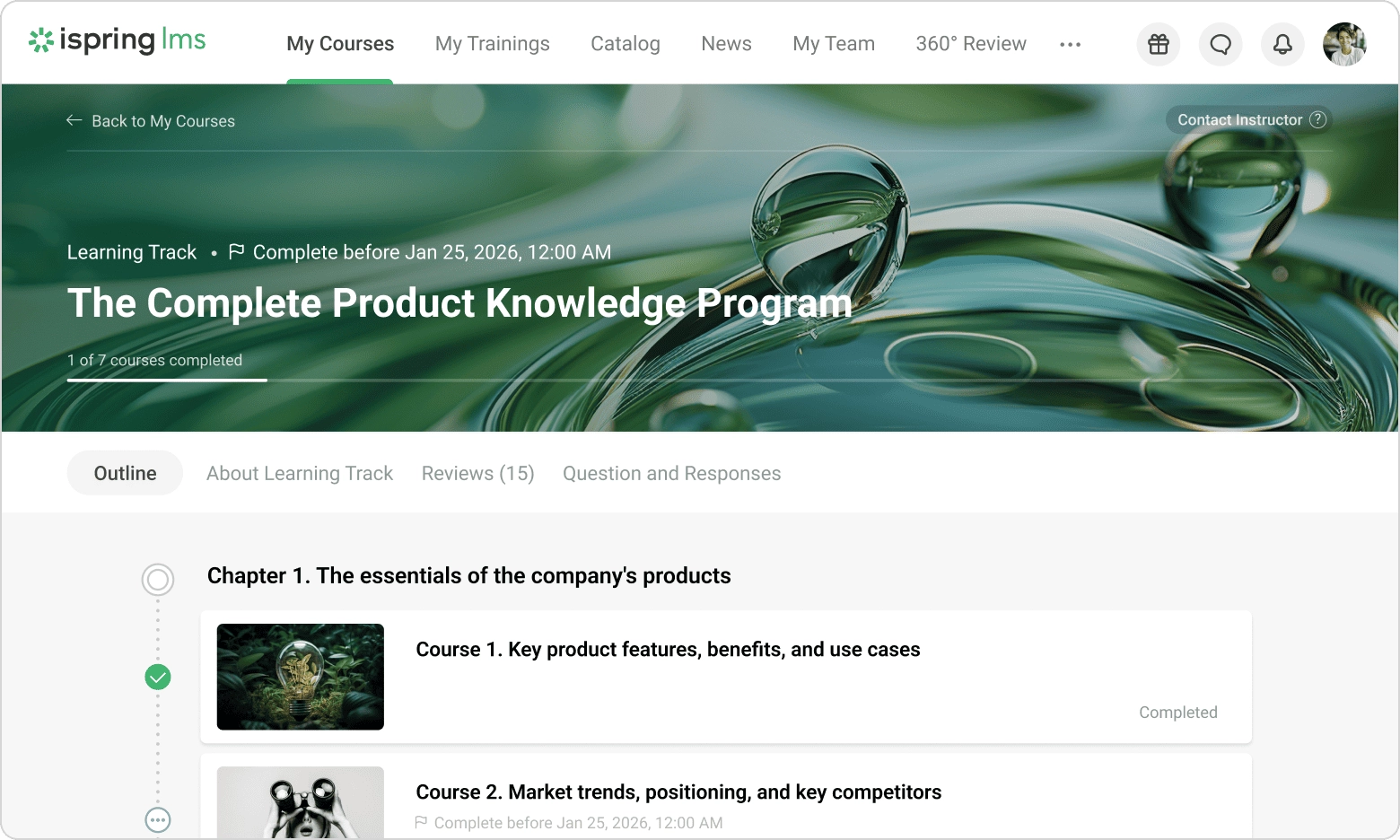
iSpring LMS offers something different. Instead of asking teams to rebuild existing content libraries, it works closely with iSpring Suite, allowing presentations to become interactive online courses with quizzes, simulations, narration, and assessments. For organizations already using PowerPoint as their primary authoring tool, that familiarity can reduce the effort involved.
Beyond creating content, iSpring supports course delivery, personalized learning paths, employee assessments, and offline mobile learning. This makes it a practical choice for organizations focused on internal workforce development.
✔ Pros
- Strong PowerPoint-based authoring workflow
- Scheduled reporting and learning tracks
- Pricing is based on active users
- Supports assessments and role-play simulations.
✖ Cons
- Teams that do not use PowerPoint may get less value from its authoring approach
- Design and branding controls may be less extensive than highly configurable platforms
- No free plan; pricing isn’t fully public.
- Its structured internal training focus may be less suitable for diverse external academies
Key features:
- PowerPoint-to-SCORM course creation
- Interactive quizzes and assessments
- Conversation and role-play simulations
- Text-to-speech
- Learning tracks
- Scheduled reports
- Offline mobile learning
- Organizational charts and corporate announcements
Best for: Organizations that rely on PowerPoint-based course development or need employee training combined with workplace assessment tools.
Pricing:
iSpring uses an active-user pricing model. There is no published clear starting subscription total, so businesses must contact iSpring for a quote based on their expected number of active users. Third-party sources claim plans start at approx. $8K per year for 100 users.
What users are saying on G2:
The Good
“Regular updates help keep it performing well. Bulk downloading of participants is also very convenient. And the ability to add specific managers based on groups is very appreciated. The technical support service responds very quickly and efficiently.” – Florence G., Directrice, Small-Business, 5/5
The Room for Improvement
“[…] some customization options are limited, especially for reporting and the learner interface. A few administrative tasks can also feel repetitive, and the platform could offer more flexibility when managing complex training programs.” – Verified User in E-Learning, Small-Business, 4.5/5
Litmos alternative #4: LearnUpon
Why we picked it
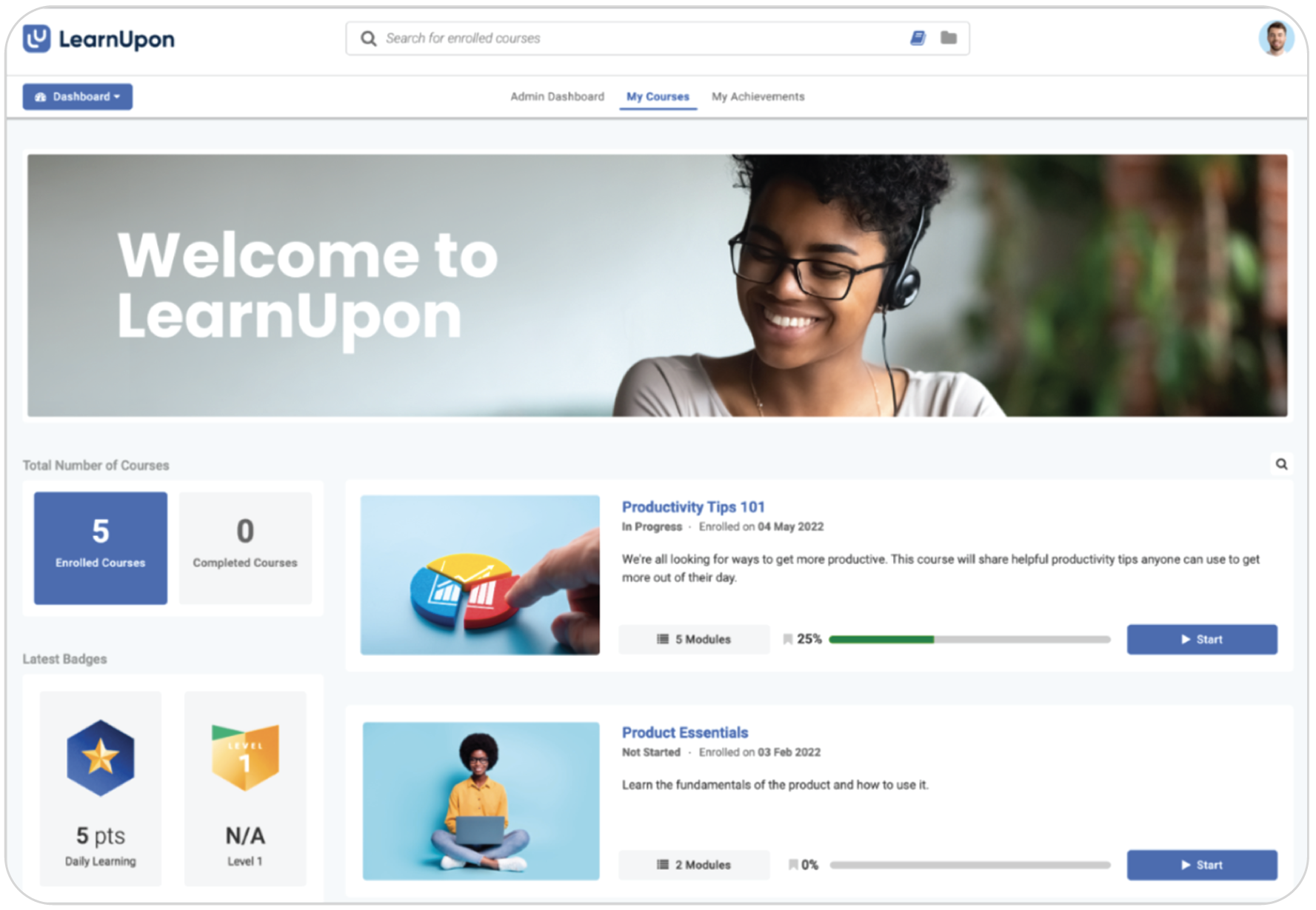
LearnUpon lets admins deliver distinct learning experiences to different audiences through a multi-portal architecture, making training different audiences less of a challenge. Each portal works as its own learning environment with dedicated users, custom branding, content, and access rules, making it easier for different audiences to access training.
Combined with learning journeys, certifications, e-commerce capabilities, and integrations, LearnUpon is a practical option if you need to run multiple learning programs simultaneously. The catch? Its structured, multi-audience approach may be more than smaller organizations need.
✔ Pros
- Separate portals for different training audiences
- Supports employee, customer, partner, and member training
- Salesforce, HubSpot, HRIS, webinar, and Zapier integrations
- Learning journeys and dynamic enrollment rules
✖ Cons
- Not designed for organizations training fewer than 100 users
- May provide more structure and support than smaller learning teams require
- Initial implementation involves working with the vendor rather than a fully self-service rollout
- Less suitable for teams seeking a lightweight or low-commitment starting point
Key features:
- Multi-portal learning environments
- Dynamic learning journeys
- Employee, customer, partner, and member training
- SCORM and xAPI support
- Certifications
- Assignments, exams, and live learning
- Salesforce and HubSpot integrations
- HRIS and webinar integrations
- Reporting and analytics
- AI-assisted course and assessment creation
Best for: Organizations training multiple internal and external audiences through separate learning portals.
Pricing:
LearnUpon does not publish plan prices. Pricing is customized according to learner volume, selected functionality, implementation requirements, and support. Sources claim pricing starts at $15K per year.
What users are saying on G2:
The Good
“Automations like enrollment rules, reminders, and progress tracking help reduce manual follow-up and keep learners accountable.” – Verified User, 5/5 stars
The Room for Improvement
“[…] It doesn’t offer much customization. It would be nice to be able to configure or customize certain pieces a little bit more specific to our use case. The other thing is having a more robust forums feature that allows users of the platform to connect and engage with one another inside the platform.” – José C., Systems Application Manager, Enterprise, 4/5
Litmos alternative #5: 360Learning
Why we picked it
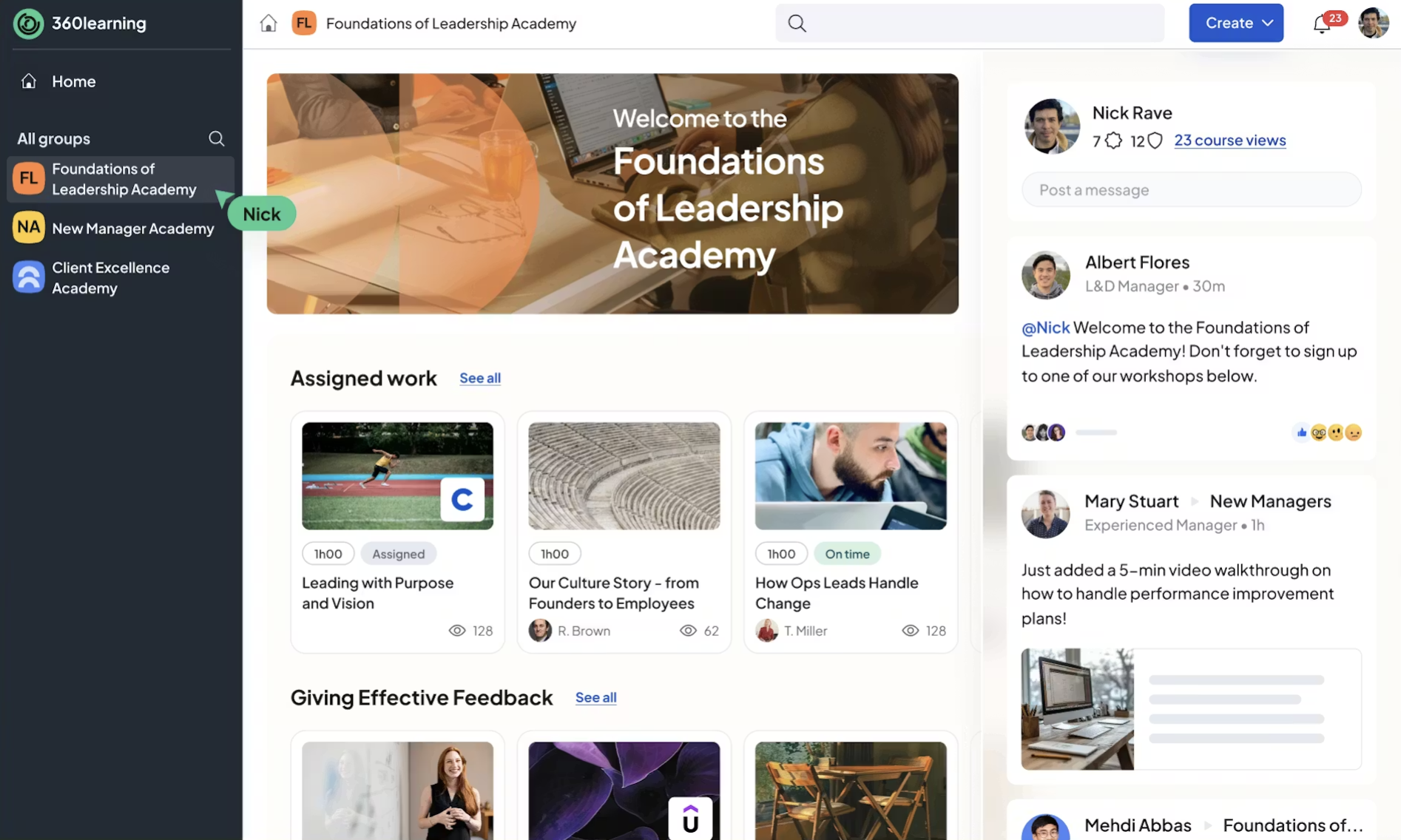
360Learning is built around collaborative learning. Instead of relying solely on L&D teams to create and maintain courses, it encourages subject-matter experts across the business to contribute knowledge directly.
That collaborative model makes it a good fit for organizations where expertise changes quickly, learner engagement matters, and training needs to keep pace. Employees can co-author courses, suggest learning needs, leave feedback, and improve training content after it’s published, helping learners engage more actively with the material. AI tools also assist with course creation and quiz generation, helping teams turn existing documents into learning materials more quickly.
✔ Pros
- Collaborative course-authoring workflow
- Employees can identify and submit learning needs
- Built-in reactions, feedback, and discussion
- Supports SCORM, live learning, and blended programs
✖ Cons
- Relies on consistent participation from internal subject-matter experts
- Less suitable for teams that primarily want ready-made training content
- Its social features could be unnecessary for compliance-only training
- Complex external training structures require additional planning
Key features:
- Collaborative course authoring
- Subject-matter-expert workflows
- Peer feedback and course reactions
- AI-assisted authoring
- AI Companion and recommendations
- Skills-based learning
- SCORM content delivery
- Instructor-led and virtual training
- HRIS, communication, webinar integrations
Best for: Organizations that want employees and internal subject-matter experts to contribute directly to training content.
Pricing:
The team plan costs $8 per registered user per month for up to 100 users, with no annual commitment. Business and Enterprise pricing is customized. A 30-day free trial is available.
What users are saying on G2:
The Good
“The platform is user-friendly for both administrators and learners, and its collaborative features allow employees to share knowledge, ask questions, and learn from one another.” – Jennifer C., Operating Officer, Mid-Market, 5/5
Litmos alternative #6: Docebo
Why we picked it
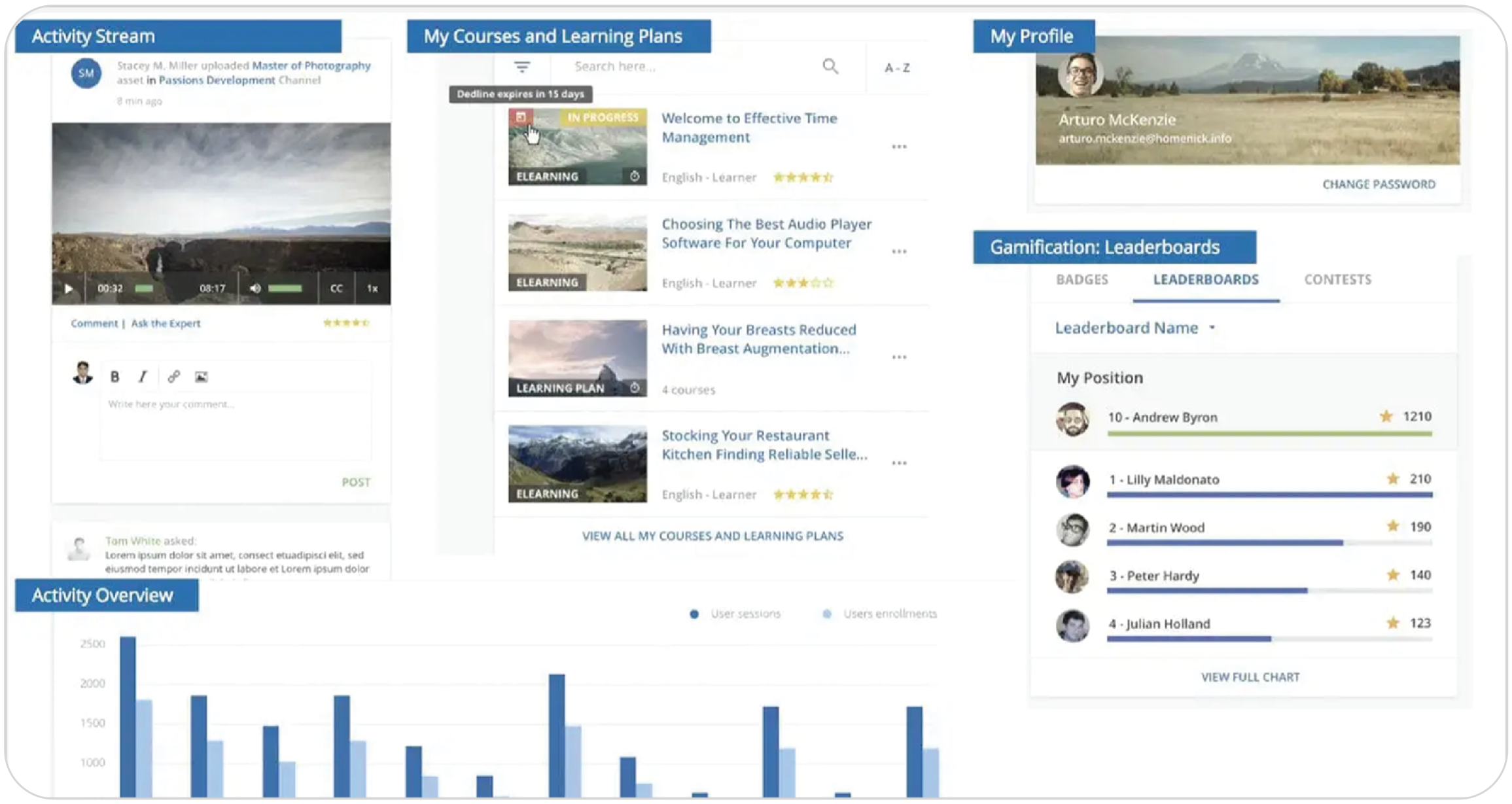
Docebo is designed for enterprise teams and large organizations that need to run learning at scale. It combines AI-powered content creation, workflow automations, and extended-enterprise capabilities. The platform supports customers, partners, and other external audiences alongside internal learners.
But the trade-off? Its enterprise focus. Organizations with simpler training needs may find Docebo more complex to implement and administer than another LMS system.
✔ Pros
- Supports complex employee and extended-enterprise programs
- Strong AI, personalization, and skills functionality
- Workflow automation and extensive API support
- Reporting and customizable dashboards
✖ Cons
- Can be complex to configure and implement
- Likely to be excessive for organizations needing a straightforward LMS
- The breadth of configuration can create a steep learning curve
- May require dedicated administrative or technical resources
Key features:
- AI-powered content creation and translations
- Personalized learning recommendations
- Skills intelligence
- Workflow and administration automation
- Extended-enterprise domains
- Advanced analytics and custom dashboards
- Social learning
- Certifications and compliance tracking
- API integrations
Best for: Large or complex organizations that need enterprise-level AI, automation, integrations, and multi-audience learning.
Pricing:
Docebo does not publish plan prices. Pricing is customized according to learner volume, selected functionality, implementation requirements, and support. Sources claim pricing starts from $35K per year.
What users are saying on G2:
The Good
“Docebo has improved a lot of features over the past year and continues to provide new features that improve service delivery. It has a very clean UI/UX for both staff and admins and almost no downtime. There are many AI features available if your organization is prioritizing AI.” – Verified User in Government Administration, Enterprise, 4.5/5
The Room for Improvement
“At times, Docebo can feel complex to configure, especially when managing advanced settings or automations. Some reporting features could be more intuitive, and certain customizations require technical knowledge or additional support to implement efficiently.” – yoko B., Senior Learning Consultant, Enterprise, 4/5
Litmos alternative #7: Moodle
Why we picked it
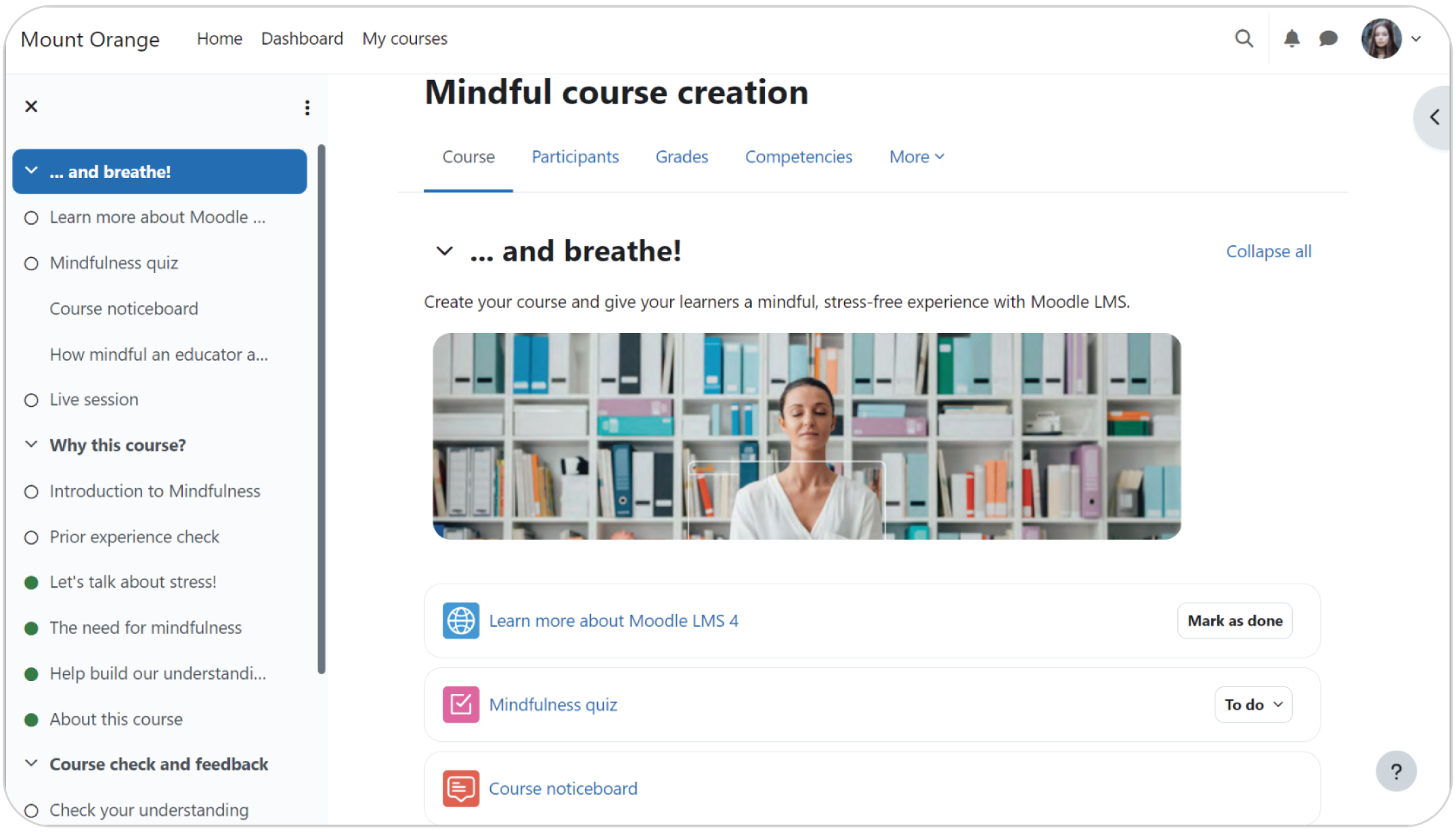
Moodle offers an open-source alternative for organizations that want maximum flexibility over their learning platform. You can either manage the software yourself or use MoodleCloud, Moodle’s hosted option.
The self-hosted version lets you customize the platform, extend functionality with plugins, and choose your own hosting environment. It also has academic learning tools such as assignments, forums, rubrics, and gradebooks, making it suitable for organizations with more complex educational requirements.
The main difference comes down to how much platform you want to manage yourself. As with the self-hosted Moodle updates, security and ongoing maintenance fall on your team.
✔ Pros
- No licensing fee for the open-source software
- Source code can be modified
- Strong assessment, gradebook, and collaborative-learning tools
- More flexibility and control over your platform if your team can support it
✖ Cons
- Requires hosting, implementation, maintenance, backups, and security management
- Total ownership costs can be difficult to estimate
- User experience depends heavily on configuration, theme, and plugins
- Third-party plugins vary in quality, maintenance, and compatibility
Key features:
- Open-source codebase
- Configurable courses and learning activities
- Assignments, quizzes, forums, and rubrics
- Competencies and learning plans
- SCORM support
- Badges and completion tracking
- Granular roles and permissions
- Multilingual interface
- Third-party plugin marketplace
Best for: Organizations that want an open-source LMS and have the technical resources to manage hosting, maintenance, and customization.
Pricing:
Moodle LMS is free to download and use, with no software licensing fees. Hosting, setup, maintenance, custom development, integrations, premium plugins, and technical support create additional costs. Organizations that do not want to self-host can work with a Moodle Certified Service Provider.
What users are saying on G2:
What are the best alternatives to Litmos?
No single LMS platform will fit every team. Before choosing an alternative to Litmos, weigh four things: how quickly you need to launch, who you’ll train, how much admin work your team can handle, and whether your needs will grow over time.
- TalentLMS stands out for organizations looking for a more accessible platform that can launch without IT support. It offers a user-friendly experience with built-in AI course creation, plus affordable and transparent pricing. It also supports employee, customer, and partner training, plus onboarding and compliance training.
- Absorb LMS and iSpring LMS deliver more specialized corporate training experiences. Absorb LMS supports complex internal and external learning programs, while iSpring LMS is particularly suited to teams that create PowerPoint-based content and conduct structured employee assessments.
- LearnUpon and 360Learning are preferred by organizations with distinct approaches to scaling knowledge. LearnUpon supports multiple learner audiences through separate portals, while 360Learning helps internal subject-matter experts collaborate on training content.
- Docebo caters to larger organizations that need enterprise-level AI, automation, integrations, skills management, and extended-enterprise functionality.
- Moodle caters to organizations that prioritize open-source flexibility and academic-style learning tools and have the technical resources to manage hosting, maintenance, and customization.
FAQs
TalentLMS is seen as the Litmos alternative that has the fastest implementation time. It averages a go-live time of 2x faster than the industry standard due to its self-serve cloud structure, intuitive interface, and no need for heavy IT support.
For many small and midsized businesses, TalentLMS is considered the best value for money Litmos alternative. It combines a user-friendly interface, transparent pricing, and AI capabilities, without the complexity or cost of many enterprise platforms. A free plan is also available so you can give it a go and scale whenever you need to.
The best alternatives to Litmos for customer training include TalentLMS, Docebo and Absorb LMS, with each one suited to different needs. TalentLMS stands out as it helps you launch courses quickly, deliver a branded learning experience that feels like part of your business, and create training content faster with AI-powered course creation.
Some of the best alternatives to Litmos for compliance training include TalentLMS and LearnUpon. TalentLMS is a great option for teams that need automated compliance training and audit-ready reporting capabilities without complex setup. LearnUpon is worth considering for teams managing compliance alongside multiple learner audiences.


