







Picture a new engineer’s first week. Just a laptop, a Slack invite, and a vague “let us know if you need anything.”
So they’re dropped into a codebase the size of a small city. No README. No one to give them “the tour”.
They do the only thing they can: ping a senior dev. Who’s mid-sprint. Who replies 3 hours later.
Meanwhile, the new hire has been breaking staging and quietly wondering if they took the wrong job.
That’s not onboarding! That’s a scavenger hunt!
And it gets worse:
- The knowledge that matters lives with the two engineers who built the system back in 2022. One of them just went on parental leave.
- Security training is “that PDF someone posted once.” Then BAM—the SOC 2 audit lands, and you’re digging for proof nobody can find.
- You bought tools to fix all of this. They’re sitting there, half set up, quietly judging you.
The right learning management system turns the scavenger hunt into a guided path.
New hires get productive faster. Certifications stay audit-ready. And critical know-how lives in the system—not in one person’s head.
The catch? Picking the best LMS platform for tech companies depends on your stack, your team size, and your budget. There’s no single winner for everyone.
So we did the digging for you. Below are the 7 best LMS for tech and software companies in 2026.
TL;DR:
What to consider when choosing an LMS for a tech or software company:
- Time to launch: Set up and go live in days—no developer, no IT ticket.
- Room to scale: Onboarding 20 people should take the same effort as onboarding one.
- Multi-audience reach: Train employees, customers, and partners from one backend.
- Compliance you can trust: Auto-expiring certifications and clean audit trails, ready before the audit.
- Stack-wide integrations: Native links to your HR system and SSO, plus an open API.
How to choose the best LMS for tech & software for you
Before you look at names, know what you’re shopping for.
Tech teams break an LMS in ways other teams don’t. You hire in waves. Your product changes weekly. And audits show up with deadlines attached.
7 things separate a tool that keeps up from one that becomes another ticket:
- Setup & ease of use.
Can your team launch it without pulling in IT or a developer? Some platforms need technical setup and admin training before a single course goes live. When onboarding can’t wait, your LMS can’t either. - Built for fast onboarding & scale.
You don’t always hire one person at a time—you often hire a cohort, then another. Your LMS should spin up onboarding paths in minutes and not creak when you double headcount in a quarter. - Automation that cuts admin.
Auto-enrollment, role-based assignment, and learning paths you set once and forget. Without it, every new hire and every course update becomes manual work someone has to remember to do. - Reporting you can act on.
Completion rates are the easy part. The hard part is custom reporting: who’s behind, which teams are audit-ready, and where skills are thin. On many platforms, a custom report is a project of its own. - Compliance & security built in.
SOC 2, ISO, GDPR: tech companies live with audits. Look for certifications, audit trails, and automatic recertification so proof is one click away instead of a week-long scramble. - Fits the tools you already run.
Your LMS shouldn’t live on an island. It should plug into your stack. Slack or Teams, your HR system, plus an open API and the tools onboarding runs through, like GitHub or Jira. Skip this, and every new hire becomes manual setup. - Pricing that scales without surprises.
Without transparent pricing, it’s hard to plan ahead—and tech teams scale fast. Add-ons, premium tiers, and per-user fees can push costs well beyond the initial quote, especially when you onboard a whole cohort at once. Look for a platform where you can see what you’ll pay before you commit.
The 7 best LMS for tech & software companies
| Platform | Best for | G2 rating | Price |
|---|---|---|---|
| TalentLMS | SMBs, employee, customer, partner training, onboarding, compliance | 4.6/5 (801 reviews) | Free plan, premium free trial, Paid plan start from $119/ month for 40 users. |
| LearnUpon | Scaling SaaS companies, customer education, internal onboarding, partner training | 4.5/5 (254 reviews) |
No public pricing; typically quote‑based for mid‑market and enterprise buyers. |
| Docebo | Enterprise software companies, complex learning ecosystems, AI-powered learning, multi-audience training | 4.3/5 (741 reviews) |
No public list pricing; third‑party sources cite starting contracts around $30K/year, depending on scope. |
| Absorb LMS | Mid-market and enterprise training, compliance, customer education, branded learner experiences | 4.6/5 (929 reviews) | No public pricing; subscription, quote-based enterprise pricing that varies by users and features. |
| iSpring LMS | Teams that create training from PowerPoint, onboarding, compliance, structured employee development | 4.5/5 (158 reviews) | Vendor publishes pricing plans. Third-party sources list Business pricing from around €3.78/user/month. Verify with vendor |
| Skilljar by Gainsight | Customer education, product academies, partner training, SaaS certification programs | 4.6/5 (399 reviews) | No published pricing. Third-party sources claim pricing starts around $30,000/year |
| WorkRamp | Employee enablement, customer education, revenue training, certification paths | 4.4/5 (622 reviews) | Flexible packages, no published pricing. Contact vendor |
***Information last updated: June, 2026.
#1: TalentLMS
Why we picked it:
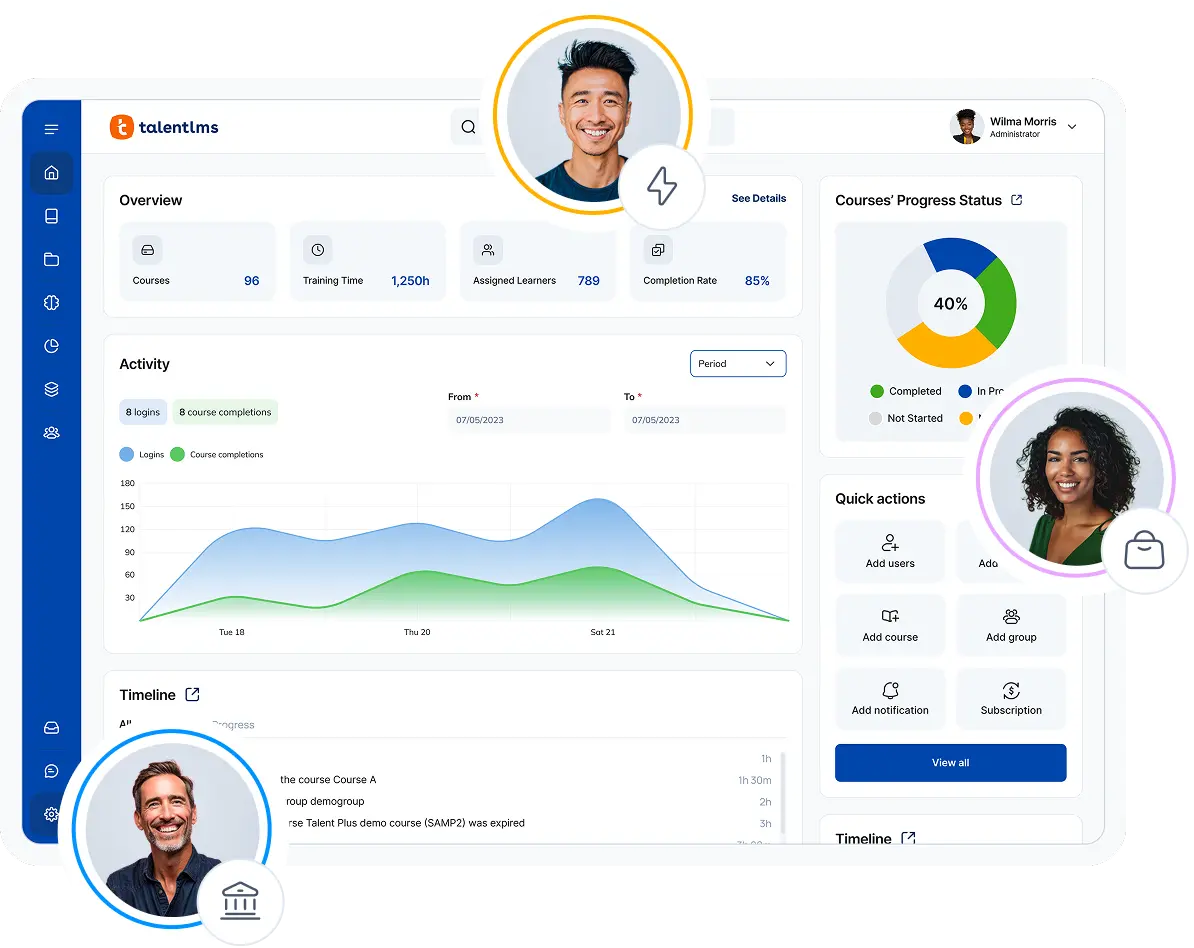
TalentLMS gets your team from setup to live training in days, not months. That speed matters when your product ships every sprint.
Build a full course from a single prompt with TalentCraft (AI course creator), and update onboarding or compliance material the same afternoon the process changes. Plus, AI Coach answers learner questions inside the course in real time, so a new engineer isn’t blocked waiting on a senior dev.
Hiring in waves is where it earns its keep. Branches give employees, customers, and partners their own space, and automations assign the right training the moment someone joins. Onboarding 20 is the same effort as onboarding one.
Auto-expiring certifications re-enroll learners on schedule, so SOC 2 and ISO proof is ready before the audit. And when leadership wants numbers, custom reports show what matters: who’s behind, which teams are audit-ready, and where skills are thin.
It also fits the stack you already run. Native integrations connect your HR system, Salesforce, and single sign-on through Okta, Azure, or Google, so accounts create themselves when people join. An open API and Zapier handle the rest.
Pros
- Easy to set up and manage, with no technical expertise or IT team required
- Supports employee, customer, partner onboarding, and compliance training
- Includes AI-powered course creation through TalentCraft, as well as a variety of other AI features for admins and learners
- Transparent pricing, free plan, and premium trial make it easier to evaluate
Cons
- Not the best fit for academic institutions that need education-first workflows
- Large global enterprises with highly complex governance needs may prefer a more enterprise-heavy LMS
Key features:
- AI-powered content creation with TalentCraft
- Branches and groups for different teams, customers, partners, departments, or regions
- Automations for assignments, notifications, reminders, and repeatable training workflows
- Certifications for compliance, product knowledge, partner programs, and customer education
- Custom homepage and branding options
- Advanced reporting capabilities and custom report builder for tracking training impact.
Best for: SMBs, employee, customer, partner training, onboarding, compliance, product training
Pricing: Free plan available; Premium trial; Paid plans start from $119/month for 40 users.
What users are saying on G2
The Good
“I am using TalentLMS for the long time and me and my company admin can easily create courses and upload videos, SCORM, assignment and more. TalentLMS works with small teams or thousands of learners. TalentLMS can auto assign courses, send reminders and create learning path and ease to implement.” — Sourabh C., 5/5 stars
The Room for Improvement
“There were instances where the translation of our content did not hit the mark, and it would be helpful to provide the tool some prompts regarding our industry and audience to generate better text.” — Katrina L., Director of Training, Mid-Market, 5/5 stars
From 30 to 350: How Position Green scaled training
Position Green, a Swedish ESG software company, switched to TalentLMS when growth outpaced their old platform, going from roughly 30 to 350 employees in two years.
3 things made it work. The same three that matter to any software team:
- Multiple audiences, one platform.
Onboard employees and teach customers to run their sustainability suite, all from one place. - Fits the existing stack.
TalentLMS connected to the tools they already used, so admins managed training in one system instead of juggling several. - Scale without the headache.
As they added more people, courses, and regions, TalentLMS kept up. Now serving 3,000+ learners across Europe, North America, and Asia, with little training needed to get going.
“I know that I can rely on TalentLMS… because of [its] flexibility and scalability.”
— Richard Silvekroon, Product Manager, Position Green
#2: LearnUpon
Why we picked it:
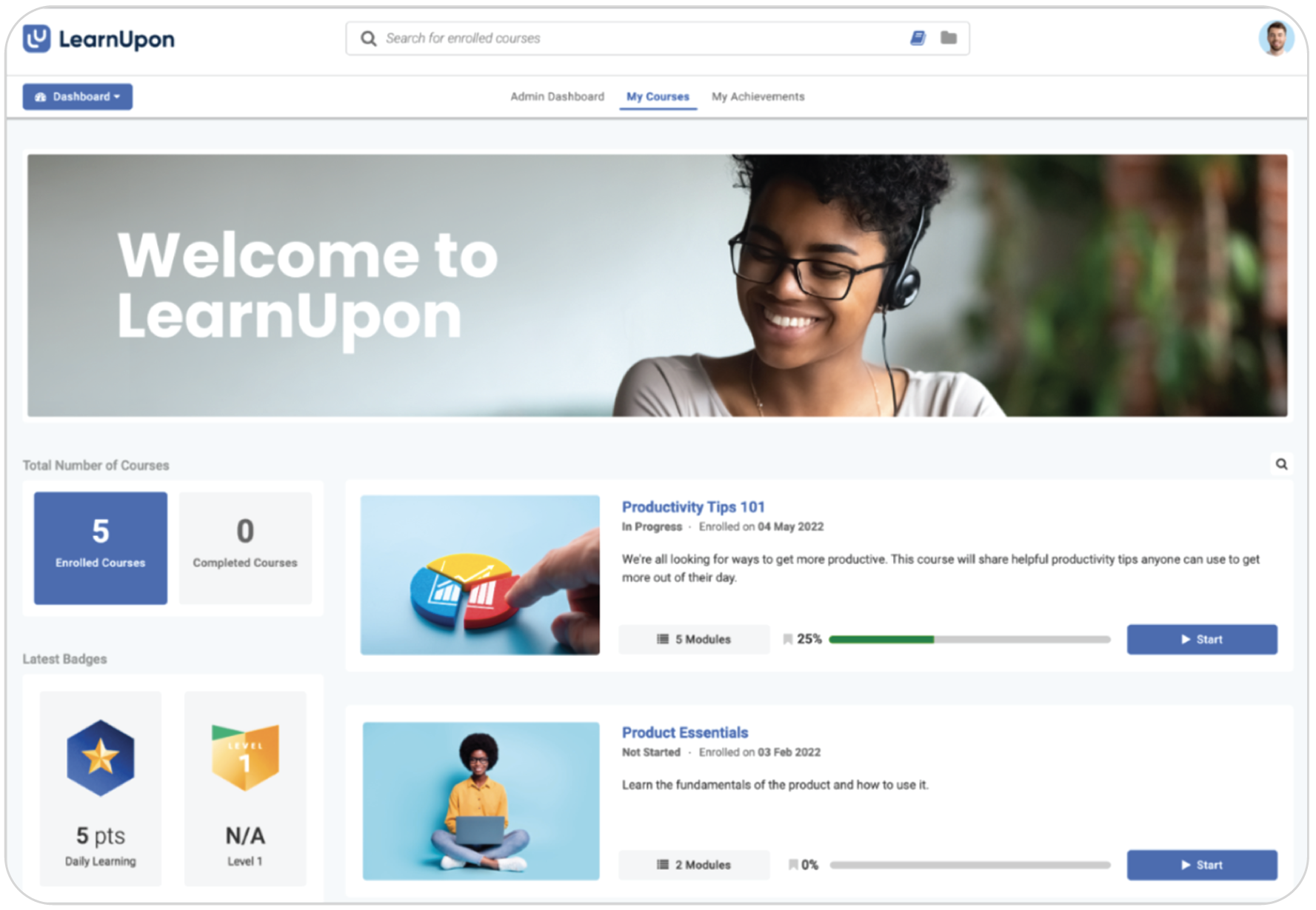
LearnUpon is designed for multi-audience training, with a strong customer education use case. That makes it a practical option for SaaS companies that want to connect training to the customer journey, not just internal onboarding. Especially if they rely on integrations with tools like HubSpot or other customer-facing systems.
It runs on a multi-portal architecture, where each portal is its own branded environment with separate users, content, and access rules, all managed from a single backend. Courses can be shared or licensed across portals, so the same product training reaches new hires, customers, and partners without rebuilding it each time.
Pros
- Strong fit for customer education and internal onboarding
- Positive user feedback around support and implementation
- Integrations with business systems support automated learning workflows
- Good option for scaling SaaS training programs
Cons
- Say things that this provider lacks against TalentLMS + the initial provider
- Reporting can be clunky and too complex for smaller teams
- Customization may feel limited for more specific use cases
- May be a bigger investment than some SMB-focused alternatives
Key features:
- Customer, employee, partner, and member training
- Portals for different learner audiences
- Integrations with CRM, HRIS, SSO, and content tools
- Learning paths and automation
- Reporting and analytics
- AI-assisted course creation
Best for: Scaling SaaS companies that want to manage customer education and internal onboarding in one LMS.
Pricing: No published pricing. Contact the vendor. Sources claim pricing starts at 20-25K$.
What users are saying on G2
The Good
“Automations like enrollment rules, reminders, and progress tracking help reduce manual follow-up and keep learners accountable.” — Verified User, 5/5 stars
The Room for Improvement
“The reporting side of LearnUpon LMS is quite limited. I would like to build reports a little better, with more filter options, especially filtering by groups.” — Rita G., 4/5 stars
#3: Docebo
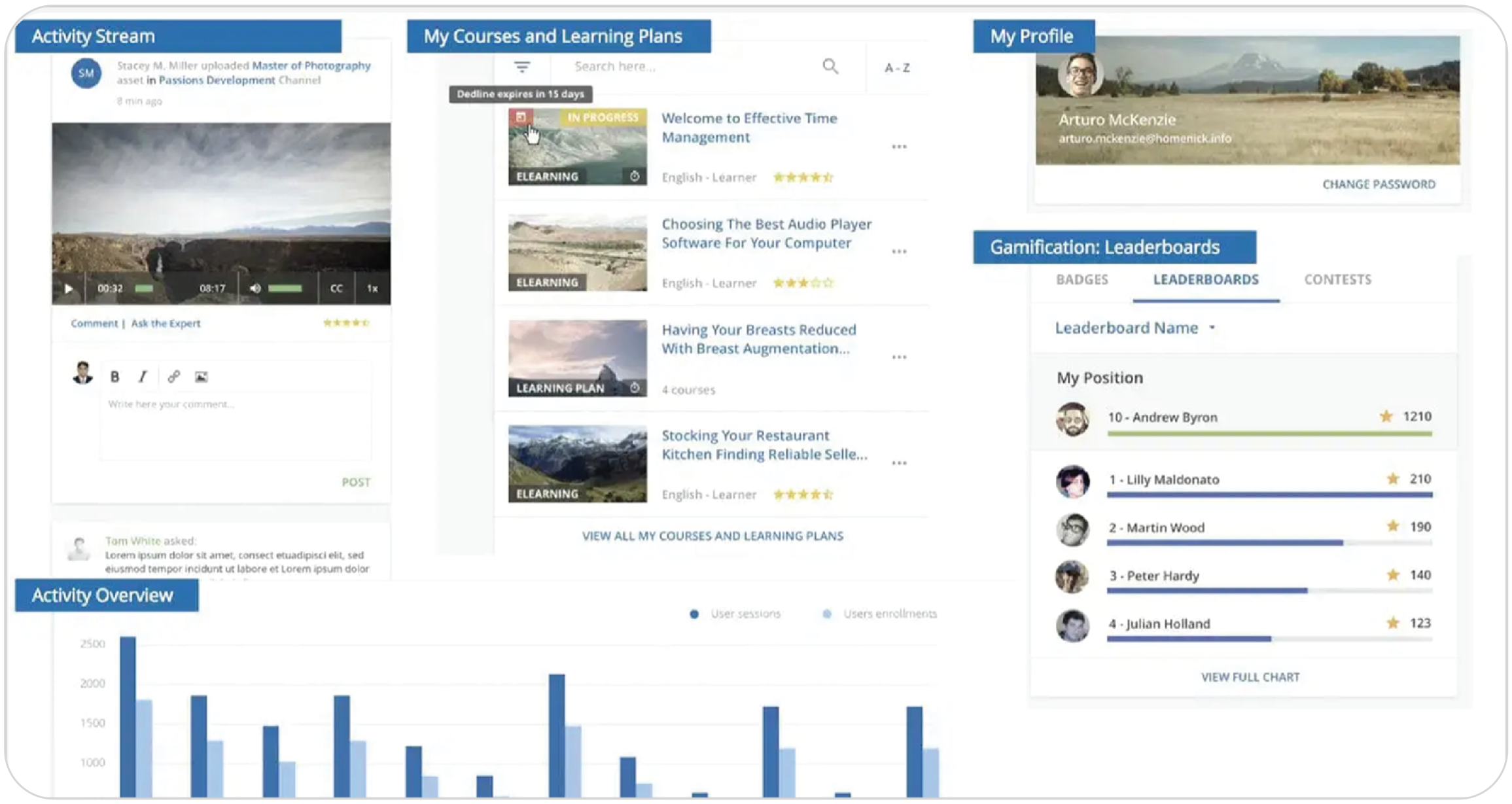
Why we picked it:
Docebo is a strong enterprise option. It offers AI-powered learning, automation, content management, integrations, and multi-audience training capabilities. For large software companies, Docebo can support more complex learning operations than a lightweight LMS.
A lot of that depth comes from how it’s built. Docebo Flow embeds learning directly into the tools teams already work in, so training surfaces in the flow of work instead of sitting in a separate platform. And Docebo Connect links it to the wider stack—HR systems, CRMs, and collaboration tools—so a large operation can run learning across many systems from one place.
Pros
- Strong enterprise learning capabilities
- AI-powered learning and automation
- Supports employee, customer, and partner training
- Broad integrations and scalable architecture
Cons
- Custom pricing only, through Sales
- May require more implementation and admin resources
- Increased learning curve and system complexity
- May be more than smaller software teams need
Key features:
- AI-powered learning platform
- Multi-audience training support
- Content management
- Advanced analytics
- Integrations with enterprise systems
Best for: Large software companies and enterprises with complex internal and external training needs.
Pricing: No published pricing. Contact the vendor. Sources claim pricing starts at 35-40K$.
What users are saying on G2
The Good
“Docebo provides a highly customizable platform that allows us to tailor the learning experience to reflect our company’s branding and voice. With HTML/CSS customization, catalog control, and flexible navigation, we’ve been able to create an environment that feels integrated with our internal tools. The API and bulk CSV options make it easier to automate and scale learning operations efficiently.” — Avery G., 4.5/5 starsVerified User, 5/5 stars
The Room for Improvement
“At times, Docebo can feel complex to configure, especially when managing advanced settings or automations. Some reporting features could be more intuitive, and certain customizations require technical knowledge or additional support to implement efficiently.” — yoko B., 4/5 stars
#4: Absorb LMS
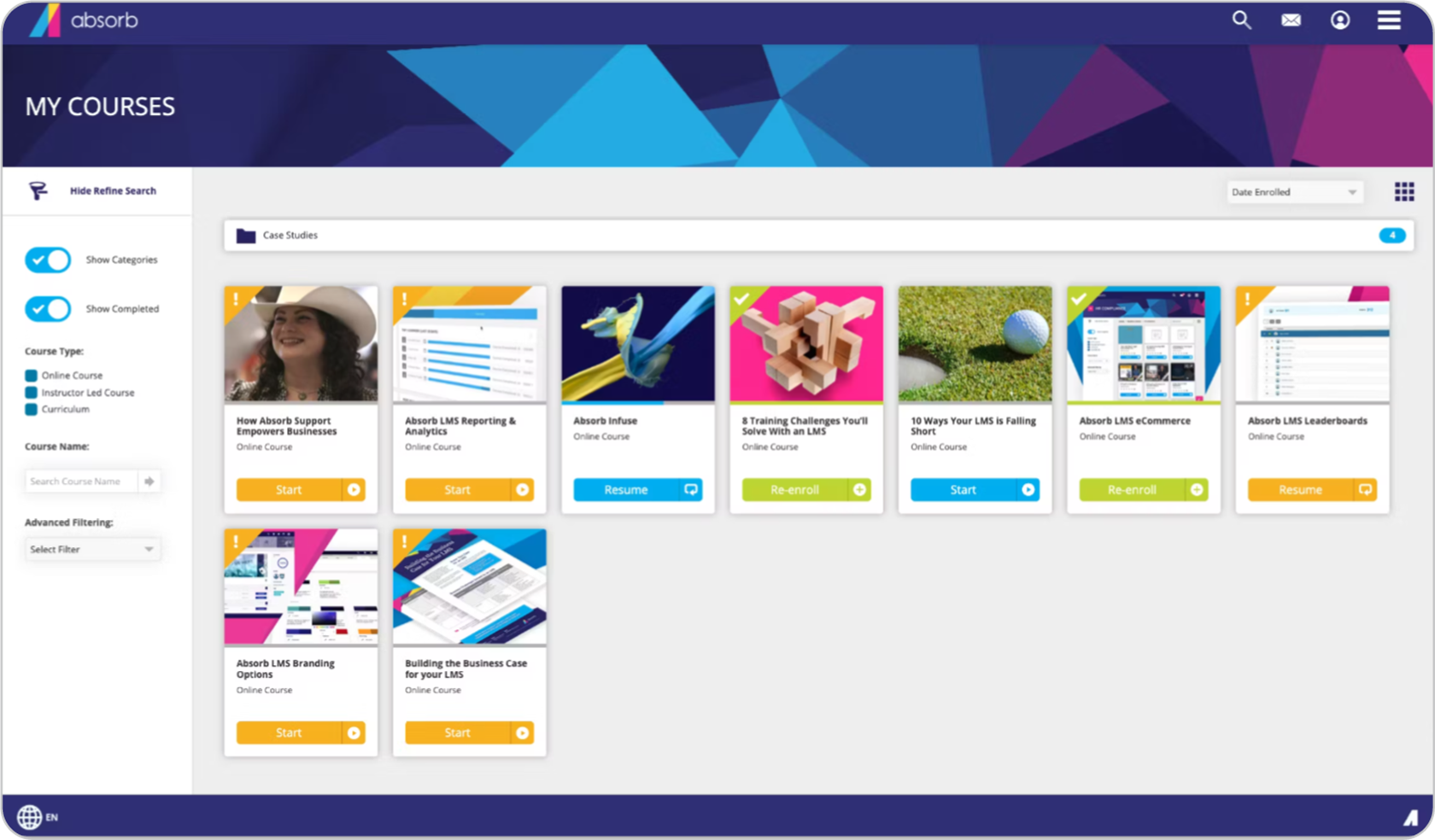
Why we picked it:
Absorb LMS is a relevant option for software companies that want a polished learner experience, branded training portals, and scalable training administration. It’s especially useful when compliance, customer education, and internal training all need to live under one system.
Each audience gets its own separately branded portal, managed from a single backend. Absorb Infuse, its headless layer, embeds learning directly into the tools teams already use, like Microsoft Teams or Chrome, so training shows up where people already work. And Absorb Aura handles the AI side—generating courses from uploaded documents and answering learner questions from the assigned material.
Pros
- Strong branded learner experience
- Good fit for compliance, customer education, and enterprise training
- Broad integration ecosystem
- AI-assisted content and learning features
Cons
- No public pricing; requires contacting sales
- Implementation may take longer than lighter LMSs
- Advanced configuration may require admin training
- May be more than smaller software teams need
Key features:
- Branded learner experience
- Compliance training
- Customer education support
- Reporting and analytics
- AI-assisted learning and content capabilities
- Integrations with CRM, HRIS, content, analytics, and productivity tools
- Course authoring and content management
Best for: Mid-market and enterprise software companies that need branded learning experiences and scalable training operations.
Pricing: No published pricing. Contact the vendor. Sources claim pricing starts at 20-25K$.
What users are saying on G2
The Good
“The LMS side is a solid and reliable platform. It allows me to publish and manage content, enroll learners, generate reports, and now even create content. Our CSM is great and always helpful and [expedient] in solving issues that come up or situations that require brainstorming.” — Carrie B., 4/5 stars
The Room for Improvement
“Implementation can be slow and support varies; more clarity on integrations would help.” — Verified User, 3.5/5 stars
#5: iSpring LMS
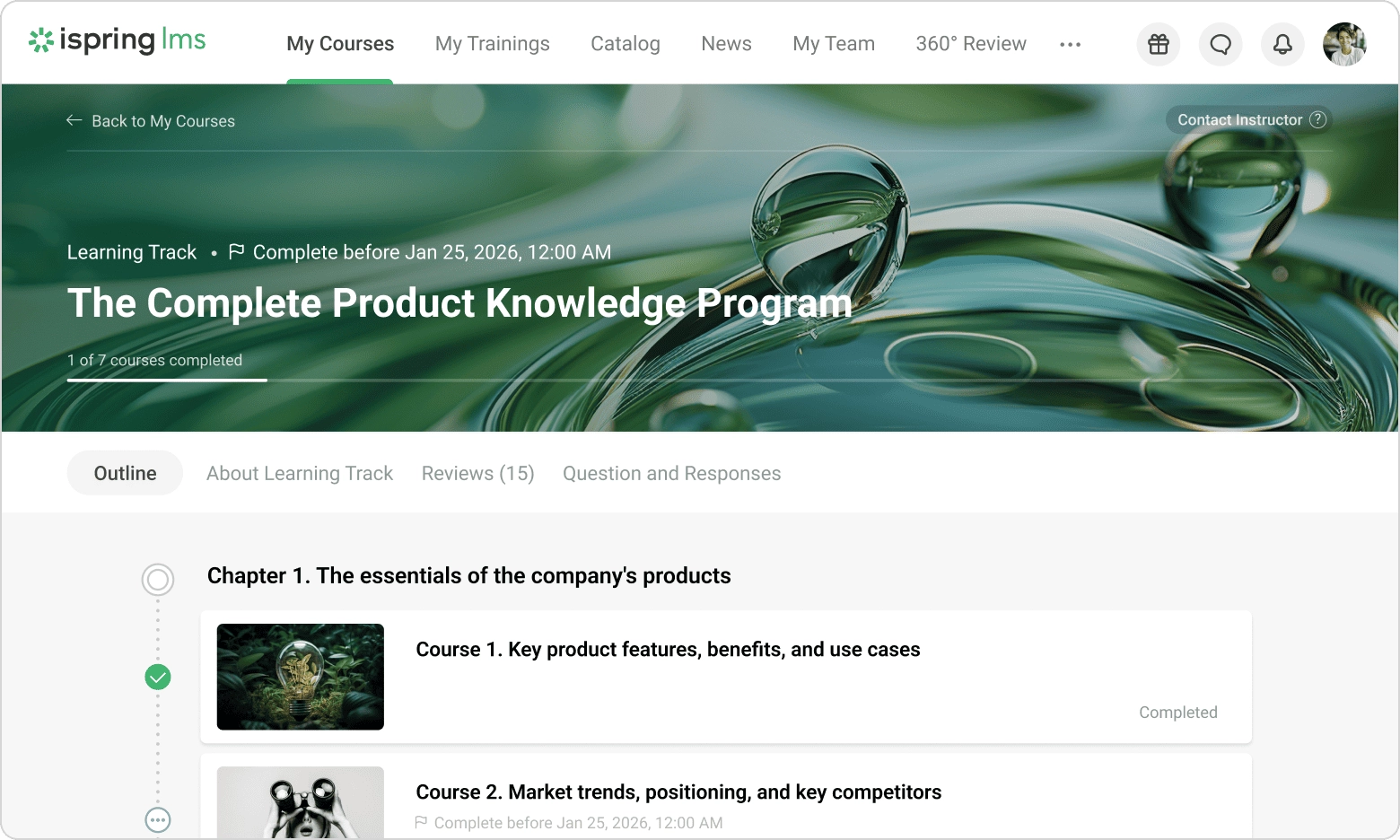
Why we picked it:
iSpring LMS is relevant for tech and software companies that need to turn existing presentations, product training decks, or compliance materials into online courses quickly. Its connection with iSpring Suite makes it particularly useful for teams that want a PowerPoint-based authoring workflow.
That workflow is the real draw. iSpring Suite installs as a PowerPoint add-in, so a product deck or compliance slide set becomes an interactive course—quizzes, video, dialogue simulations—without leaving a tool your team already knows. Finished courses sync straight into iSpring Learn for assigning, tracking, and reporting, so the people who write the training are also the ones who ship it.
Pros
- Strong PowerPoint-to-course workflow
- Useful for onboarding, compliance, and employee development
- Good fit for teams with existing slide-based training materials
- Good fit for teams with existing slide-based training materials
Cons
- Multi-audience customer education may be less flexible than dedicated customer LMSs
- Course creation is less straightforward when it comes to creating materials from scratch
- Pricing can vary significantly based on users and product bundle
Key features:
- PowerPoint-based course creation through iSpring Suite
- LMS for assigning and tracking training
- Learning paths
- Reporting and analytics
- Certification features
Best for: Teams that build training from existing slide decks and need a straightforward LMS for employee onboarding, compliance, and internal training.
Pricing: Vendor publishes pricing plans. Business pricing from around €3.78/user/month
What users are saying on G2
The Good
“You can upload courses, assign training, track completion, and generate reports without needing technical knowledge or ongoing admin overhead.” — Peter D., 5/5 stars
The Room for Improvement
“Have faced several issues in the past where users were not able to access courses and admins were not able to view user course completion or quiz submission.” — Anil Raj V., 3/5 stars
#6: Skilljar by Gainsight
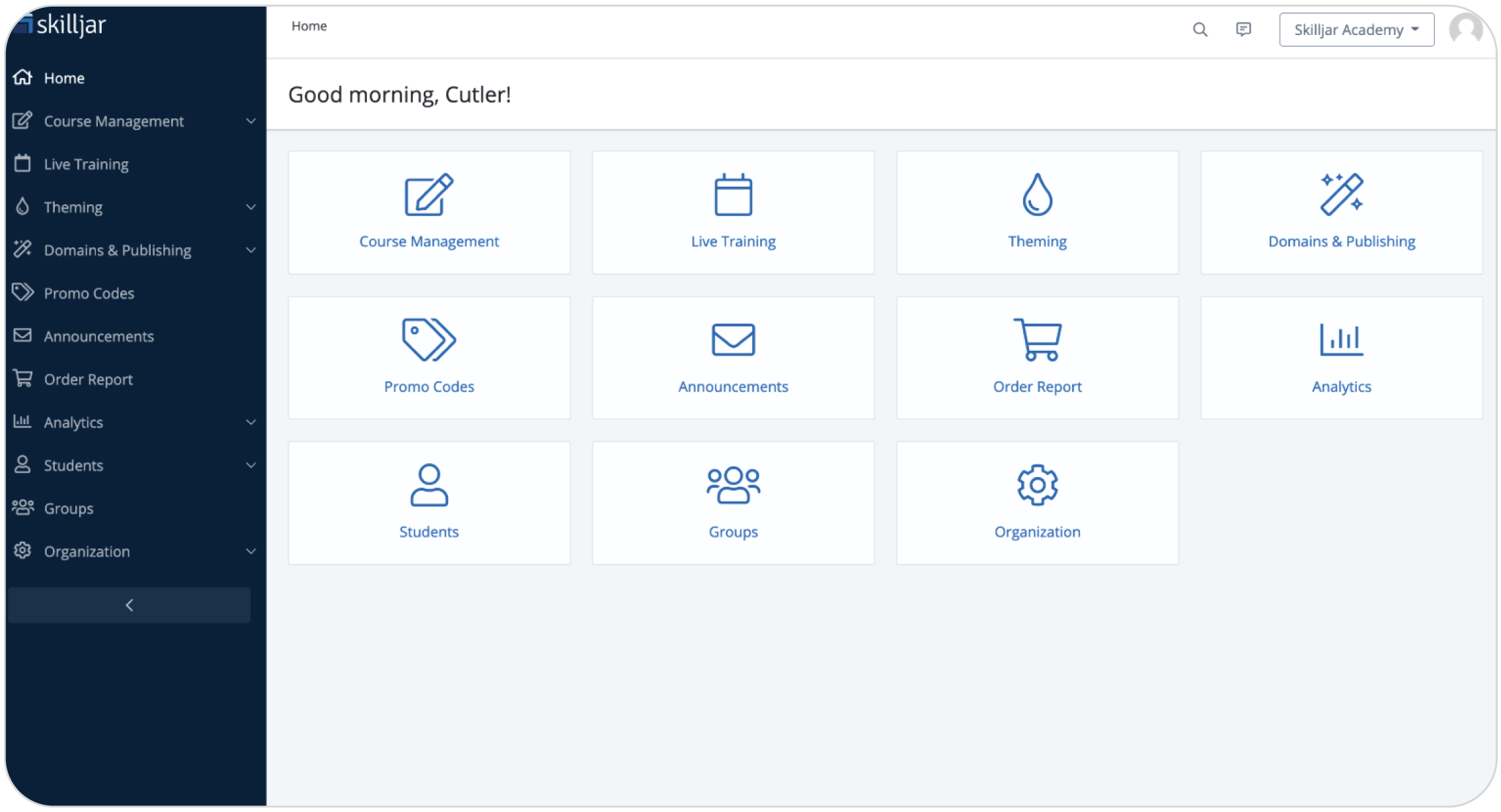
Why we picked it:
Skilljar is a customer education platform. For software companies, it’s particularly relevant for product academies, customer onboarding, partner education, certification programs, and training that connects to customer success outcomes.
That last part is where the Gainsight side shows. Training data connects to your CRM and customer success tools—including Gainsight’s own platform—so course completions and certifications can sit next to the customer health signals your success team already tracks, instead of in a separate report. And learners reach the academy through a branded, no-login-required experience so customers can start training without an account barrier in the way.
Pros
- Strong fit for customer education and product academies
- Supports customer onboarding, certification, and partner training
- Integrates with customer-facing tools such as Salesforce, Zoom, Stripe, and Zendesk
- Good option for SaaS companies that connect education to adoption and retention
Cons
- Less focused on general employee training than some LMSs
- No published pricing, only custom through Sales
- Highly complex workflows may require workarounds or middleware
Key features:
- Customer education platform
- Branded academy sites
- Course and asset management
- Certifications
- Analytics
- Multiple integrations
Best for: Software companies that need a customer education academy, product training, certifications, and partner education.
Pricing: No published pricing. Contact the vendor. Sources claim pricing starts at 30K$.
What users are saying on G2
The Good
“It’s easy to quickly publish content, and the platform does a great job supporting engaging learning experiences through gamification and high-quality video content. The ability to curate structured learning paths makes it simple to drive adoption and deliver meaningful enablement at scale.” — Jon S., 5/5 stars
The Room for Improvement
“It’s a bit expensive. Skilljar doesn’t have all the integrations would like and pace of updates and improvements seems to have slowed. Parts of the system feel dated and don’t offer the level of customization or visual appeal we would like.” — Verified User in Computer Software, 4/5 stars
#7: WorkRamp
Why we picked it:
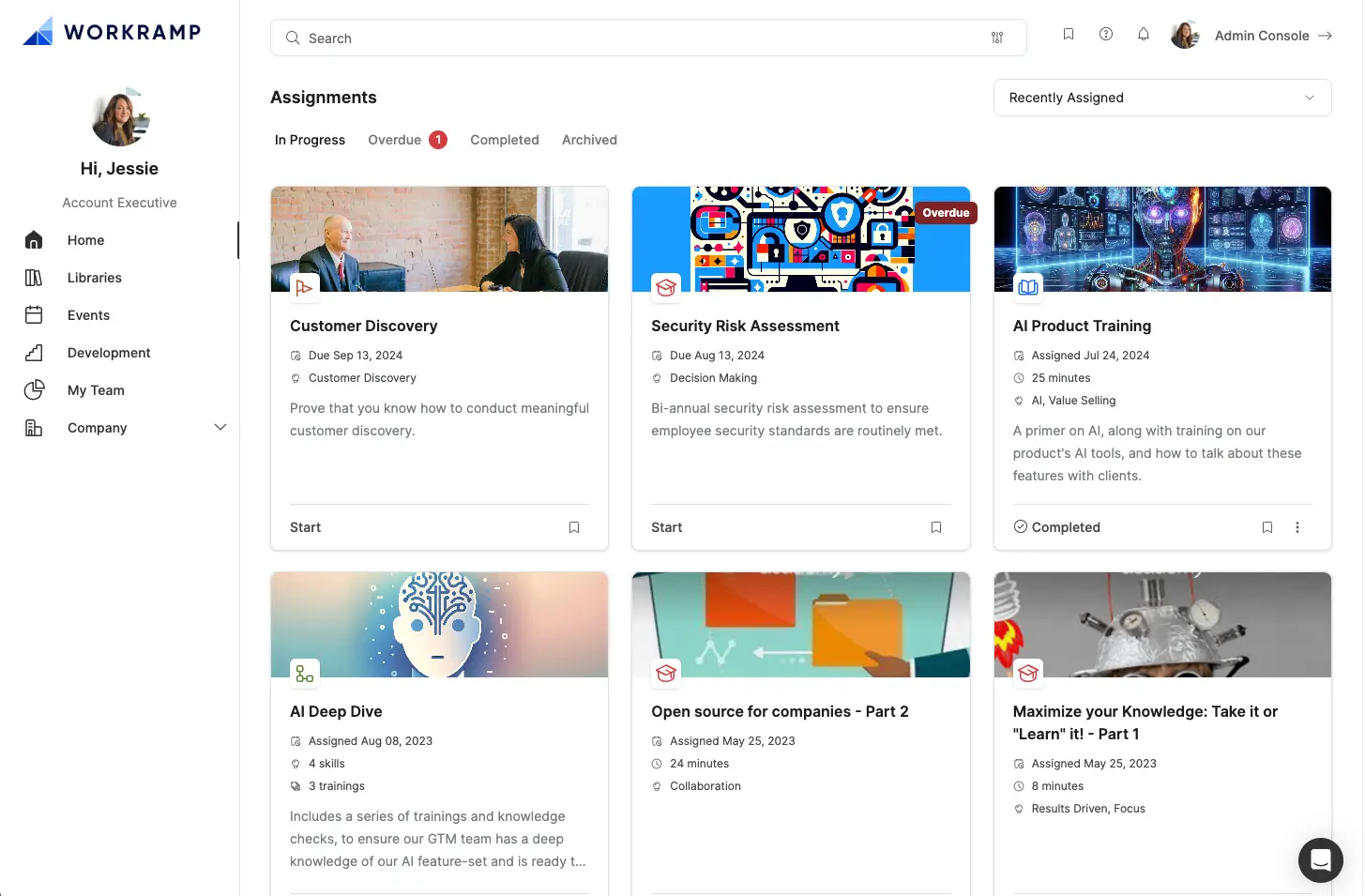
WorkRamp fits software companies that want one learning platform for internal and external enablement. It’s especially relevant for companies with sales, customer success, support, and customer education teams that need structured training and certification paths.
It’s built as two halves of one Learning Cloud. An Employee Learning Cloud for internal enablement and a Customer Learning Cloud for external training. That’s how onboarding a new sales rep and certifying a customer run on the same platform instead of two. The Customer Learning Cloud pairs courses with WorkRamp Communities, a branded space where customers learn and connect in one place, so product education sits next to the people using it.
Pros
- Supports employee, customer, and partner learning
- Good fit for revenue enablement and customer education
- Offers certification and learning paths
- Useful for modern SaaS enablement teams
Cons
- No published pricing
- May be a larger investment than SMB-focused LMSs
- May require a lengthier setup while onboarding due to the complexity of the tool
Key features:
- Employee Learning Cloud
- Customer Learning Cloud
- Self-guided learning modules
- Coaching workflows
- Certification paths
- Reporting and analytics
Best for: Companies that need both employee enablement and customer education, especially for customer success and product training teams.
Pricing: No published pricing. You need to contact the vendor for a quote.
What users are saying on G2
The Good
“We had lofty ambitions for the volume of content we would launch in Phase 1 as we wanted to have it fully fleshed out before making available to our customer base. Through Workramp’s support and a big internal commitment we were able to achieve this in about 90 days.” — Verified User in Computer Software, 5/5 stars
The Room for Improvement
“Sometimes WorkRamp can feel a bit complex to set up initially, particularly when you’re trying to configure the more advanced features. I’ve also heard from a few users that the customization options can feel somewhat limited, especially when compared with other platforms.” — Chetan p., 4/5 stars
Which LMS to choose for tech and software
The right choice depends on your training needs, team size, technical capabilities, and how quickly you need to roll out.
- TalentLMS stands out for software companies that need to launch training fast—across employees, customers, and partners. It’s easy to set up, needs no IT support, and keeps product training, onboarding, compliance, and customer education current as the business grows.
- LearnUpon is for organizations that train several distinct audiences and want structured multi-audience programs through separate branded portals.
- Docebo is the pick for larger or scaling companies that need more advanced, complex learning operations.
- Absorb LMS suits companies that prioritize a polished, branded learner experience across internal and external training.
- iSpring LMS fits teams that want to turn presentations and product decks into courses through a PowerPoint-based authoring workflow.
- Skilljar is built for customer education and product academies tied to customer success outcomes.
- WorkRamp caters to revenue enablement and certification programs across internal and customer-facing teams.
No matter where you land, take advantage of free trials and demos before committing. Seeing how your team actually interacts with the platform is worth more than any feature list.


