








TL;DR:
- Time to competency (TTC) is the time from the beginning of training to independent skill performance at a defined standard.
- Most teams track course completion, which is why training gets completed but performance gaps remain.
- Measuring time to competency starts with defining what competent looks like for each role and skill.
- The free TalentLMS Time to Competency Tracking Template helps audit current TTC across roles.
Shorten TTC by matching training to gaps, adding practice, and tracking progress in real time.
Most L&D teams know how many people completed a course. But do they know how long it took someone to put the learned skills into practice?
Here’s an example. According to the TalentLMS Speed-to-Skill report, 82% of enterprise leaders say their organization provides some type of AI training. Yet 59% still report an AI skills gap. Training happens; however, competency doesn’t follow. And with only 1 in 10 HR/L&D leaders confident their teams have the skills to hit near-term goals, organizations face mounting pressure to accelerate capability building.
The disconnect is that most organizations track completion. They measure who finished the course but lose focus on who can do the work. In other words, time to competency matters for businesses as a whole, not just for L&D reporting.
And a significant portion of skill-building never touches formal training at all. According to the same report, 53% of employees say they primarily learn by doing, and 42% learn from colleagues. That means the fastest skill development is often invisible. It can also happen on the job, outside any course a system can track.
This guide covers how to define, measure, and reduce time to competency, with a free competency tracking template to start.
What is time to competency?
Time to competency is the time from when an employee starts training to when they can perform a skill independently at a defined standard. To measure it, define the target competency level per skill, track training start and achievement dates, and then assess on-the-job performance. Reducing time to competency requires targeted training, structured practice, and real-time progress tracking.
The key distinction is that TTC isn’t training completion time. It differs from time to productivity, which focuses on immediate contributions to team output. TTC measures when someone reaches proficiency. See it as the gap between finishing the training and doing the work.
With the skills gap issue being prominent in most organizations, it’s necessary to shift focus on measuring how long it takes training to close whatever skills gap exists. So, when TTC is long, new hires stay unproductive longer, reskilling stalls, and teams carry the load longer than they should.
How to measure time to competency
Most teams already measure something related to training, like completion rates, satisfaction scores, hours logged, and certificates earned. The thing is that these metrics track activity instead of ability. A 95% course completion rate feels reassuring. That’s until the same team keeps escalating tickets, missing targets, or relying on senior employees to cover gaps.
What’s missing is a measurement that connects training to job performance. That’s where time to competency comes in.
Here’s how to measure it successfully:
1. Define what competent looks like
Measurement starts with defining competency clearly. For each skill or role, set an observable standard that describes the acceptable level or predefined level of performance. For instance, what does someone need to do, and at what level, to count as competent?
Competency examples:
- Customer support: resolve tickets independently with ≤5% escalation rate
- Sales: close deals without manager involvement
- Compliance: pass the assessment with ≥80% and apply procedures correctly in the first audit
Defining competency around observable actions helps identify critical tasks, and competent employees can reduce errors. Avoid vague targets like X, Y, and Z understand the process. If it isn’t observable, it isn’t measurable.
2. Track start and achievement dates
Once the target is clear, track two dates. First, when training started on that skill, and then when competency was demonstrated. Here’s the catch: don’t track only when the course was finished, but the time the person proved they could do the work.
The gap between those dates is the time to competency for that skill.
For instance, the downloadable Time to Competency Tracking Template maps these columns: skill → target level → current level → training assigned → date started → date achieved → days to competency.
3. Measure at the skill level
Another common mistake is measuring TTC for an entire onboarding program. That number hides which skills take the longest and where training underperforms, because different factors affect how quickly learners reach competency at the skill level.
Break it down by individual skill. Per-skill time to competency reveals bottlenecks. For example, a call center rep may take six weeks to reach competency in one area while other skills ramp faster. Think of it as that skill that takes three weeks to master, contrary to others that take just three days.
A skills gap analysis template helps map which skills to prioritize before measuring speed.
4. Benchmark and compare
TTC numbers become useful through comparison:
- Teams: Which managers get people competent fastest?
- Roles: Which role has the longest ramp?
- Time periods: Is time to competency improving quarter over quarter?
Without benchmarks, TTC is just a number. With them, it’s a diagnostic tool. For example, if the sales team’s TTC for CRM proficiency is 11 days but the operations team’s is 30, that tells you something about the training.
The question is where to put all of this. That’s where a time to competency template comes in.


How to use the time to competency template
The measurement framework gives you a structure. The next step is applying it.
Knowing how to measure time to competency is one thing. Having a system to actually do it is another. The Time to Competency Tracking Template puts the framework from this guide into a ready-to-use format, like columns mapped to each step, formulas that calculate automatically, and a summary view that surfaces patterns without extra work.
Get your free Time to Competency Tracking Template and run an initial baseline with these steps:
1. Define skills and targets
For each employee and skill, fill in the employee name, role or team, the skill being tracked, and the target competency level. What “competent” looks like in observable terms.
2. Track training and dates
Record the training assigned (the course, program, or activity), the date the employee started, and the date they demonstrated competency.
Not when the course was finished, but when learners proved they could do the work. The “Days to Competency” column calculates automatically from the two dates.
3. Update status as people progress
Use the status column to mark where each person stands:
- Not Started: training assigned but not yet begun
- In Progress: actively training or developing the skill
- Achieved: demonstrated competency at the target level
- Stalled: no progress for 2+ weeks (investigate and intervene)
4. Review patterns
The template’s summary dashboard auto-calculates total skills tracked, average days to competency, and a breakdown by role and team.
Look for which skills take the longest, which roles ramp slowest, and where training ends but competency doesn’t follow.
The template works as a starting point. It’s useful for teams running a first audit. At 30+ employees across multiple roles and skills, manual tracking becomes the bottleneck itself.
That’s where the right LMS takes over.

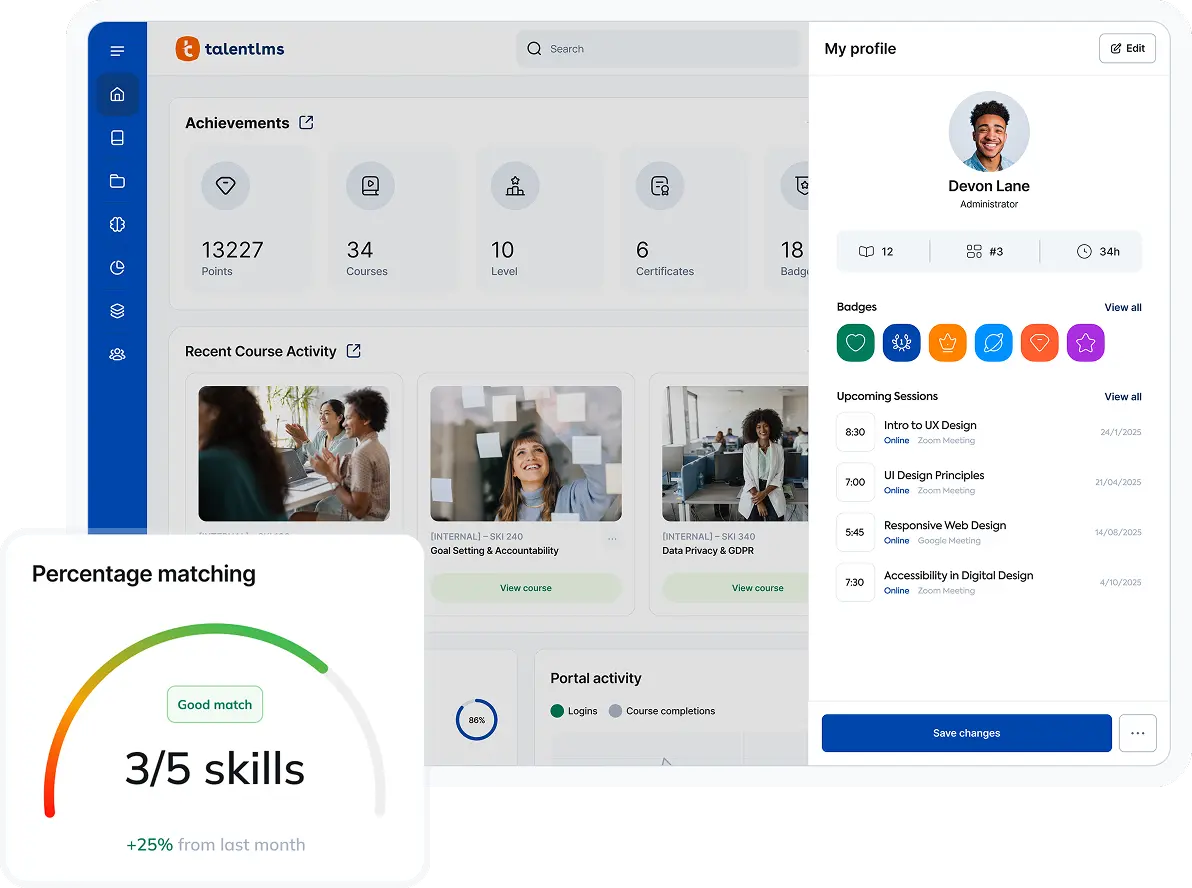
Note: This template doesn’t replace a skills gap analysis. It picks up where one leaves off. A gap analysis identifies which skills are missing. This template tracks how long it takes to close those gaps once training begins.
How to reduce time to competency with your LMS
Reducing time to competency improves productivity and supports more efficient workforce development by matching training to individual skill gaps, adding practice alongside content, tracking progress in real time, and creating courses fast enough to meet emerging needs.
The framework and template do the initial work, but they’re manual. Faster progress in employee competency helps develop skills that lift employee performance and business results. Organizations with strong learning cultures are more likely to be productive and innovative, which strengthens training effectiveness.
So, an LMS with built-in skills tracking automates the measurement framework and shortens TTC at scale.
Here’s what changes when the system does the tracking for you.
1. Define competency levels and map them to roles
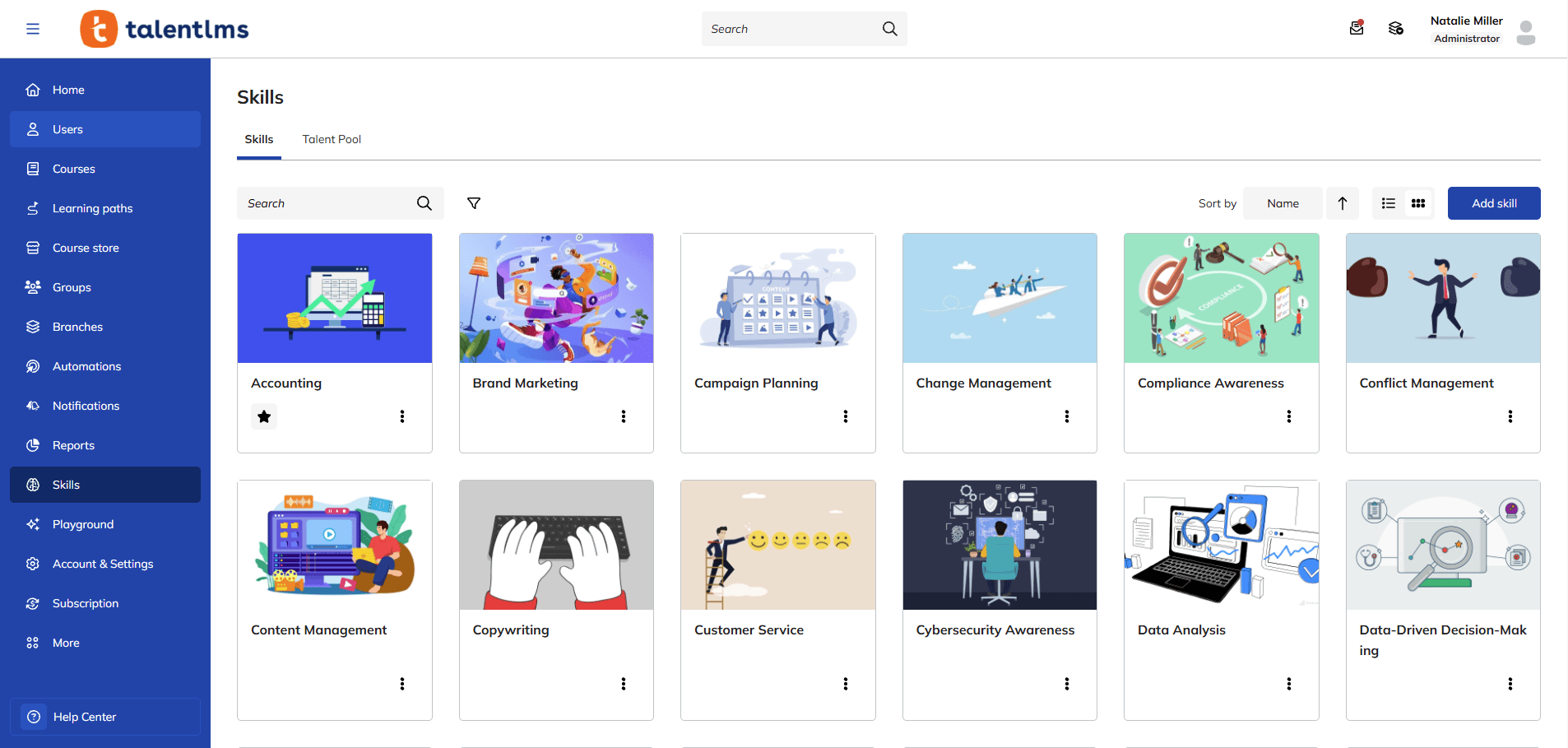
The measurement framework starts with defining “competent”. TalentLMS’s Skills feature turns that definition into a system that helps define competency levels against skill requirements and broader business needs.
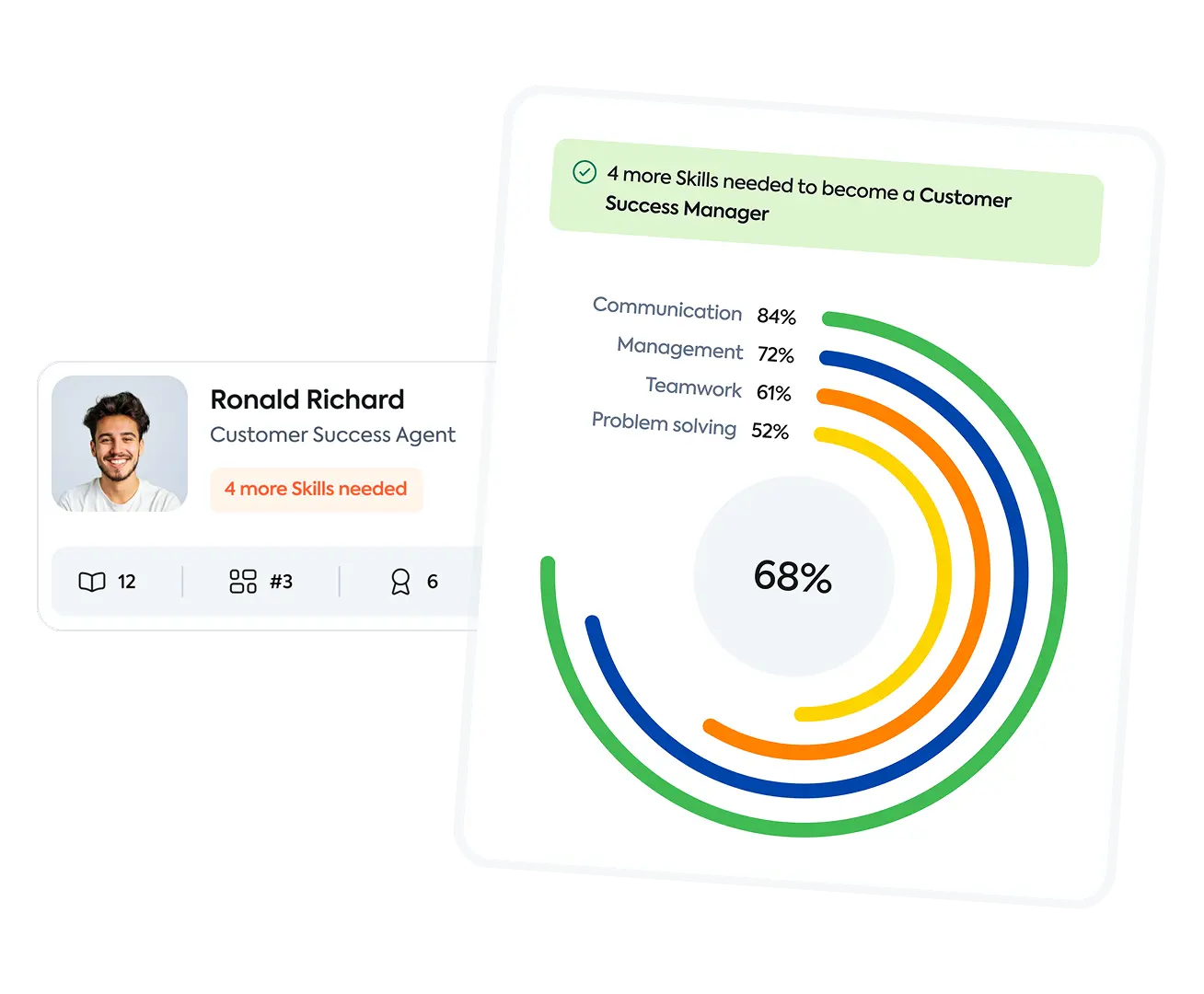
Define competency levels per skill, map skills to roles, and see where every learner stands against the target. No spreadsheet is required.


2. Match training programs to the respective gap
Most training programs are assigned by role. But role-specific training, i.e., onboarding, is more precise. New hires in the same role get the same course list, regardless of what they already know.
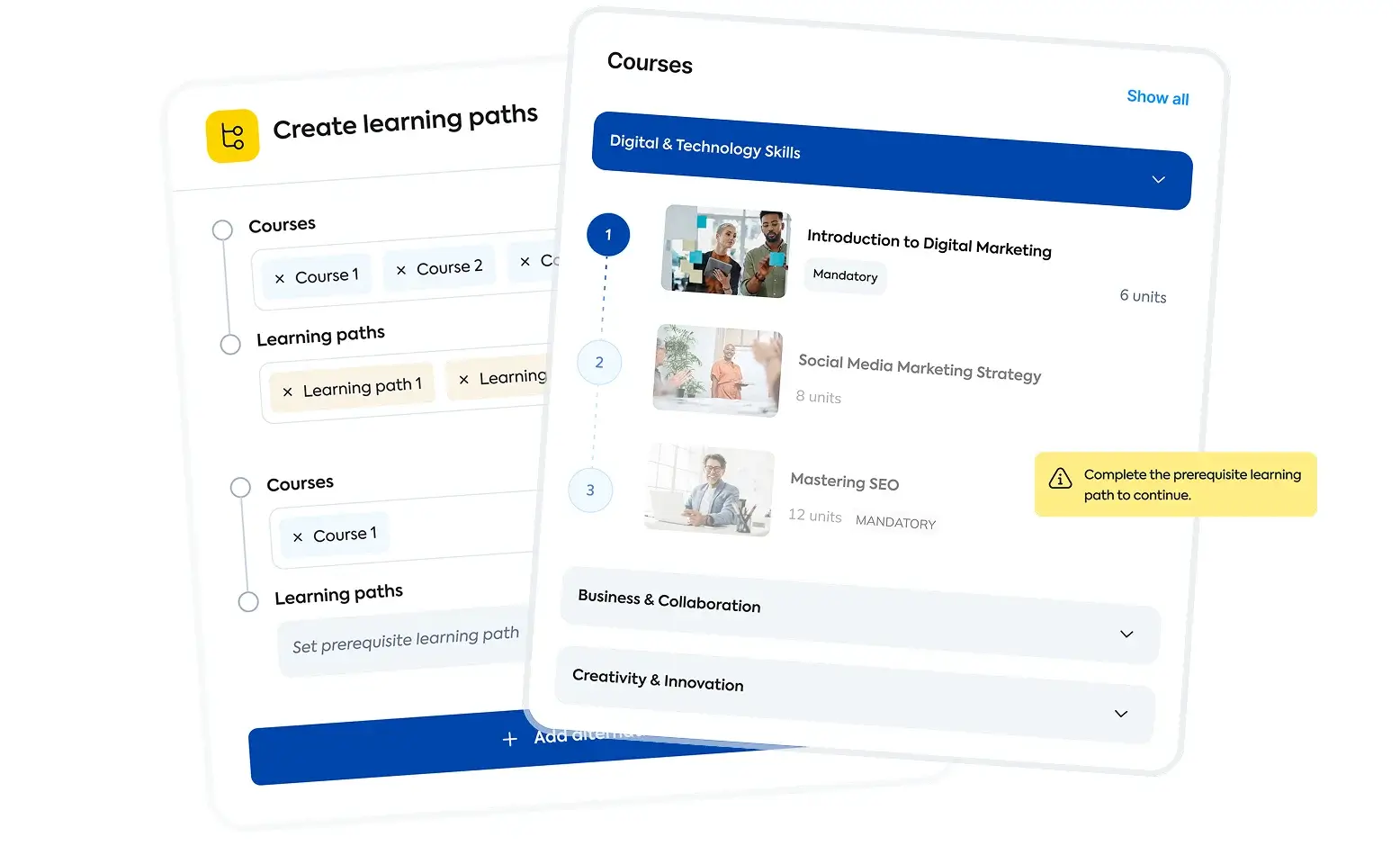
When the gap is visible per person, only the training programs that are needed get assigned. Shorter path, shorter TTC. Skills identifies where each person sits against the target. Learning Paths build the sequence from gap to competency, skipping what’s already known.
The distinction between tracking skills and tracking certificates matters here. Certificates confirm completion. Skills tracking confirms capability.

3. Add practice along training content
Courses deliver knowledge, yet practice builds competency.
Traditional learning often overemphasizes content delivery in ways that slow application. But when training is all content and no application, TTC stays long. Employees learn the theory but can’t apply it. Short practice modules help prevent cognitive overload.
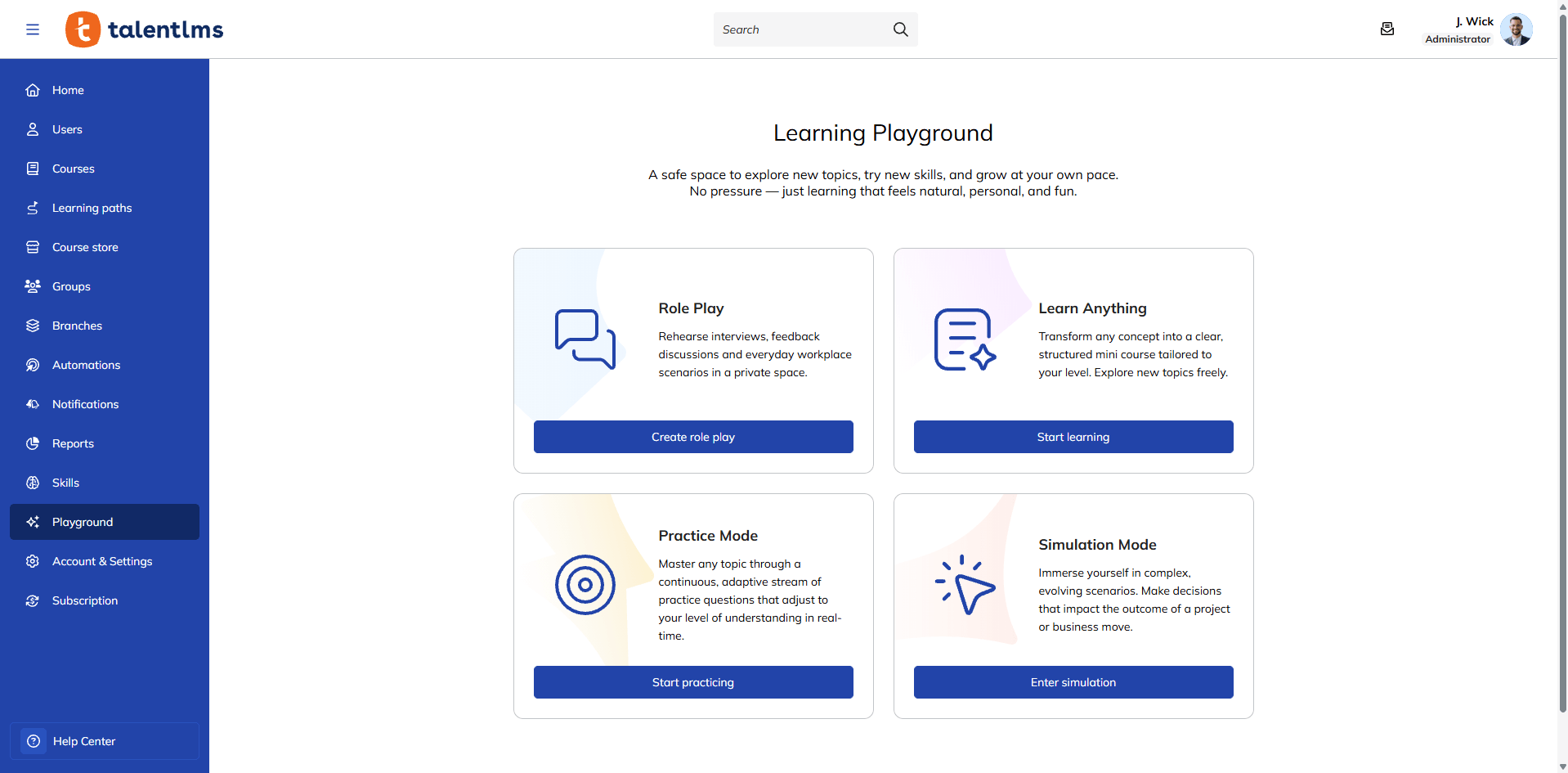
Learning Playground provides a self-led space to practice through realistic scenarios and AI-powered simulations, building confidence before the stakes are real. For example, during onboarding, just-in-time, task-oriented resources should be available and easily accessible so that new hires can find immediate answers while practicing.

4. Track progress in real time
A data-driven approach is more useful than waiting for annual reviews and long-term evaluations to measure time to competency. The window to intervene has passed. This is why reporting features are essential in your LMS.
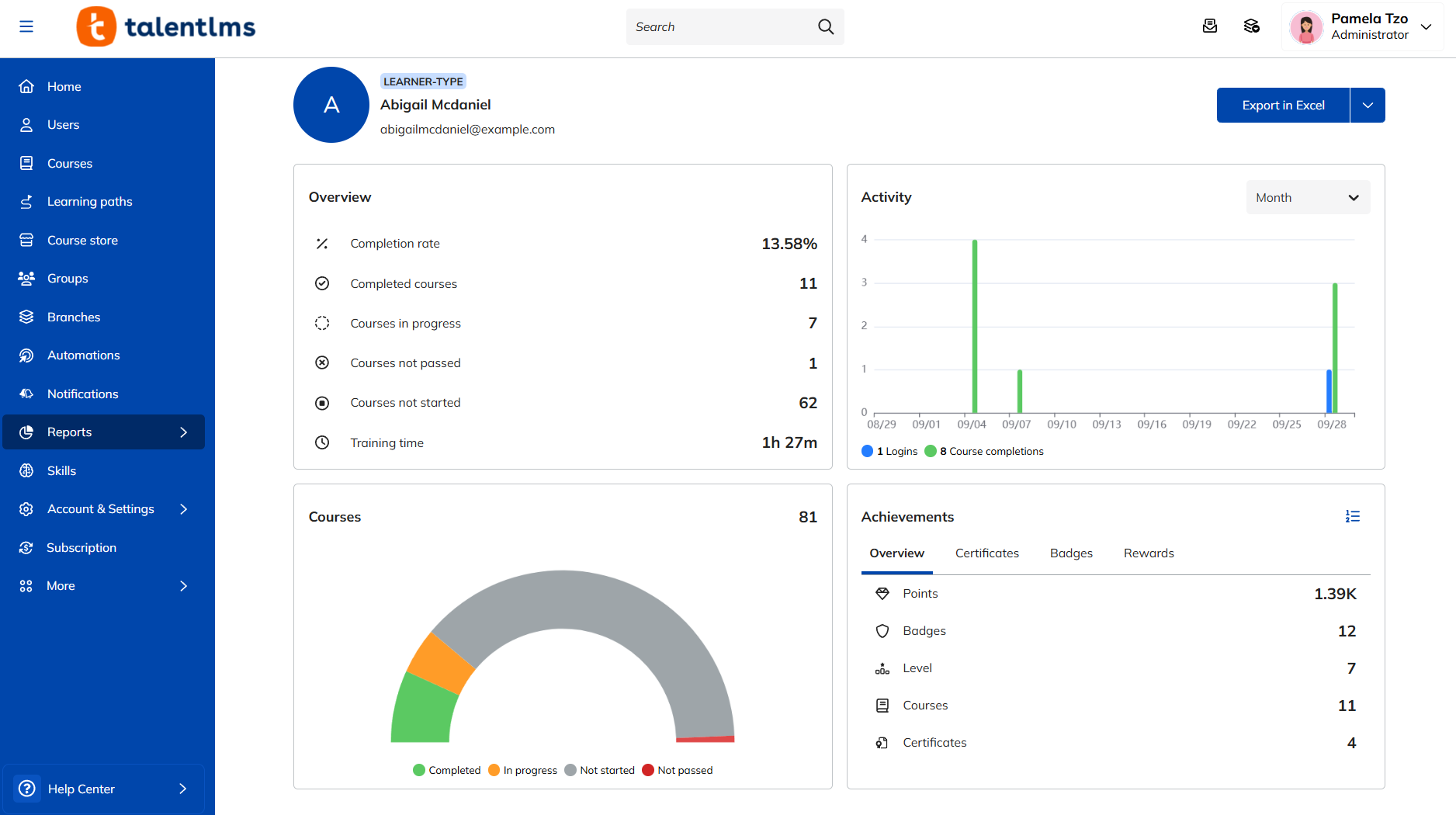
Real-time Reports and Timeline provide instant visibility into learner progress. Spot stalls early, like a learner who’s stuck on Module 3 for two weeks, or a skill that consistently takes longer to acquire than expected. Feedback should be frequent so teams can adjust sooner.
Scheduled Reports deliver the data automatically. Custom Reports enable per-skill time to competency views: days from enrollment to skill completion for each learner, skill, and team, making it easier to monitor trends over time for continuous improvement.

5. Build courses fast enough to match the gap
Sometimes TTC stays long because the training doesn’t exist yet, and fast course creation helps teams keep up with changing business needs. A new tool rolls out, a process changes, and there’s no course. Employees learn through trial and error.
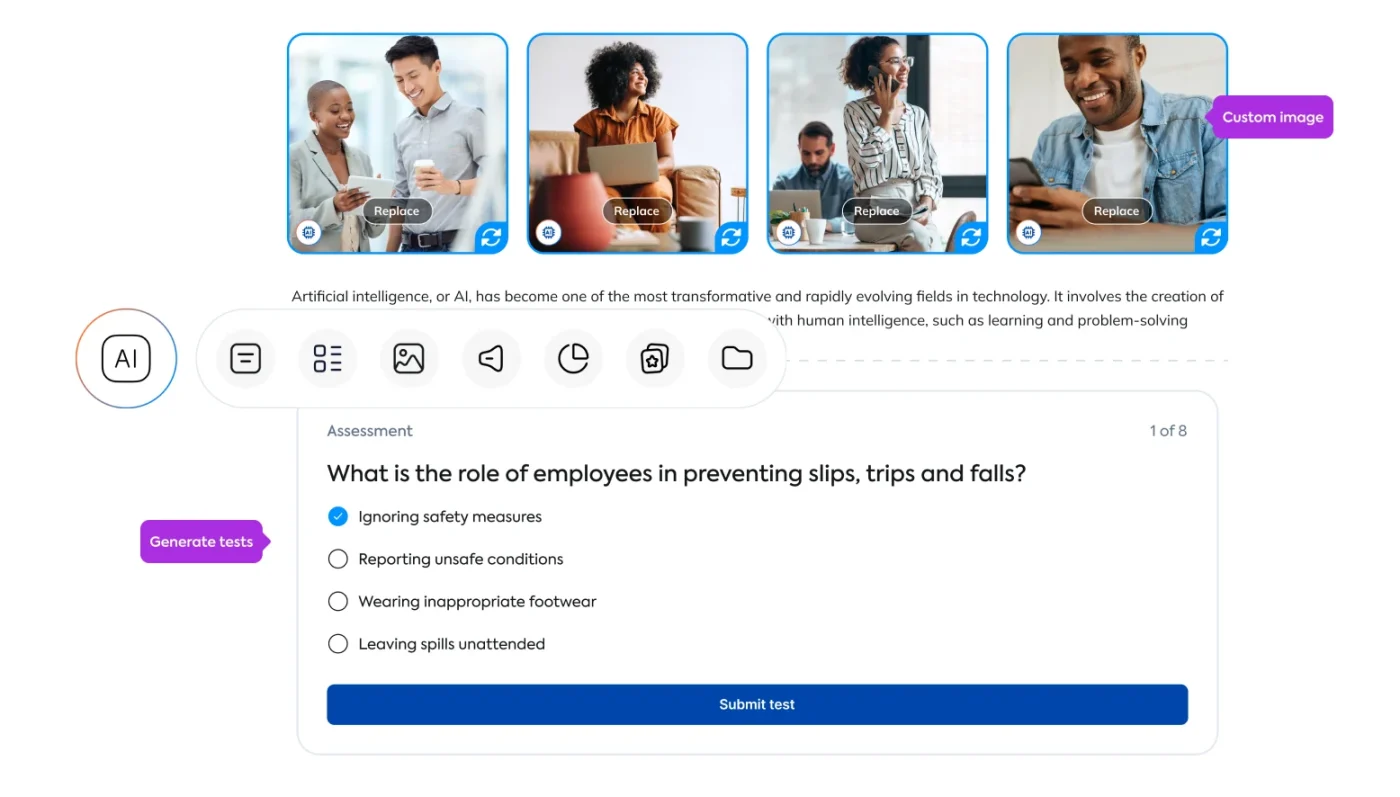
TalentCraft generates courses from text input. No design skills or weeks of development are needed. When the gap is identified, the training can follow in hours. This also supports learners focus by reducing irrelevant material when gaps emerge.

From completion to competency
Training completion shows who finished the course. Time to competency shows who can do the job.
Competency matters because the gap between completion and capability affects business outcomes. The gap between those numbers is where most L&D investment gets lost.
Start by defining what competent looks like. Track how long it takes to get there. Then shorten the path with targeted training, more practice, and real-time visibility.
FAQs
What is time to competency?
Time to competency is the time from when an employee starts training on a skill to when they can perform that skill independently at a defined standard. It measures readiness, not course completion.
How is time to competency measured?
Define the target competency level for each skill. Record when training starts and when the employee demonstrates competency on the job. The gap between those dates is the time to competency for that skill.
What’s a good time to competency benchmark?
Technical skills like CRM proficiency or compliance procedures typically take days to weeks. Leadership and consultative competencies can take 3–6 months. Benchmark within the organization by comparing teams, roles, and time periods to find where TTC is longest.
How can organizations reduce time to competency?
Target training to actual skill gaps instead of generic role-based programs. Add practice alongside content. Track progress in real time to intervene early. Build courses fast enough to keep pace with emerging skill needs.
What’s the difference between training completion and competency?
Training completion means someone finished a course. Competency means they can perform the skill independently at a defined standard. An employee can complete every module and still not be competent. TTC measures when someone can actually do the work.
How long does it take a new hire to become competent?
It depends on role complexity and training quality. Entry-level roles with structured programs might reach competency in 2–4 weeks. Complex roles requiring consultative, technical, or leadership skills often take 3–6 months. Per-skill measurement provides a more useful picture than a single number.


