






When onboarding lives in spreadsheets, shared folders, and email chains, it works until your team grows past the point where anyone can keep track. New hires get inconsistent training depending on who onboards them, compliance steps get missed, and there’s no way to tell whether someone finished their orientation or just clicked through it. An employee onboarding training program is only as strong as the system delivering it.
That matters more than it used to. Time to competency, how fast a new hire goes from day one to full productivity, has become one of L&D’s most watched metrics. And according to the TalentLMS 2026 L&D Benchmark Report, nearly half of employees (46%) and HR managers (49%) agree that their company views training as time away from ‘real’ work. If your onboarding platform adds friction instead of removing it, you’re losing people before they’ve started contributing.
We evaluated 10 employee onboarding LMS platforms on setup speed, onboarding-specific workflows, pricing transparency, compliance tracking, AI capabilities, and real user feedback from G2. Here’s how they compare.
TL;DR:
- When onboarding runs on scattered tools instead of a centralized platform, training quality drops as your team scales, and there’s no visibility into who’s actually learned what.
- The right employee onboarding LMS depends on what you’re training for (role-specific onboarding, compliance, multi-location consistency) and how quickly you need to go live without a dedicated IT team.
- AI-powered course creation, transparent pricing, and same-day setup are the biggest differentiators across onboarding LMS platforms in 2026.
- This guide compares TalentLMS, iSpring LMS, 360Learning, Absorb LMS, LearnUpon, Litmos, Docebo, Cornerstone Learning, CYPHER Learning, and Learn:Up by features, pricing, and G2 ratings.
- Key selection criteria are go-live speed, onboarding-specific learning paths, compliance tracking, pricing model, and whether the platform handles both employee and customer training.
How we chose the best employee onboarding platforms
We evaluated each platform against six criteria:
- Setup and go-live speed: prioritized platforms that launch in days
- Onboarding-specific workflows: learning paths, role-based assignment, sequential delivery
- Pricing transparency: favored platforms that publish pricing as hidden costs can double your spend
- Compliance tracking: audit trails, auto-certification, completion reporting
- AI capabilities: course creation, coaching, skills development
- G2 reviews: real user feedback on ease of use, support, and setup
What are the best employee onboarding LMS in 2026?
The best employee onboarding LMS in 2026 are TalentLMS, iSpring LMS, 360Learning, Absorb LMS, LearnUpon, Litmos, Docebo, Cornerstone Learning, CYPHER Learning, and Learn:Up. These platforms support structured onboarding paths, compliance tracking, AI-powered course creation, and multi-audience training. Key selection criteria include go-live speed, pricing transparency, onboarding-specific workflows, scalability, and real user feedback.


How to choose the right employee onboarding LMS for your needs
Not every platform on this list suits every team. Before comparing features, work through a few questions that will narrow your shortlist faster than any feature matrix:
How fast do you need to be live? Some platforms require weeks, even months, of implementation with a dedicated project manager. Others let you launch training the same day you sign up. If you’re hiring next week, that distinction matters.
What does your onboarding actually include? Role-specific learning paths, compliance certification, product training, or all three? Platforms like TalentLMS and LearnUpon handle multiple training audiences from one account. Others are built for one use case.
- Do you need to see pricing before a sales call? Only a few platforms publish pricing. If budget approval requires a number upfront, that limits your options.
- Is compliance a hard requirement? Regulated industries (healthcare, finance, and manufacturing) need audit trails, auto-certification, and completion reporting.
- Who’s building the content? If you don’t have an Instructional Designer, you’ll want a platform with built-in course creation tools or an AI content builder.
- Will you scale past onboarding? If you’ll eventually train customers, partners, or run compliance programs, choose a platform that supports multiple training audiences now.
For a deeper breakdown, see the full guide on how to choose an LMS.
Best employee onboarding LMS for 2026
| Platform | Best for | Key Features | G2 rating | Pricing |
|---|---|---|---|---|
| 1. TalentLMS | SMBs, employee, customer, partner training, onboarding, compliance |
|
4.6 / 5 (805) | Free plan, premium free trial, paid plan start from $119/ month for 40 users. |
| 2. iSpring LMS | Content-heavy onboarding with interactive simulations |
|
4.6/5 (165) | Free trial. Paid plan from $3.78 (500 users) to $6.61 (100 users) per user/month billed annually. |
| 3. 360Learning | Collaborative, SME-driven onboarding content |
|
4.6/5 (617) | Starts around $8/user/month on on the Team plan for up to 100 users—then it’s custom pricing; enterprise pricing is quote‑based. |
| 4. Absorb LMS | Mid-to-enterprise with integrations and AI |
|
4.6/5 (949) | No public pricing; subscription, quote-based enterprise pricing that varies by users and features. |
| 5. LearnUpon | Multi-audience (employee/customer/partner) |
|
4.5/5 (254) | No public pricing; typically quote‑based for mid‑market and enterprise buyers. |
| 6. Litmos | Compliance-heavy onboarding with ready-made content |
|
4.3/5 (698) | No listed pricing; third‑party benchmarks suggest roughly $3–6 per active user/month for LMS-only and $10–15 with content, all via custom quote. |
| 7. Docebo | Enterprise with complex, global onboarding programs |
|
4.6/5 (949) | Not publicly disclosed. Contact sales. |
| 8. Cornerstone Learning | Enterprise with complex compliance and talent management |
|
4.3/5 (745) | Not publicly disclosed. Contact sales. |
| 9. CYPHER Learning | Mid-market wanting AI automation |
|
4.4/5 (319) | Not publicly disclosed on website. Contact sales. |
| 10. Learn:Up (former WorkRamp) | Fast-growing companies needing employee and customer training |
|
4.4/5 (622) | Flexible packages, no published pricing. Contact vendor. |
Employee onboarding LMS #1: TalentLMS
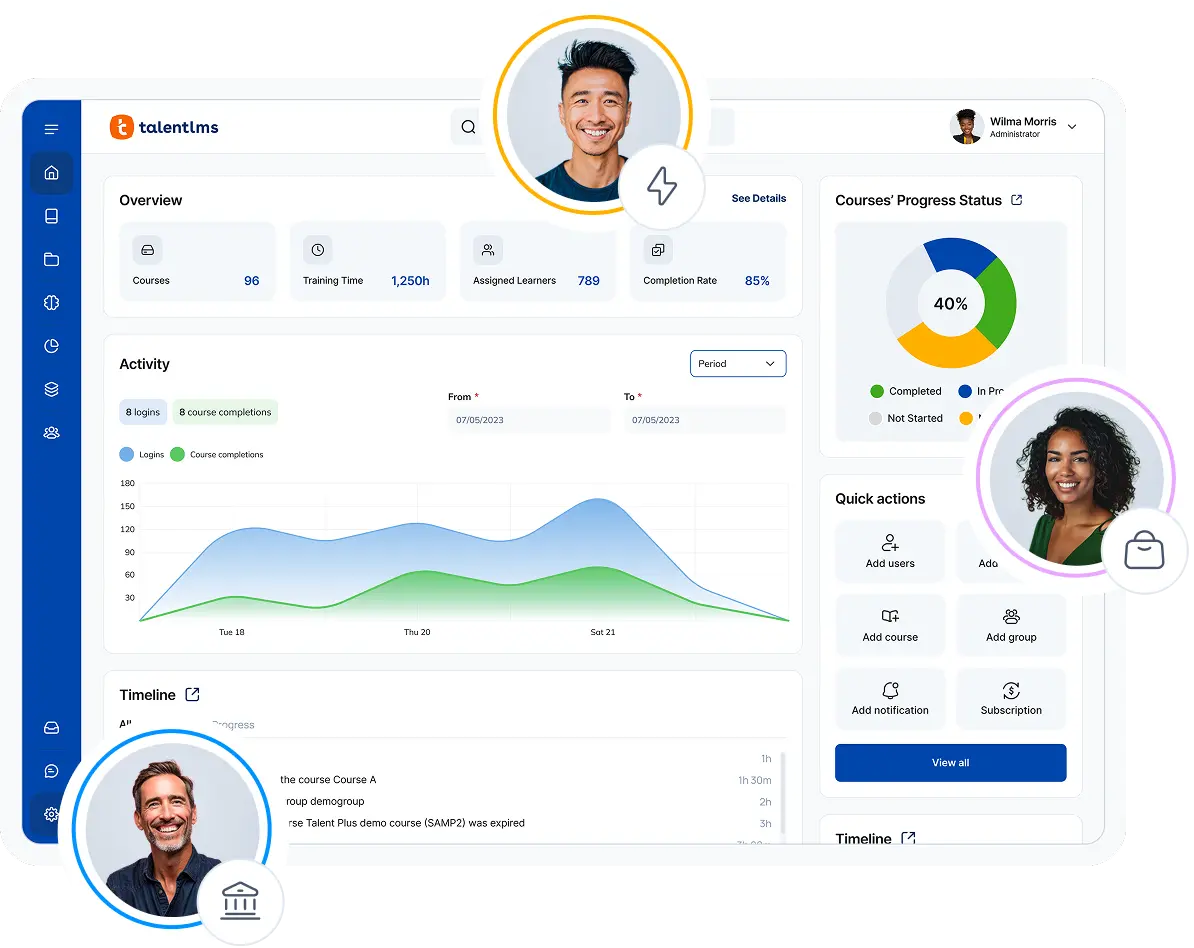
TalentLMS is the LMS behind employee, customer, and partner training at companies that need to move fast without a dedicated IT team.

Why we picked it
Most teams looking for an employee onboarding LMS share the same constraint: they need something live now, not in three months. TalentLMS is built for that. You can set up an onboarding program, upload or create content, and have new hires logging in the same day—without waiting for an implementation team or learning a complex admin interface.
Need to build onboarding courses from scratch? TalentCraft, the platform’s AI course creator, generates courses from text input so you can turn your onboarding notes into structured content without an Instructional Designer. Learning Paths let you sequence modules by role or department (orientation first, then compliance, then role-specific training), and AI Coach gives new hires a way to get guidance when no trainer is available.
Where TalentLMS stands apart on this list is pricing. It’s one of the only platforms here with a genuinely free plan (up to 5 users), publicly listed prices, and no setup fee. For SMBs and mid-market teams running lean, that means you can pilot before you commit, and you know exactly what you’ll pay when you scale.
Pros
- Free plan available (up to 5 users)—pilot before committing
- Go live in a single afternoon—no IT team or implementation project required
- AI-powered course creation with TalentCraft and AI Coach for real-time learner guidance
- Transparent, publicly listed pricing—no sales call needed to see costs
- 1,000+ ready-made courses via TalentLibrary
- Native integrations: BambooHR, Sage, Zapier, full API
- Free trial without requiring a credit card
- Gamification (points, badges, leaderboards)
Cons
- Not designed for academic or educational institutions
- Social and collaborative learning features are limited compared to some competitors
- Advanced reporting available on higher-tier plans
Key features:
- Learning Paths for structured, sequential onboarding journeys
- AI course creation (TalentCraft) and AI Coach
- Learning Playground for hands-on practice scenarios
- Gamification with customizable rules
- Auto-issued certificates for compliance
- Groups and Branches for department- and location-specific tracks
- Real-time Reports and Scheduled Reports for onboarding progress visibility
- Skills tracking
- SCORM, xAPI, cmi5 support
Best for: SMBs and mid-market companies needing employee, customer, or partner onboarding—plus compliance. Especially strong for teams without dedicated IT or Instructional Design staff.
Pricing: Free plan, premium free trial. Paid plan start from $119/ month for 40 users. See full pricing.
What users are saying on G2
The Good
“TalentLMS stands out as the best learning management platform because of its exceptional ease of use—both for administrators and learners. Setting up courses, managing users, and tracking progress is intuitive and requires minimal technical knowledge. Its flexibility is a major strength: it supports a wide range of content formats (video, SCORM, quizzes, documents) and integrates seamlessly with tools we already use. The platform scales effortlessly, whether you’re training a small team or hundreds of employees. ” – Michiel M., L&D Coordinator, Small-Business, 5/5
The Room for Improvement
“There were instances where the translation of our content did not hit the mark, and it would be helpful to provide the tool some prompts regarding our industry and audience to generate better text.” – Katrina L., Director of Training, Mid-Market, 5/5
Case study: Position Green
Position Green, an ESG and sustainability software company based in Malmö, Sweden, scaled from around 30 to 350 employees and now trains 3,000+ learners across Europe, North America, and Asia. They use a multi-tenant TalentLMS setup to manage both employee onboarding and customer education from one platform.
“I know that I can rely on TalentLMS… because of [its] flexibility and scalability” — Richard Silvekroon, Product Manager
Employee onboarding LMS #2: iSpring LMS
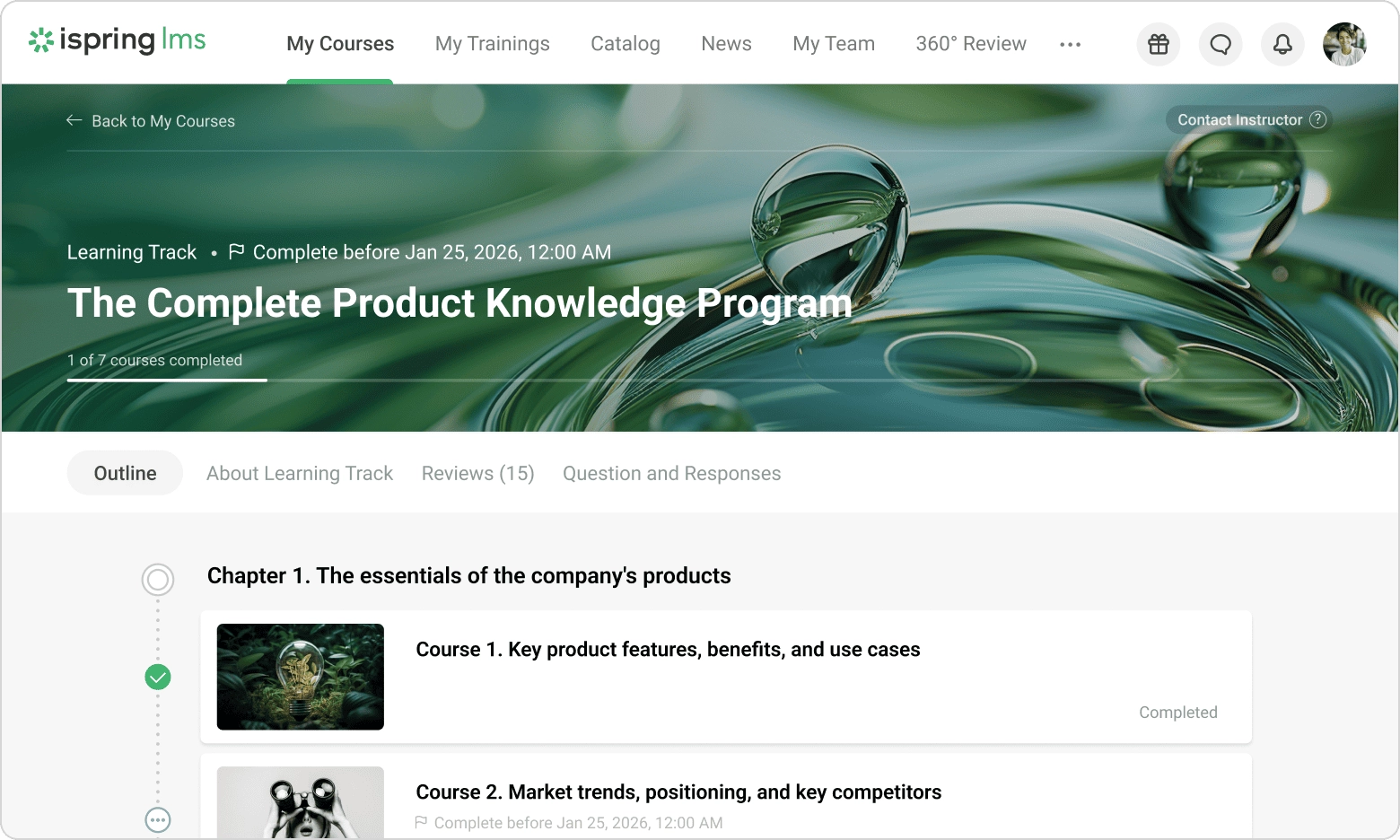
iSpring LMS is built around content creation. It’s useful if your onboarding relies on interactive simulations, branching scenarios, or converting existing PowerPoint training into eLearning modules.

Why we picked it
iSpring’s main appeal is for teams that create a lot of content in-house. The bundled authoring tool lets you build interactive courses, dialogue simulations, and quizzes without a third-party tool. It’s a good fit if your onboarding involves product demos, customer-handling scenarios, or safety procedures that benefit from choose-your-path interactivity.
Setup is straightforward, pricing is published, there’s SCORM support, and the reporting covers compliance requirements. The main limitation is that the authoring tool is a separate desktop app that runs on Windows only. So Mac-based teams or those wanting a fully browser-based workflow will need a workaround.
Pros
- Integrated authoring tool for interactive, scenario-based content
- Strong SCORM support and PowerPoint-to-eLearning conversion
- Straightforward, publicly disclosed pricing
- Compliance tracking and reporting
Cons
- iSpring Suite is a separate desktop app (Windows only)
- Limited advanced AI features compared to newer platforms
- No free plan
- Social and collaborative features limited
Key features:
- AI-assisted content creation
- Learning paths and certifications
- Compliance tracking with audit trails
- SCORM/xAPI support and PowerPoint conversion
- Video conferencing integration
- Custom branding and mobile app
Best for: Content-heavy onboarding—organizations in education, retail, automotive, and manufacturing needing interactive simulations and branching scenarios.
Pricing: Free trial. Paid plan from $3.78 (500 users) to $6.61 (100 users) per user/month billed annually
What users are saying on G2
The Good
“The iSpring LMS, along with the support and developer teams, has been fantastic. I really appreciate how easy it is to create training materials in SCORM format, and it’s clear that iSpring’s development team is actively committed to ongoing feature improvements and bug fixes.” – Verified User in Consulting, 5/5
The Room for Improvement
“What I dislike most about iSpring LMS is that some customization options are limited, especially for reporting and the learner interface. A few administrative tasks can also feel repetitive, and the platform could offer more flexibility when managing complex training programs.” – Verified User in E-Learning, 4.5/5
Employee onboarding LMS #3: 360Learning
360Learning is a collaborative LMS where subject-matter experts across your company create and maintain onboarding content, without waiting for L&D to do it for them.

Why we picked it
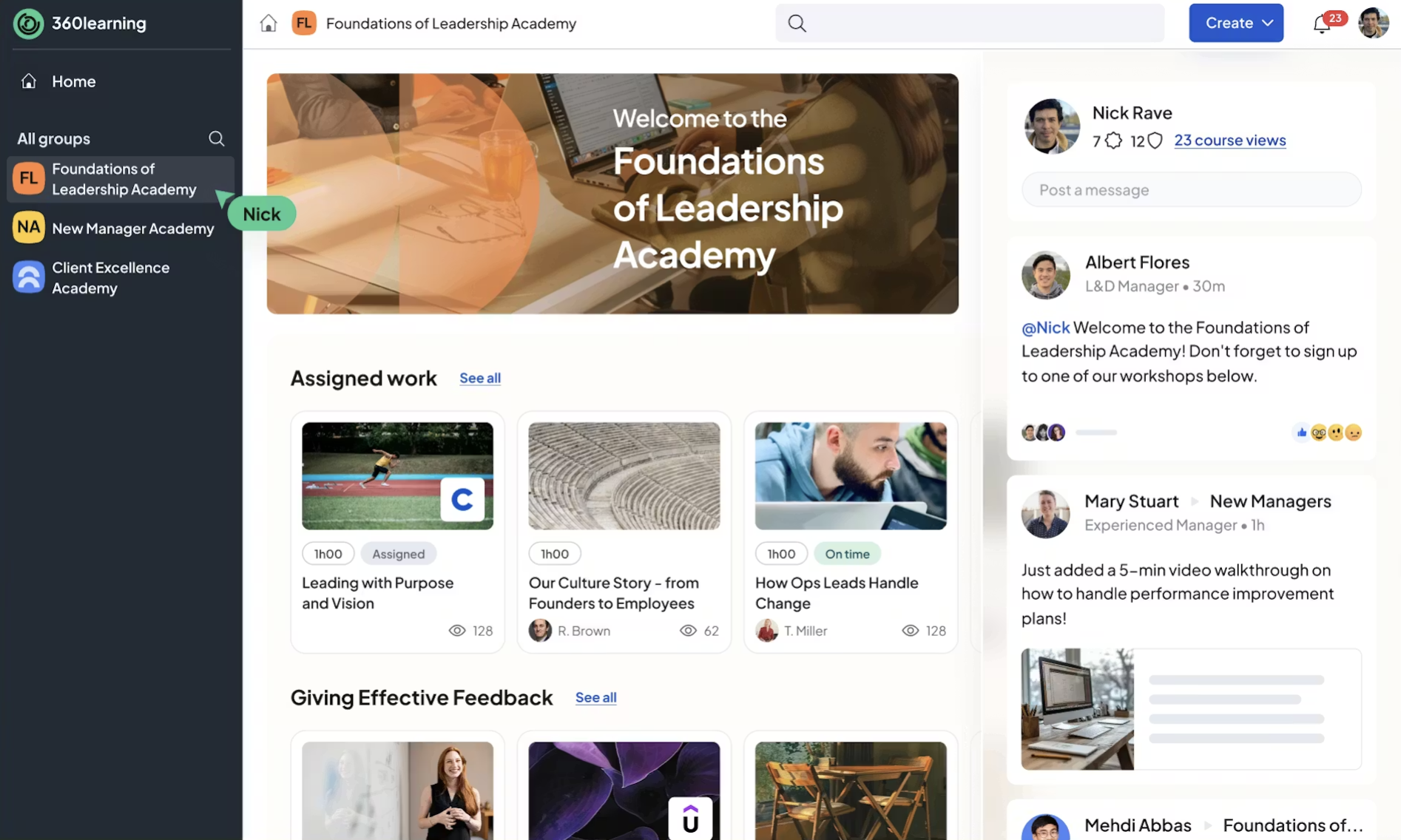
360Learning is useful when onboarding content comes from multiple teams—such as product, engineering, sales, and HR—and keeping it up to date. Its collaborative course builder allows subject matter experts (SMEs) to create and update training content themselves, while built-in feedback tools let learners flag information that may be outdated.
The engagement features, like reactions, discussion threads, and peer feedback, make it feel more like a workplace tool than a traditional LMS. That said, there’s no built-in content library (you’re building everything from scratch or relying on third-party integrations).
Pros
- Collaborative course creation—SMEs build content without L&D bottleneck
- Engagement features (reactions, discussion, feedback loops)
- Good integrations (Slack, Google Drive, HRIS tools)
- AI course builder and writing assistant
- No setup fee
Cons
- No free plan
- No native content library
- Limited customization
- Missing features
Key features:
- Collaborative course builder with SME workflows
- AI-assisted content creation
- Learning paths and compliance training
- SCORM support
- Slack and Google Drive integration
Best for: Mid-market teams (tech, fintech, automotive) where onboarding content comes from multiple departments and needs frequent updates.
Pricing: Starts around $8/user/month on on the Team plan for up to 100 users—then it’s custom pricing; enterprise pricing is quote‑based.
What users are saying on G2
The Good
“The flexibility of user roles makes it easy to support everyone from admins to learners without workarounds. Tracking completions, scores, and learning data is straightforward, which saves time and makes reporting to leadership much easier.” – Verified User in Financial Services, 4.5/5
The Room for Improvement
“I feel like the types of activities/quizzes we can add are limited. For example, it would be nice to be able to add interactive activities e.g. scenarios where it takes you to the next step based on the option you select – like choose your own adventure style scenario; or be able to rank things on a scale of 1 to 5; etc. It seems like to get many features to make it more interactive, we have to add integrations.” – Verified User in Non-Profit Organization Management, 4/5
Employee onboarding LMS #4: Absorb LMS
Absorb LMS is a mid-to-enterprise LMS with advanced AI capabilities and HR system integrations, built for organizations that need onboarding at scale.

Why we picked it
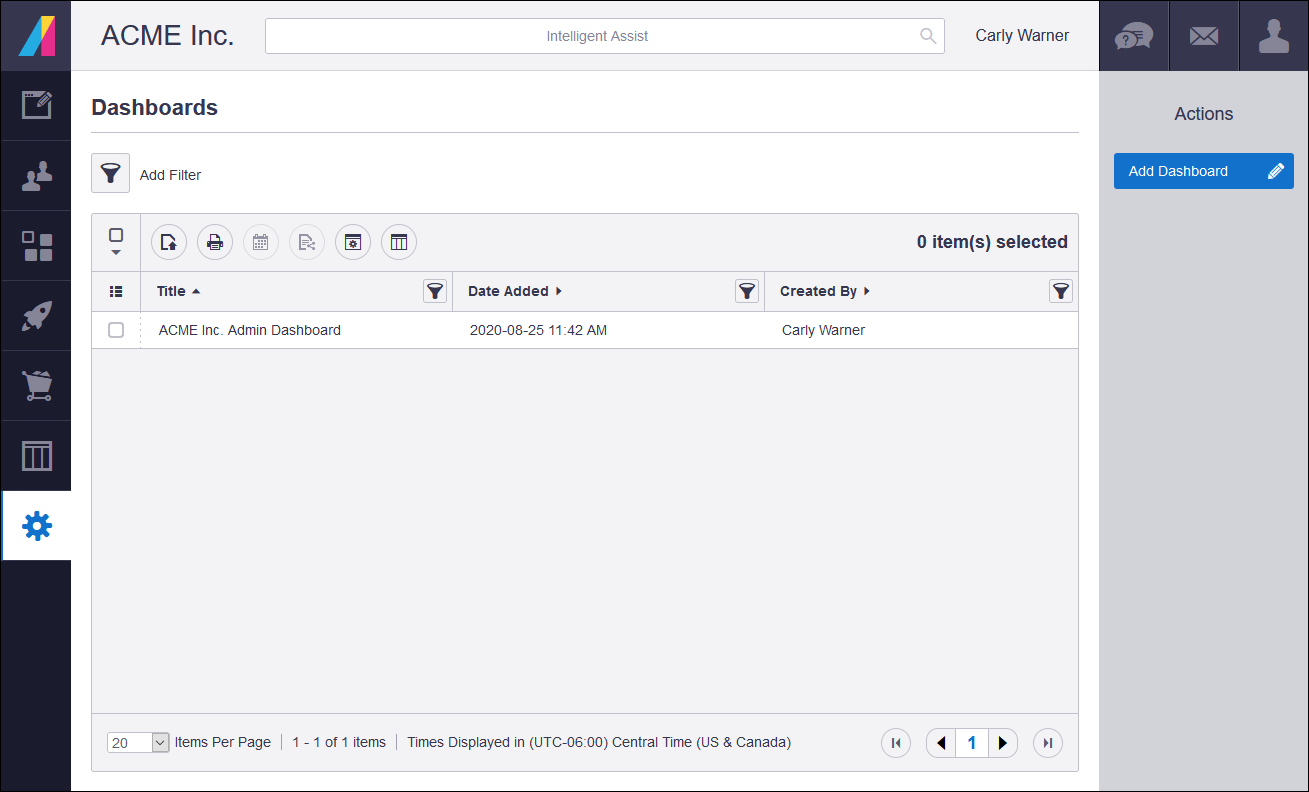
Absorb LMS offers AI-powered recommendations, content creation, coaching, and skills development. It’s a good fit if your onboarding program is large enough that personalization matters. There are different paths for different roles, adaptive recommendations, and skills tracking.
It connects to BambooHR, Personio, SAP, ADP, and Salesforce, so that means less manual work syncing employee data. However, Absorb isn’t a same-day launch.
Pros
- AI features (recommendations, content creation, coaching, skills development)
- Enterprise integrations (BambooHR, Personio, SAP, ADP)
- Reporting and analytics
- Content library
Cons
- No free plan; no publicly disclosed pricing
- Steep learning curve
- Setup can be challenging for non-technical admins
- Heavier implementation vs. plug-and-play alternatives
Key features:
- AI-assisted course creation, coaching, and skills development
- Learning paths and certifications
- Compliance tracking and audit trails
- Content library
- Custom reports and real-time analytics
- Salesforce integration
Best for: Mid-to-enterprise organizations (IT, retail, automotive, and manufacturing) running onboarding at scale with complex integrations and AI-driven personalization.
Pricing: No public pricing; subscription, quote-based enterprise pricing that varies by users and features.
What users are saying on G2
The Good
“The platform allows us to build much more than a traditional course catalog. We are using it to support onboarding, role-specific development, leadership training, professional skills, and access to job-related resources. It also gives us the flexibility to support multiple departments and potentially expand training to affiliated companies in the future.” – Stephanie P., 5/5
The Room for Improvement
“The admin interface is sometimes a little clunky, and takes multiple clicks/actions to complete tasks. There’s not many bulk actions, which is difficult when you have hundreds of courses to manage. Reports can be hard to create and understand, often many data points are unavilable (in the basic reporting module).” – Caitlin D., 4.5/5
Employee onboarding LMS #5: LearnUpon
LearnUpon is multi-audience LMS designed for organizations that run employee onboarding alongside customer education and partner training from a single platform.

Why we picked it
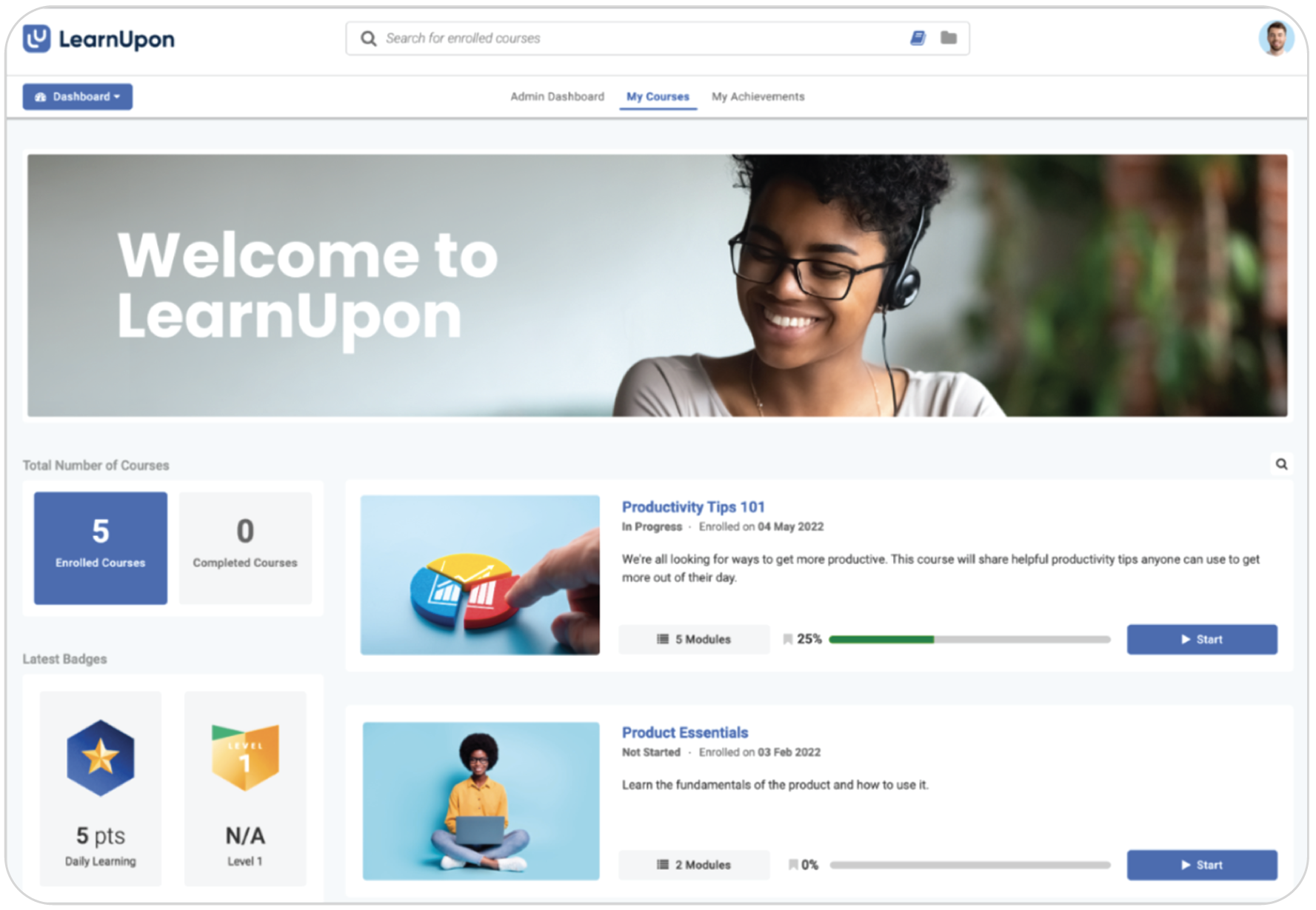
LearnUpon’s strength is its multi-portal architecture. You can set up separate branded training environments for employees, customers, and partners within one account. If your onboarding program is just the starting point, and you know you’ll need customer certification or partner enablement next, LearnUpon can handle that transition.
The implementation support is well-regarded, but the timeline reflects enterprise-grade deployment.
Pros
- Multi-audience portals for employees, customers, and partners in one platform
- Implementation support and customer success team
- AI features (notifications, content generation, writing assistant)
- Content partner integrations (LinkedIn Learning, Go1)
Cons
- No publicly disclosed pricing; no free plan
- Lengthy go-live timeline
- Navigation difficulties
- Limited features
Key features:
- Multi-portal architecture for different audiences
- AI-assisted notifications and content creation
- Learning paths and certifications
- Salesforce and LinkedIn Learning integration
- SCORM/xAPI support
- Custom branding
Best for: Organizations running employee onboarding alongside customer and partner training. Strong in healthcare, manufacturing, and membership-based organizations that represent a particular profession, industry, trade, or community.
Pricing: No public pricing; typically quote‑based for mid‑market and enterprise buyers.
What users are saying on G2
The Good
“I appreciate the quick responses from support when I have issues or errors. If I have a problem or if a user encounters one that I can’t solve on my own, I can reach out to support or my Customer Success Manager and get a quick response.” – STEVEN D., 4/5
The Room for Improvement
“I think the reporting could definitely be imporved, certain aspects of the UI/UX feel clunky and overcomplicated – for example you can’t carry out bulk actions against courses or users.” – Jessica M., 3.5/5
Employee onboarding LMS #6: Litmos
Litmos is an LMS with a built-in content library—especially suited for compliance-heavy onboarding where you need ready-made courses alongside custom content.

Why we picked it
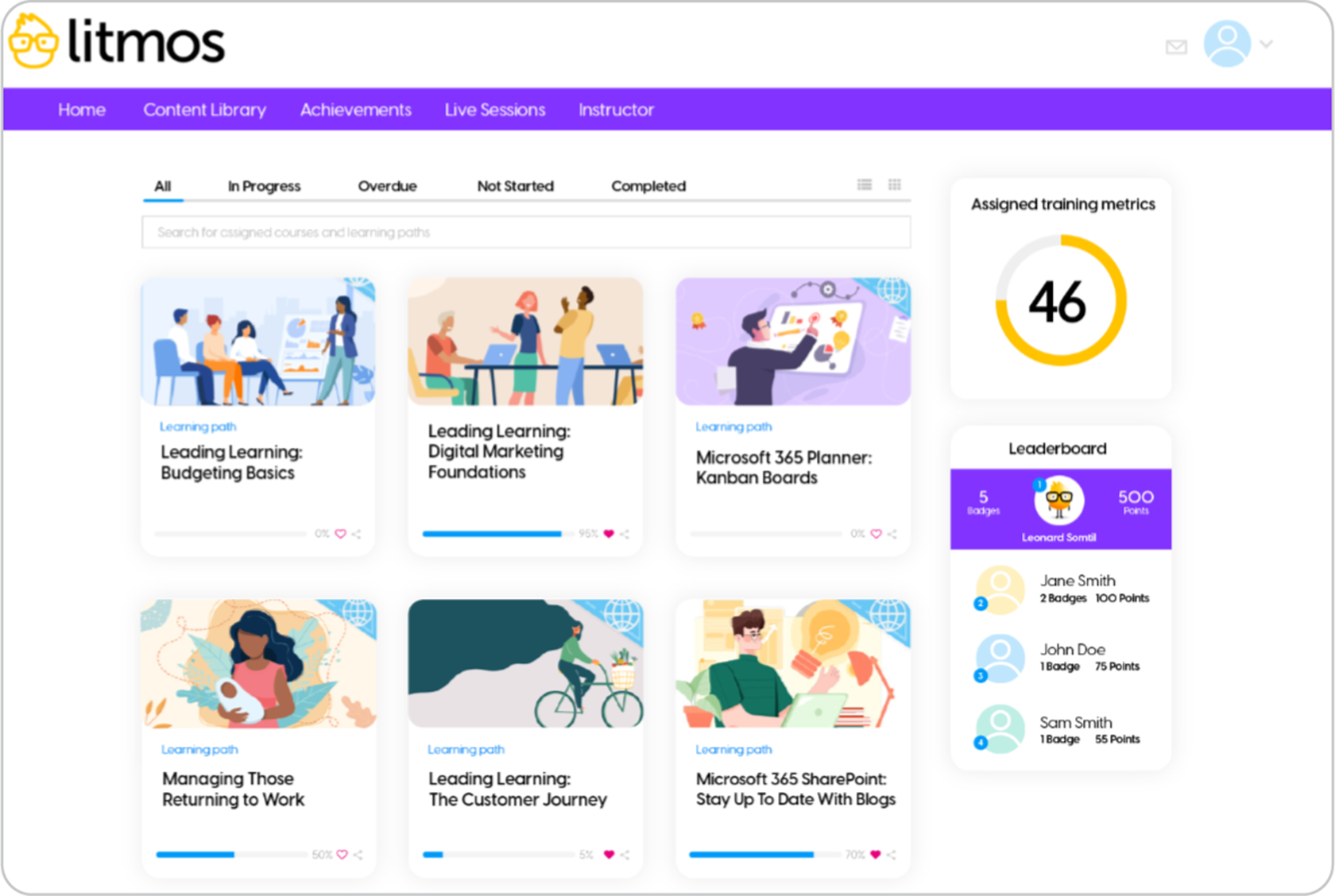
Litmos offers ready-made courses covering compliance, workplace safety, HR, and professional development. If your onboarding program includes mandatory compliance training and you don’t have time to build those courses from scratch, Litmos lets you assign from a pre-built catalog and track completions immediately.
Deployment is fast and compliance tracking is solid. The main limitation is that the interface feels dated compared to newer alternatives. Reporting is functional but not as flexible as platforms built more recently. The content library and AI features are priced as add-ons on top of the base subscription.
Pros
- Built-in content library
- Compliance tracking and certification management
- Relatively quick deployment
- Good video content support
Cons
- UI/UX feels dated compared to modern alternatives
- Limited reporting capabilities
- No publicly disclosed pricing
- No free plan
Key features:
- Content library
- Compliance training and certifications
- Learning paths
- SCORM support
- Salesforce integration
- Gamification and mobile app
Best for: Technology, non-profit, and retail organizations needing compliance-heavy onboarding with access to a large ready-made content library.
Pricing: No list pricing; third‑party benchmarks suggest roughly $3–6 per active user/month for LMS-only and $10–15 with content, all via custom quote.
What users are saying on G2
The Good
“I really like how easy the Litmos platform is to navigate, whether from the admin perspective or user perspective. The courses that are already created and available in the library are a great feature.” – Barbara C., 4.5/5
The Room for Improvement
“I think they could do more with the reporting feature allowing us to filter things differently and just making it a little more straightforward.” – Hunter S., 4/5
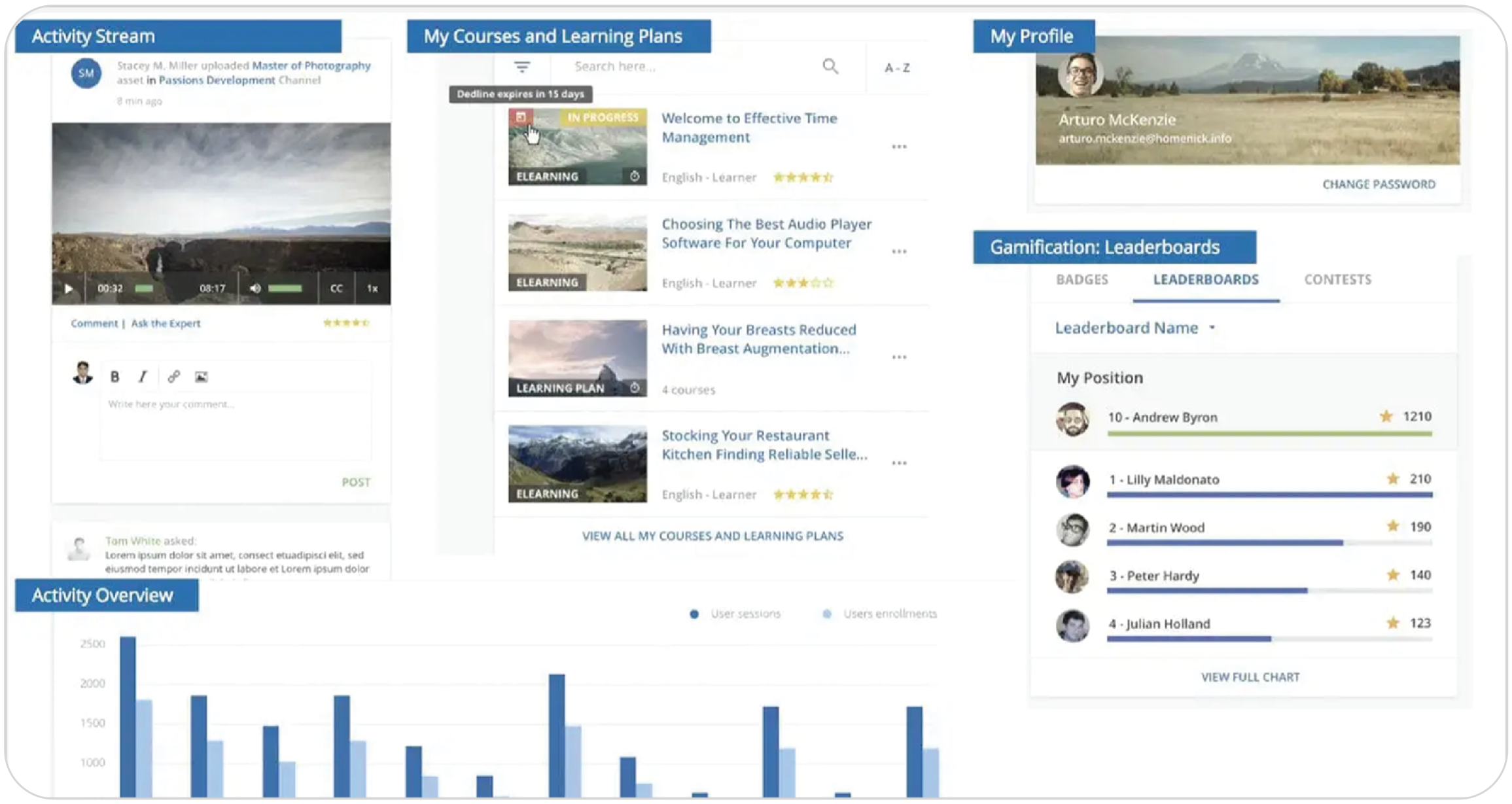
Employee onboarding LMS #7: Docebo
Docebo is an enterprise LMS for organizations running complex, global onboarding programs that require deep customization, social learning, and advanced AI.

Why we picked it
Docebo is the enterprise-grade option on this list. It offers AI capabilities on personalized learning paths, content recommendations, automated workflows, and advanced analytics. Social learning is built in (not bolted on), which matters for large organizations where peer learning is part of the onboarding culture.
The trade-off is complexity and cost. Native course creation tools are limited. Most Docebo users rely on third-party authoring tools. Pricing isn’t published, and implementation requires internal IT support to reach full potential. If you’re an SMB or mid-market team that just needs clean onboarding, Docebo is over-engineered for your use case.
Pros
- AI for personalized learning paths and recommendations
- Automation and interactive analytics
- Social and collaborative learning built in
- Scalable for global enterprise deployments
Cons
- No published pricing
- Native course creation tools limited
- Complex implementation requiring IT support
- Steep learning curve for admins
Key features:
- AI-driven course creation and recommendations
- Social learning
- Automated workflows
- Content marketplace
- Advanced analytics
- SCORM/xAPI and multi-language support
- White-labeling and Salesforce integration
Best for: Enterprise organizations with complex, global onboarding programs requiring sophisticated AI, social learning, and deep customization.
Pricing: Not publicly disclosed. Contact sales.
What users are saying on G2
The Good
“What I like best about Docebo is its flexibility and scalability combined with an intuitive user experience. It allows advanced customization, strong reporting, and seamless integrations, making it suitable for both internal training and external audiences like clients and partners.” – yoko B.,4/5
The Room for Improvement
“Docebo is a challenging system to implement with a small team. The end results are excellent, and the implementation team was very educational and helpful, but most of the work still falls on you. Getting everything off the ground at the beginning felt a bit overwhelming.” – Allana B., 3.5/5
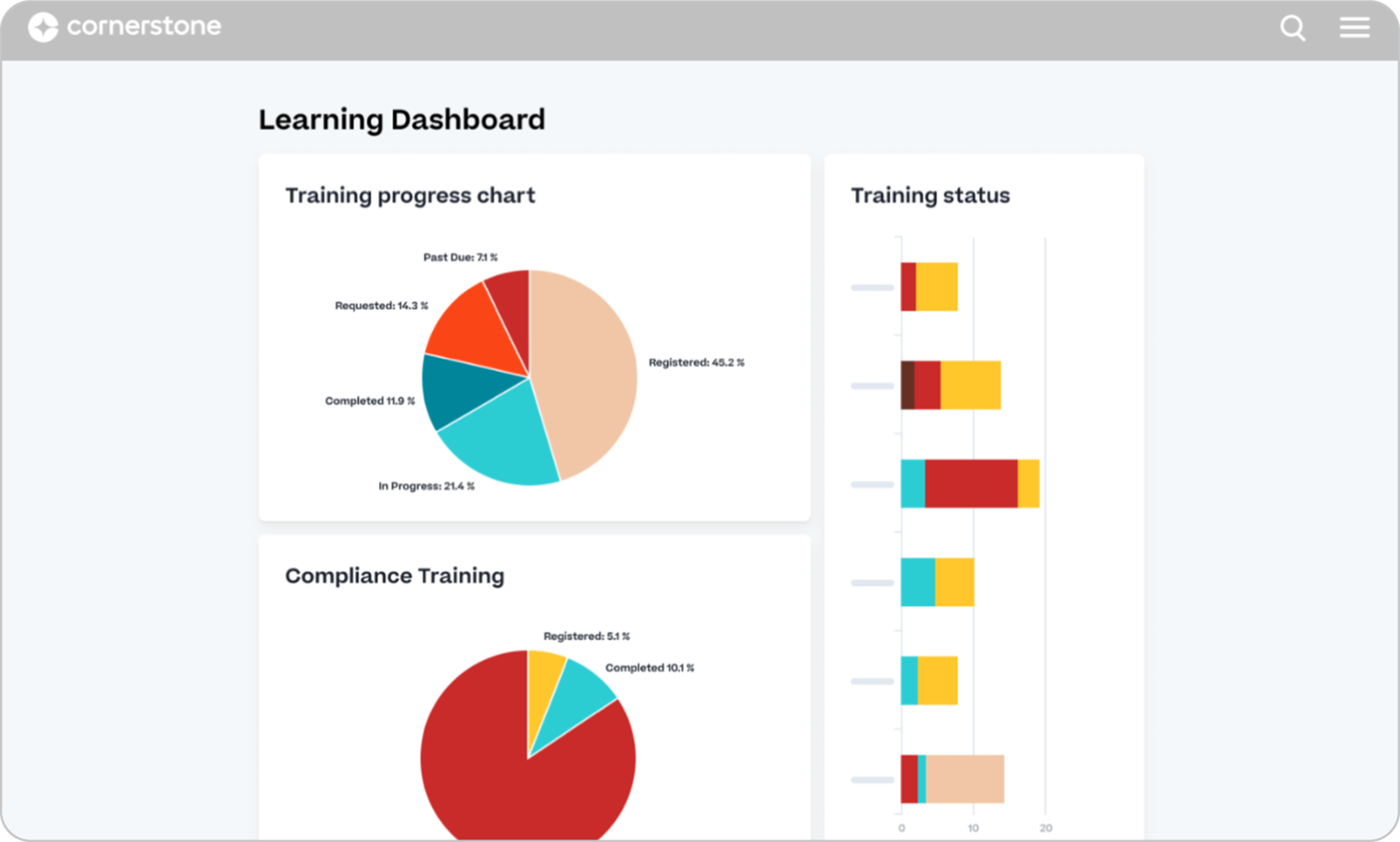
Employee onboarding LMS #8: Cornerstone Learning
Cornerstone Learning is a talent management suite for learning, performance, skills, and recruiting in one platform. It’s mostly aimed at large enterprises in regulated industries.

Why we picked it
Cornerstone’s onboarding connects to performance management, skills intelligence, and recruiting. It’s suited for enterprises in healthcare, financial services, pharma, or government, where compliance tracking requires audit trails and regulatory reporting.
It offers AI-powered skills intelligence and personalized learning recommendations on top of the compliance foundation. But this is an enterprise purchase. Implementation takes long, pricing requires a sales process, and the admin interface has a steeper learning curve than purpose-built LMS platforms.
Pros
- Talent management integration
- Compliance tracking and audit trails for regulated industries
- AI-powered skills intelligence and personalized recommendations
- Scalability: handles enterprise-grade deployments
- Content marketplace and partner ecosystem
Cons
- No published pricing—enterprise sales process required
- Complex implementation
- Steep admin learning curve
- Over-engineered for SMBs and mid-market
- UI/UX feels dated compared to modern alternatives
Key features:
- AI-powered skills intelligence and personalized learning paths
- Compliance training with automated tracking and audit trails
- Talent management suite (performance, recruiting, skills)
- Content marketplace
- Analytics and reporting
- SCORM/xAPI support
- Multi-language support
- HR integrations (ADP, Workday, SAP)
Best for: Large enterprises in regulated industries (healthcare, financial services, pharma, government) needing compliance-heavy onboarding integrated with broader talent management.
Pricing: Not publicly disclosed. Contact sales.
What users are saying on G2
The Good
“I use Cornerstone Learning to manage compliance training like health and safety and food handling […] Also, it organizes the paper trails of certifications for each employee, so if someone asks for proof, I can simply use Cornerstone.” – richard r., 4.5/5
The Room for Improvement
“Cornerstone Learning isn’t as modern as newer LMS systems. We wish it had more AI capabilities that are easy to find and use. The system is so complex that it makes it difficult to find the tools we need.” – Jessica C., 3/5
Employee onboarding LMS #9: CYPHER Learning
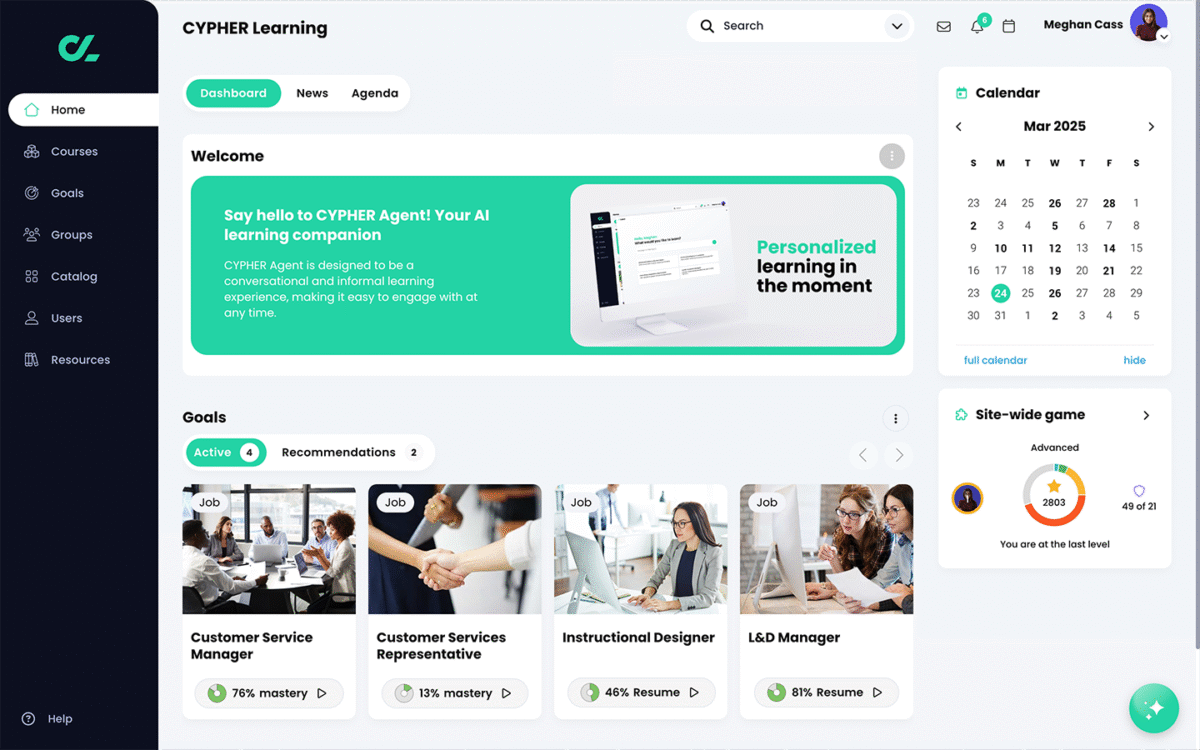
A mid-market LMS that leans heavily into AI automation. CYPHER Learning offers AI to handle course generation, learning path design, and predictive analytics.

Why we picked it
CYPHER’s AI feature automates course creation and learning path generation, aiming to reduce the time L&D teams spend building content manually. Predictive analytics flag learners who may be falling behind, and the gamification features (awards, points, badges, leaderboards) add engagement during onboarding.
Pricing isn’t publicly disclosed. It’s also a smaller company, so the support ecosystem and partner network are narrower than those of more established players in the industry.
Pros
- AI Copilot automates course and learning path creation
- Predictive and advanced learning analytics
- Gamification (awards, points, badges, leaderboards)
- Competency-based learning paths
Cons
- No publicly disclosed pricing
- Key features priced as paid add-ons
- Not a popular pick for SMBs
Key features:
- AI Copilot for automated course generation
- Predictive analytics
- Gamification
- Competency-based learning paths
- Mobile app
- SCORM support
Best for: Mid-market and enterprise organizations wanting heavy AI automation in onboarding design and delivery.
Pricing: Not publicly disclosed on website. Contact sales.
What users are saying on G2
The Good
“What I like most about Cypher Learning is the ease with which I can organize my courses and activities.” – Fernando L., 5/5
Employee onboarding LMS #10: Learn:Up (formerly WorkRamp)
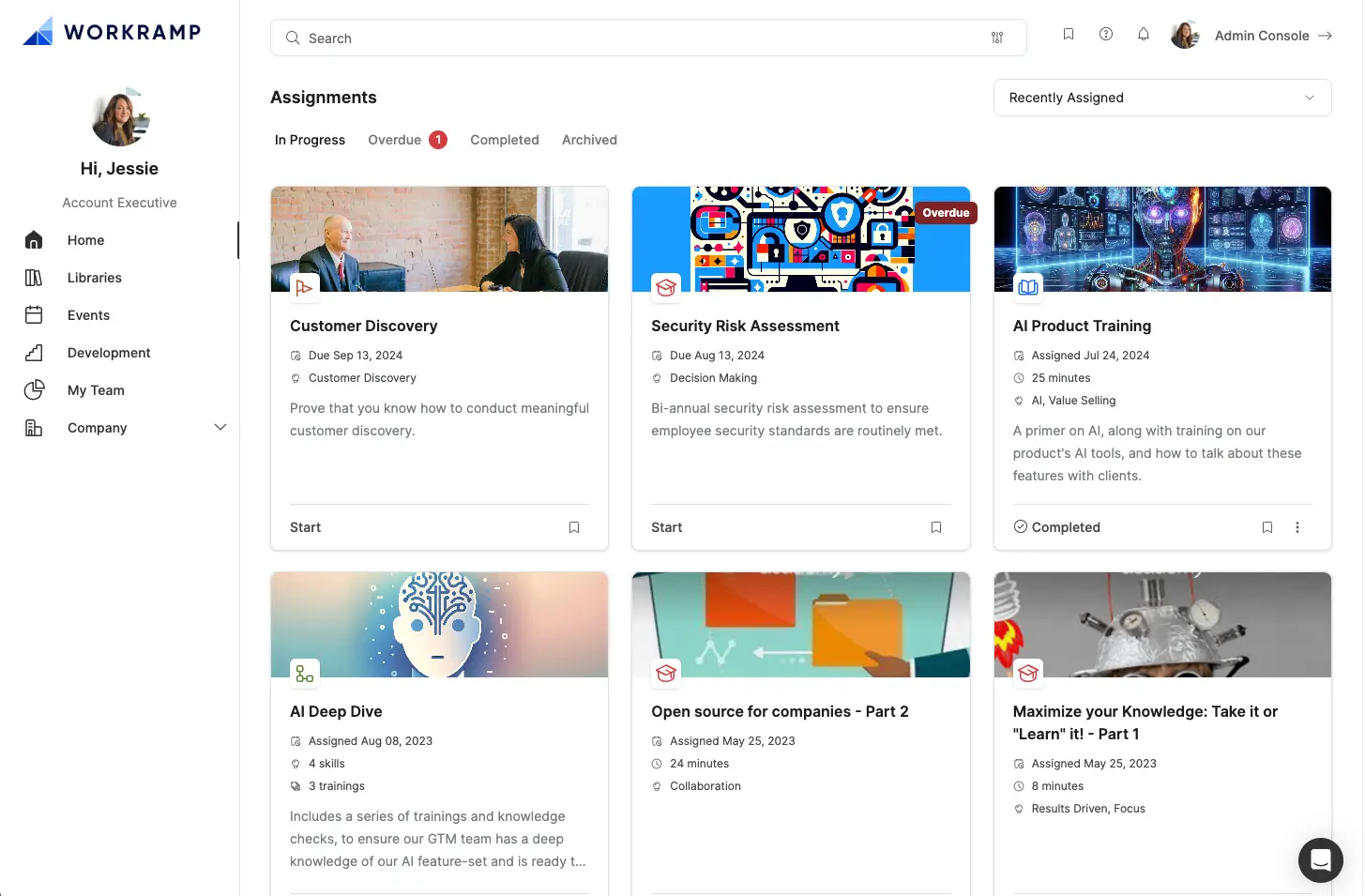
Learn:Up is an AI-first platform for fast-growing companies that need employee onboarding and customer education in one system.

Why we picked it
Learn:Up (formerly WorkRamp) takes a dual-cloud approach. Employee Learning Cloud for onboarding, compliance, and enablement, and Customer Learning Cloud for external training and certification. If you’re a growing tech or SaaS company hiring quickly while also building a customer academy, Learn:Up handles both without forcing you onto two separate platforms.
It offers AI-powered content creation, coaching, and learning paths. The UX is clean and modern, with low friction for both learners and admins. However, pricing isn’t published (sales call required), there’s no free plan, and Learn:Up is a relatively newer entrant in the space.
Pros
- AI-powered content creation, coaching, and learning paths
- Clean, modern UX with low friction for learners and admins
- Dual-cloud architecture—employee and customer training in one platform
- Enablement features (sales, support, partner training)
- Certification and compliance paths
Cons
- No published pricing—sales call required
- No free plan
- Primarily targets mid-market and enterprise—may be overbuilt for very small teams
- Relatively newer entrant
Key features:
- AI-powered course creation and coaching
- Employee Learning Cloud (onboarding, compliance, enablement)
- Customer Learning Cloud (external training, certification)
- Interactive learning paths and certifications
- Analytics and reporting
- Integrations (Salesforce, Slack, HRIS tools)
- SCORM support
Best for: Fast-growing companies (tech, SaaS, mid-market) needing employee onboarding and customer education in one AI-first platform.
Pricing: Flexible packages, no published pricing. Contact vendor.
What users are saying on G2
The Good
“WorkRamp not only caters to employee learning but also focuses heavily on client and partner training, and this is crucial for us. It allows us to create publicly facing pages with courses, paths, and events.” – Marcelle N., 3.5/5
The Room for Improvement
“Sometimes WorkRamp can feel a bit complex to set up initially, particularly when you’re trying to configure the more advanced features. I’ve also heard from a few users that the customization options can feel somewhat limited, especially when compared with other platforms.” – Chetan p., 4/5
Which employee onboarding LMS should you choose?
It depends on your training needs, team size, and timeline. But for most companies, the fastest path from “we need onboarding” to “new hires are learning” is TalentLMS. It covers the widest range of corporate use cases, like employee training and development, customer onboarding, partner training, and compliance, with same-day setup, a free plan to pilot, AI course creation, and pricing you can see before a sales call. No IT overhead, no lengthy procurement cycles.
That said, some organizations have specific needs that call for a more specialized tool:
- For content-heavy, simulation-driven onboarding: iSpring LMS—especially if your team already works in PowerPoint and needs interactive scenarios.
- For collaborative, SME-driven content creation: 360Learning—when onboarding content comes from across the organization.
- For enterprise-scale with deep integrations: Absorb LMS or LearnUpon—both handle complex deployments and multi-audience training, though expect longer setup timelines.
- For compliance in regulated industries: Cornerstone Learning or Litmos—built for audit trails, regulatory reporting, and large content libraries.
But if you’re an SMB or mid-market team looking for the best balance of speed, flexibility, and value, TalentLMS is the strongest starting point.
FAQs
What is an employee onboarding LMS?
An employee onboarding LMS is a Learning Management System designed to deliver, track, and manage training for new hires—from orientation and compliance to role-specific skills. It centralizes content that would otherwise live in scattered documents and email chains and gives managers visibility into who’s completed what.
How long does it take to set up an onboarding LMS?
It depends on the platform. Some, like TalentLMS, let you go live the same day—upload content, create learning paths, and invite new hires within hours. Enterprise platforms like Docebo, LearnUpon, and Cornerstone typically take longer for full implementation, including data migration, integration setup, and admin training.
Can I use an onboarding LMS for compliance training too?
Yes. Most LMS platforms on this list include compliance training features—completion tracking, auto-issued certificates, and audit trails. Some of the best employee onboarding LMS platforms for compliance-heavy industries include TalentLMS, Litmos, Absorb LMS, and Cornerstone Learning, which offer automated certification, renewal reminders, and regulatory reporting.
What’s the difference between a free LMS and a paid one for onboarding?
A free plan lets you pilot the platform with a small team before committing a budget. TalentLMS, for example, offers a free plan for up to 5 users. Paid plans unlock scale features: advanced reporting, automation, custom branding, integrations, and higher user limits. If you’re running onboarding for more than a handful of people, you’ll need a paid tier—but starting free removes the risk of choosing the wrong platform.
Do I need a separate authoring tool to create onboarding courses?
Not always. Some of the best employee onboarding LMS platforms include built-in course creation tools—TalentLMS (TalentCraft), iSpring LMS (iSpring Suite), and Learn:Up all offer AI-powered or integrated content builders. Others, like Docebo and Cornerstone, assume you’ll use third-party authoring tools. If you don’t have an instructional designer on staff, prioritize platforms with native course creation.


