





Training budgets typically face intense scrutiny. But that doesn’t necessarily mean organizations are looking for the cheapest LMS.
More often, they’re looking for training that launches quickly, supports business goals, and keeps pace as their teams grow. And they want an affordable LMS that also meets that criteria.
The TalentLMS 2026 Annual L&D Benchmark Report reflects this shift. Fewer organizations are underinvesting in training or overspending on it. Instead, the largest share now invests between $1,000 and $3,000 per employee, suggesting L&D spending is becoming more intentional and sustainable.
Affordability in learning management systems (LMS) is an important factor. But affordability alone isn’t enough.
The real cost of an LMS isn’t just what you pay for the software. It’s the time spent managing it, the effort required to scale it, and whether it helps training move at the speed your business needs.
Today’s best platforms support a range of training needs without forcing teams to choose between cost, capability, ease of use, and meaningful results.
In this guide, we compare seven of the best, most affordable LMS solutions for 2026, looking at pricing, features, ease of use, scalability, and overall value for money.
How we chose the most affordable LMS:
- Pricing transparency. Is pricing publicly available and easy to understand?
- Value for money. Do the features justify the cost?
- Ease of setup. How quickly can teams get started?
- Scalability. Can the platform grow alongside the business?
- User satisfaction. What do customers consistently praise and criticize?
- Common training needs. Does it support onboarding, compliance training, employee development, customer education, and partner training?
Top affordable LMS solutions
Affordable doesn’t always mean low cost.
Some affordable LMS platforms have low entry-level pricing but require significant investment in implementation, customization, or ongoing administration. For others, those costs are more upfront but help teams launch training faster and spend less time managing it.
The result is a list of affordable LMS software that balances cost, functionality, and long-term value.
| Platform | Best for | G2 rating | Price |
|---|---|---|---|
| TalentLMS | SMBs, employee, customer, partner training, onboarding, compliance | Free plan and premium free trial. Paid plans from $119/month for up to 40 users | |
| Moodle LMS | Teams that want a free, open-source LMS and can manage hosting/support |
Free starter plan. Paid plan from $170/month for 50 users |
|
| iSpring LMS | Teams that want transparent per-active-user pricing and built-in course authoring |
Free trial. Paid plan from $3.58 (1000 users) to $6.91 (100 users) per user/month billed annually |
|
| LearnWorlds | Businesses selling online courses or needing an affordable hosted LMS | Free trial. Paid plan from $24/month billed annually | |
| Thinkific | Course creators and businesses that want a low-entry hosted platform | From $74/month when billed annually ($99 month-to-month) | |
| LearnDash | WordPress-based course businesses and lean teams | Starts at $199/year (plugin). $29/month billed monthly or $24/month billed annually (Cloud) | |
| FreshLearn | Very budget-conscious course creators and small teams | Free plan or $35/month billed every 2 years |
*Information last updated: June, 2026
How to choose the right affordable LMS for your needs
Not every affordable LMS is affordable in practice.
Before deciding, consider the factors that can have the biggest impact on total cost and long-term success.
Hidden costs
A monthly or annual subscription is only part of the picture. Some LMS platforms offer straightforward pricing, while others can incur additional costs for implementation, support, integrations, content creation, and ongoing administration.
The hidden cost of LMS pricing is easy to overlook during the buying process. That’s why it’s worth looking beyond the advertised starting price and focusing on overall value.
Technical expertise
Some affordable LMS solutions require more technical involvement than others.
Open-source platforms can provide flexibility and control, but they often require internal resources for hosting, updates, maintenance, and troubleshooting.
If your team doesn’t have dedicated IT support, ease of administration may be just as important as price.


Time to value
Lengthy implementations delay the benefits of training.
If you’re launching onboarding, compliance, or customer training programs, speed matters. A platform that’s quick to set up can help you start seeing results sooner.
Reporting and measurement
Completion rates alone don’t tell you whether training is working.
Look for reporting tools that help you track progress, identify knowledge gaps, and show impact to stakeholders.
Scalability
The LMS you choose today should still support your needs as your business grows. An affordable LMS for SMBs isn’t one that’s limited by its ability to scale. It’s one that helps you expand training without proportionally increasing costs, complexity, or administrative effort.
That includes learner management, reporting, integrations, and the ability to support multiple audiences without adding unnecessary complexity.
The top 7 most affordable LMS solutions for 2026
1. TalentLMS
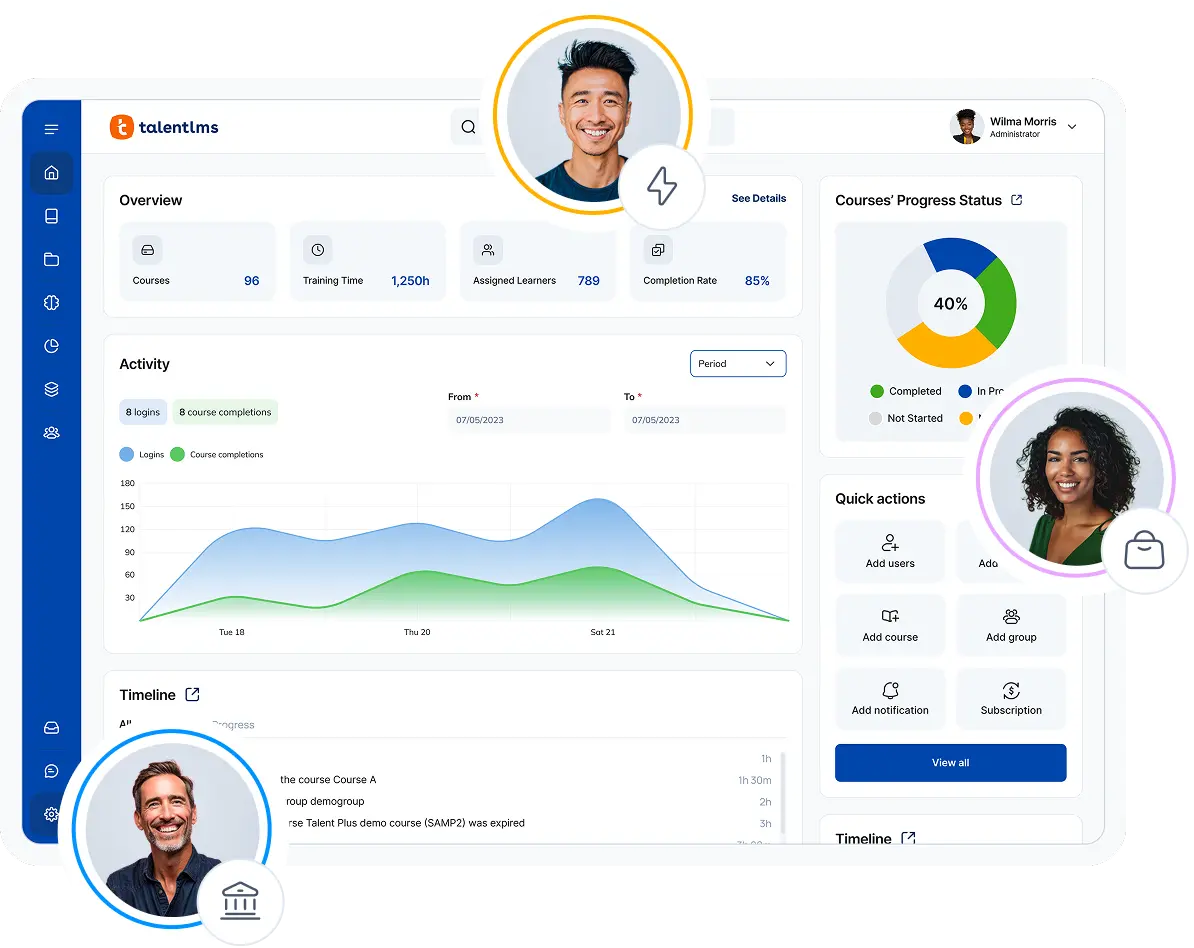
TalentLMS is an affordable LMS built for organizations that want to launch training quickly, manage it easily, and scale without adding complexity.
Unlike platforms designed primarily for course sellers or organizations with large technical teams, TalentLMS focuses on helping businesses deliver employee training, onboarding, compliance programs, customer education, and partner training from a single platform.
Why we picked it:
TalentLMS stands out because it combines affordability, ease of use, and scalability in a platform that’s designed for growing businesses.
Many teams aren’t looking for the cheapest LMS. They’re looking for the best value. This means a platform that helps them launch training quickly, support business goals, and keep pace with growth without adding operational complexity.
With transparent pricing, including a free plan, and low-friction setup, teams can get training up and running without lengthy implementation projects, dedicated IT resources, or extensive administrator training. As training needs evolve, features like automations, learning paths, branches, and AI-powered content creation help organizations scale programs efficiently without proportional increases in administrative effort.
That’s particularly valuable for lean HR and L&D teams that need to deliver results without adding headcount.
Global Shop Solutions launched and scaled training across the business in just 90 days using TalentLMS. Meanwhile, Tagmarshal successfully manages learning with a one-person L&D function.
Both examples highlight an important point: effective training doesn’t require a large team or a complex implementation. It requires a platform that’s simple to run and capable of delivering results.
TalentLMS also supports a wide range of use cases. Its employee training software supports onboarding, compliance, customer education, and partner training while remaining straightforward to manage.
By reducing the time it takes to create, deploy, and maintain training, TalentLMS helps organizations focus less on running the platform and more on developing people. That’s what makes it one of the strongest value-for-money LMS options on the market today.
Pros
- Free plan available and clear published pricing
- Easy to use and built for teams that don’t have time for complex systems
- Suitable for SMB training use cases, including onboarding and compliance
- Fast to get started, with minimal friction for setup and delivery
- AI-powered content creation helps reduce administrative workload
Cons
- Not the best fit for education institutions
- Some organizations may want more enterprise-specialized functionality than a lightweight SMB-oriented platform
- Very large, highly complex implementations may need a different class of platform
- Less suitable if a buyer needs a highly specialized academic workflow
Key features:
- Fast setup and deployment so you can launch training quickly without lengthy implementation projects
- AI-powered course creation and coaching to reduce content development time, and accelerate training delivery and learner progress
- Learning paths that help structure onboarding, compliance, and skills development at scale
- Automations that reduce repetitive admin tasks, from enrollments to reminders and certifications
- Branches for managing multiple teams, departments, customers, or partners from a single LMS
- Built-in advanced reporting and tracking to monitor progress, completions, impact, and training outcomes in real time
- Support for multiple training use cases, including employee training, onboarding, compliance, customer education, and partner enablement
- Transparent pricing and a free plan that make it easier to scale training without unexpected costs
Best for: SMBs and growing organizations that need a flexible and affordable LMS for onboarding, compliance, employee development, customer training, or partner enablement.
Pricing: Free plan. Premium free trial. Paid plans start at $119/month for up to 40 users.
What users are saying on G2:
The Good
“The frequent addition of new features continuously enhances the platform’s capabilities and keeps the experience fresh and valuable. The well-documented and up-to-date knowledge base serves as a useful resource for finding quick solutions, contributing to a smooth and efficient user experience. Furthermore, TalentLMS offers a broad feature set and pricing plans that are affordable, particularly important for self-funded projects like mine.” — Pushkar D. Senior Manager, Digital Product Management Small Business (4.5/5)
The Room for Improvement
“There were instances where the translation of our content did not hit the mark, and it would be helpful to provide the tool some prompts regarding our industry and audience to generate better text.” — Katrina L., Director of Training, Mid-Market (5/5)
2. Moodle LMS
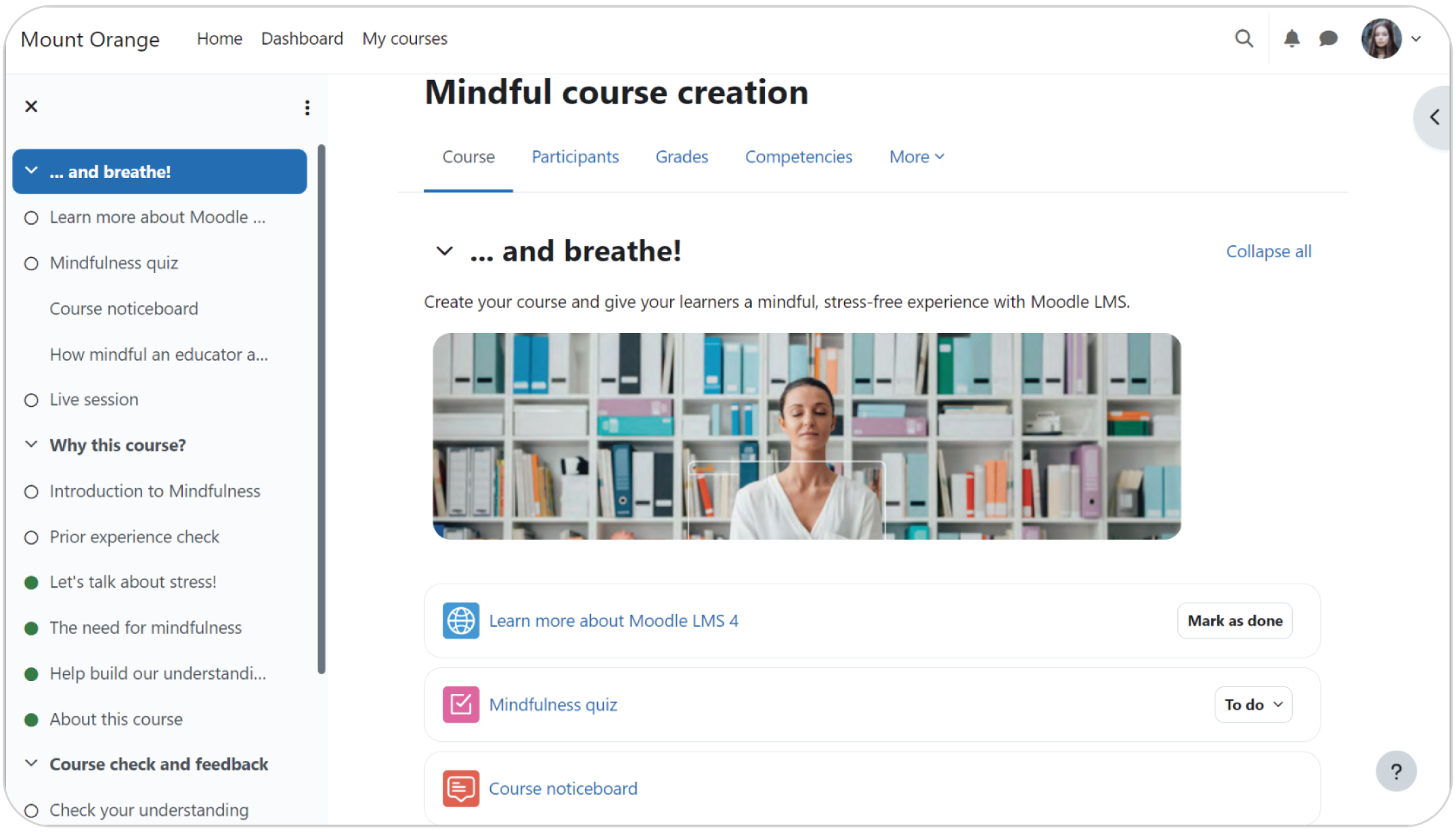
Moodle LMS is one of the most widely used open-source learning management system, trusted by millions of educators and organizations globally across higher education, K-12, and corporate environments.
With support for over 100 languages and a massive community of developers and users, Moodle offers flexibility and customization capabilities.

Why we picked it:
Moodle belongs in any affordable LMS roundup because the software itself is free to download and use. This makes it attractive for buyers focused on licensing cost.
As an open-source learning management system, it offers extensive flexibility and customization, making it a popular choice for organizations with specific training requirements and in-house technical expertise. The tradeoff is that affordability doesn’t stop at licensing. Hosting, maintenance, implementation, and support still need to be considered.
Pros
- Free to download and use as open-source software
- Large, plugin ecosystem. With the right setup, it can be highly flexible and customizable
- Good for organizations with internal technical resources
- Strong global user community
Cons
- Hosting, implementation, and support costs are still required
- More operational complexity than a traditional SaaS LMS
- Not ideal for teams that want a simple out-of-the-box rollout
- Longer implementation and maintenance requirements
Key features:
- Open-source architecture for extensive customization
- Flexible hosting and deployment options
- Large ecosystem of plugins and third-party integrations
- Course creation, assessments, and certifications
- Learning paths and learner management tools
- Strong community support and development network
Best for: Organizations that want a free LMS foundation and have the resources to manage hosting, support, and customization.
Pricing: Free starter plan. Paid plan from $170/month for 50 users.
What users are saying on G2:
3. iSpringLMS
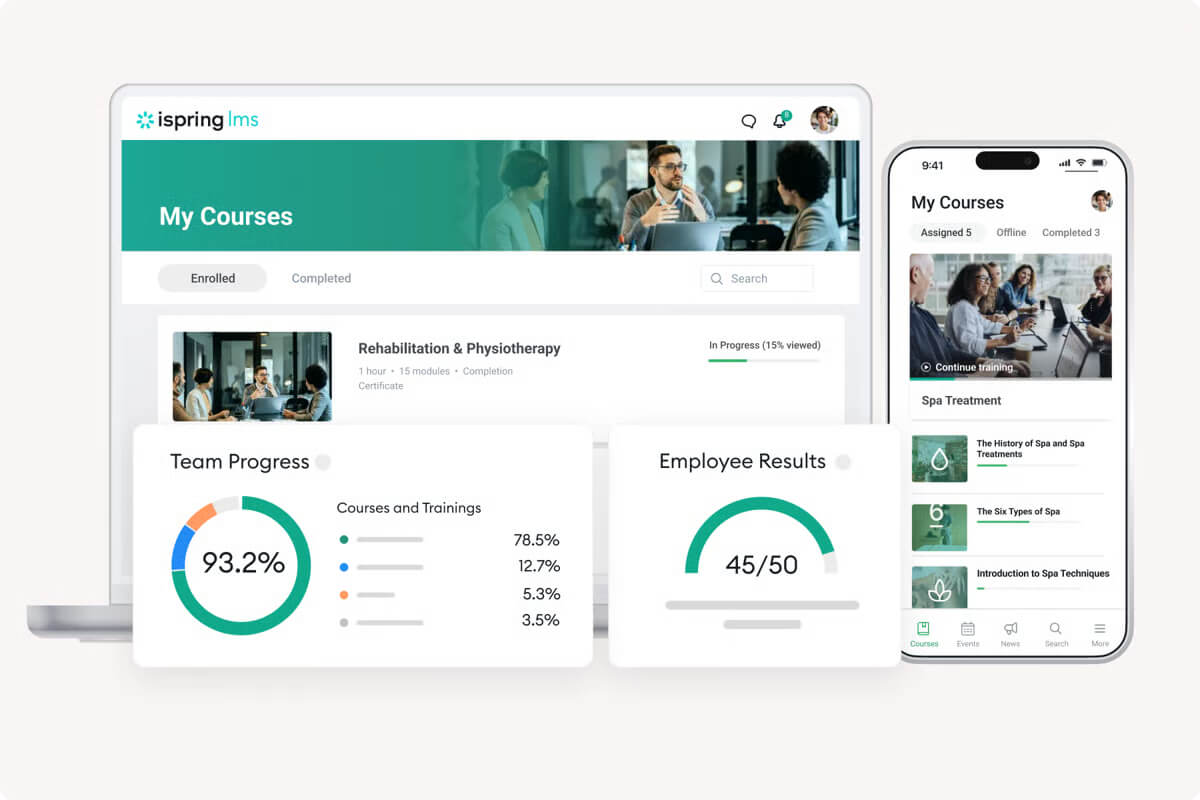
iSpring LMS combines LMS functionality with course creation tools, making it a popular option for organizations that want to create and deliver training from a single ecosystem.

Why we picked it:
iSpring LMS fits an affordable LMS roundup because it uses a semi-transparent pricing and a pay-for-active-users model.
For organizations with fluctuating learner numbers, paying for active users rather than total registered users can offer more flexibility.
It’s also associated with simple, user-friendly course creation capabilities.
Pros
- Semi-transparent pricing
- Pay only for active users
- User-friendly with multiple course creation functionalities
Cons
- Pricing is not shown as a simple public flat rate on their website
- May be less straightforward to budget for. Costs increase as active users grow
- Some teams may want broader workflow flexibility than a more authoring-oriented setup
Key features:
- Active-user pricing model that charges based on learner activity
- Built-in course authoring tools for creating training content
- Learning paths and structured learner progression
- Reporting and analytics for tracking training performance
- Assessments, quizzes, and certifications
- Mobile learning for training on the go
Best for: Teams that want an easy-to-use LMS with pricing tied to actual use.
Pricing: Free trial. Paid plan from $3.58 (1000 users) to $6.91 (100 users) per user/month billed annually. Pricing can range from $8K annually to $22K depending on the user bracket for up to 500 users on the business plan. No public pricing for over 500 users.
What users are saying on G2:
The Good
“Strong onboarding support and a straightforward implementation process. The mobile experience is solid, and having offline access is a real plus. Pricing is based on active users rather than the total number of registered users, which feels fair.” — Juris M., Digitalization manager, Mid-Market (5/5)
The Room for Improvement
“Some customization options are limited, especially when it comes to design and branding. Managing large amounts of content can sometimes feel a bit rigid, and certain advanced features require additional setup or are not as flexible as expected.” — Miroslav S. Mid-Market (4.5/5)
4. LearnWorlds
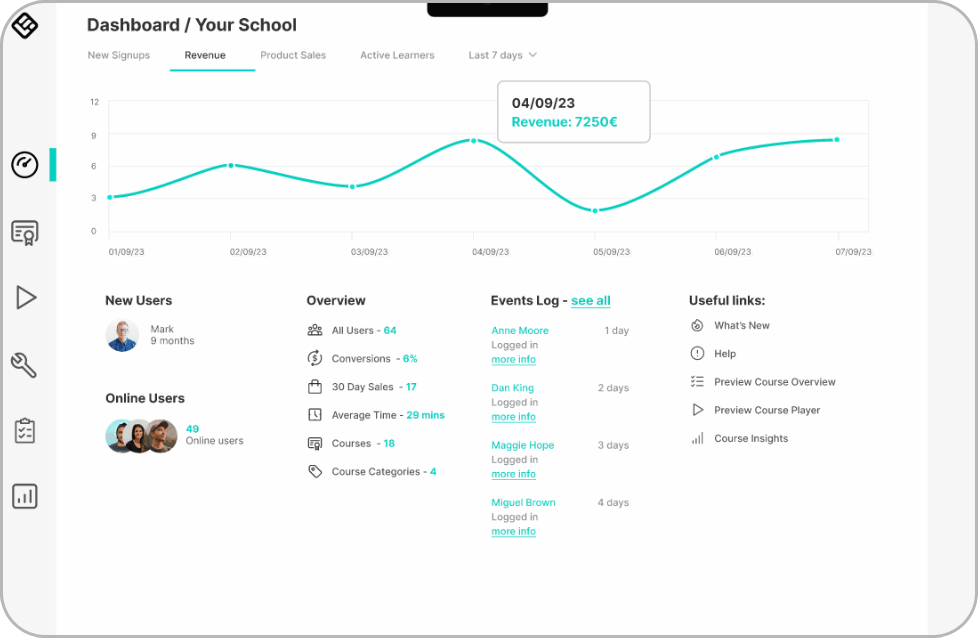
LearnWorlds combines affordable LMS software and functionality with tools for building and selling online courses. It also features marketing tools.

Why we picked it:
LearnWorlds offers one of the lowest entry prices among hosted LMS platforms while providing a broad feature set for building, delivering, and selling online learning.
It gives budget-conscious buyers an affordable entry point without forcing them into open-source hosting or a fully custom setup.
For organizations selling training, it can provide strong value for money.
Pros
- Public pricing with a low entry tier
- Strong course delivery and engagement features
- Built-in website, checkout, and selling tools
- No coding required for setup
Cons
- Higher-tier plans can become expensive
- More features than some internal training teams need
- More geared toward training businesses and course sellers than internal training-only teams
- Buyers focused only on employee training may find the commerce features unnecessary
Key features:
- Interactive video and engaging learning experiences
- Built-in website builder for creating branded learning academies
- Ecommerce functionality for selling courses and digital products
- White-labeling options for a customized learner experience
- Assessments, certificates, and learner engagement tools
- Analytics and integrations to track performance and streamline workflows
Best for: Course creators, learning businesses, training providers, and teams that want to build branded learning experiences.
Pricing: Starts at $24/month on the annual plan for 1 admin seat, with higher tiers at $79 and $249/month.
What users are saying on G2:
The Good
“We offer courses for teens and adults, and the LearnWorlds platform accommodates this wide range of learners. The community board operates as a social media addition, which is a great way to keep customers on your site. We don’t need to consider a Facebook group page for engagement. Being able to incorporate our Stripe account is another helpful tool. Lastly, the pricing fit our budget as a new company.” — Theresa O., Continuing Education Program Manager, Small Business (5/5)
The Room for Improvement
“A little flexibility with administrator roles would probably be helpful. It would be useful to have a few more administrator-level roles that can be locked into certain courses only.” — Verified User in E-Learning, Small Business (5/5)
5. Thinkific
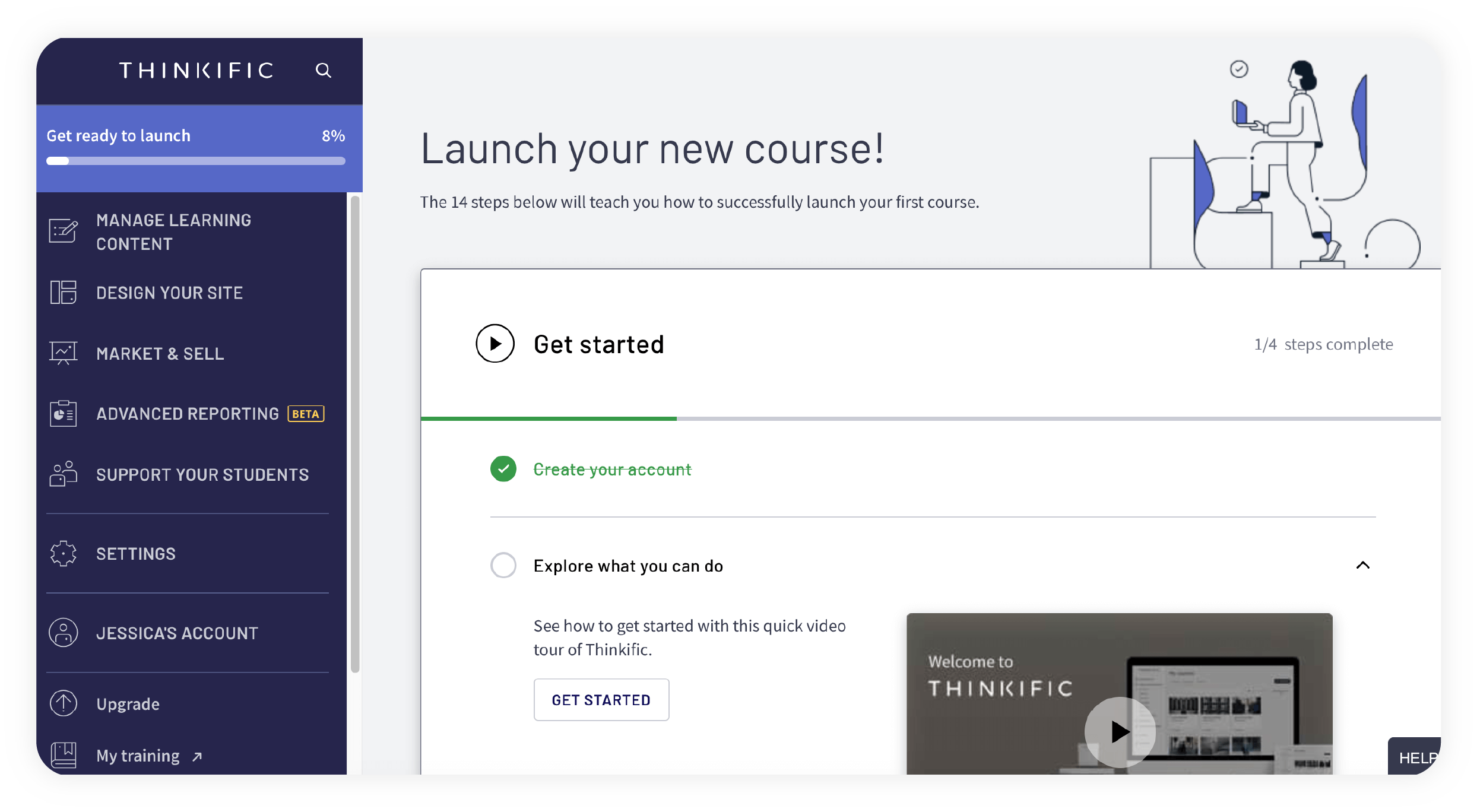
Thinkific is a hosted learning commerce platform that helps businesses create, market, and sell online courses without needing technical expertise.

Why we picked it:
Thinkific is an affordable LMS option for businesses that want a hosted platform with a relatively low entry price and a simple way to launch online learning.
It works well for course-based use cases, especially when the buyer is prioritizing a straightforward setup over scalability and deeper corporate training complexity.
Pros
- Low entry price
- Hosted platform, so no infrastructure to manage
- Good for creator-led training and small businesses
- Easy to set up and manage
Cons
- More focused on course selling than broader employee training workflows
- Less suited to complex internal training programs
- Not as strong for multi-audience business training use cases
- Limited support for broader workforce training needs
Key features:
- Course creation tools for building and delivering online learning
- eCommerce capabilities for selling courses, memberships, and digital products
- Community features to support learner engagement and retention
- Learner tracking and reporting to monitor progress and performance
- Customizable learning experiences and branded course websites
- Integrations with marketing, CRM, and business applications
Best for: Course creators, small businesses, and teams focused on external training or paid learning content.
Pricing: From $74/month when billed annually ($99 month-to-month). Pricing varies based on the feature set.
What users are saying on G2:
The Good
“Over the years, Thinkific has expanded and evolved into a more robust, education-oriented platform that facilitates the development of an educational business. I rarely, if ever, encounter issues when utilizing this platform. The integrated AI feature for constructing landing pages has significantly conserved time and eliminated uncertainties associated with adhering to the latest best practices in copywriting. The pricing structure is reasonable.” — Maria M., Recruitment Manager, Small Business (5/5)
The Room for Improvement
“A lot of the feature updates are more for customers selling courses, rather than customers operating employee/cohort learning experiences. There’s also room for improvement around governance and content management at scale.” — Chelsea M. Instructional Design Specialist, Enterprise (4/5)
6. LearnDash
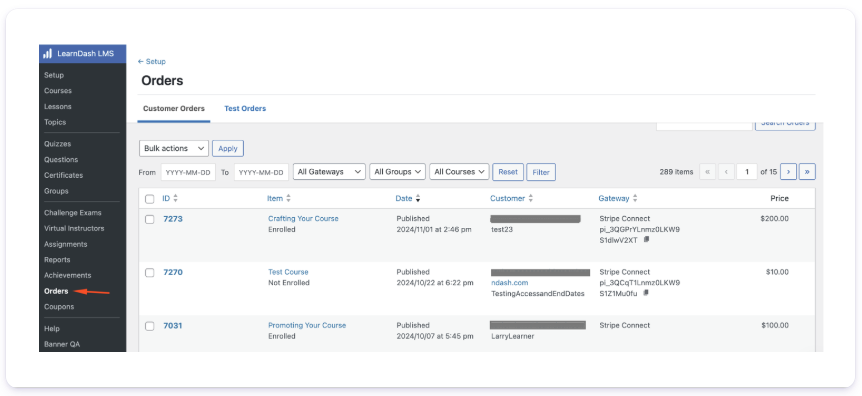
LearnDash is a WordPress LMS plugin that allows organizations to build learning experiences directly within their existing WordPress environment.

Why we picked it:
LearnDash is a good, affordable LMS choice for buyers who already use WordPress and want to build training into their existing site.
Pros
- Affordable annual pricing
- Good fit for WordPress users
- Flexible for course sites and membership-style learning
- Affordable for lean teams with good control over site design and experience
Cons
- Requires WordPress, so it is not a standalone SaaS LMS
- Setup and maintenance requires more hands-on input
- May need plugins or technical support for full functionality
- Less convenient for teams that want a fully managed platform
Key features:
- WordPress course creation and management
- Assessments, quizzes, and certificates to support structured learning
- Learning paths and drip-fed content for guided progression
- Membership and community integrations for learner engagement
- Learner tracking and reporting tools
- Extensive customization through WordPress plugins and integrations
Best for: WordPress-based businesses, creators, and lean teams that want control over their learning site and prefer a lower-cost annual license.
Pricing: Starts at $199/year (plugin). $29/month billed monthly or $24/month (billed annually (Cloud)
What users are saying on G2:
The Room for Improvement
“You have to host this on WordPress, so if you’re not comfortable using WordPress, it will be a challenge. It can be a bit complicated to know how to put things in the right order, but if you take time to learn it, it becomes easy. Because it is self-hosted, it is essential that you keep your website very secure.” — Verified User in Marketing and Advertising, Small Business (3/5)
7. FreshLearn
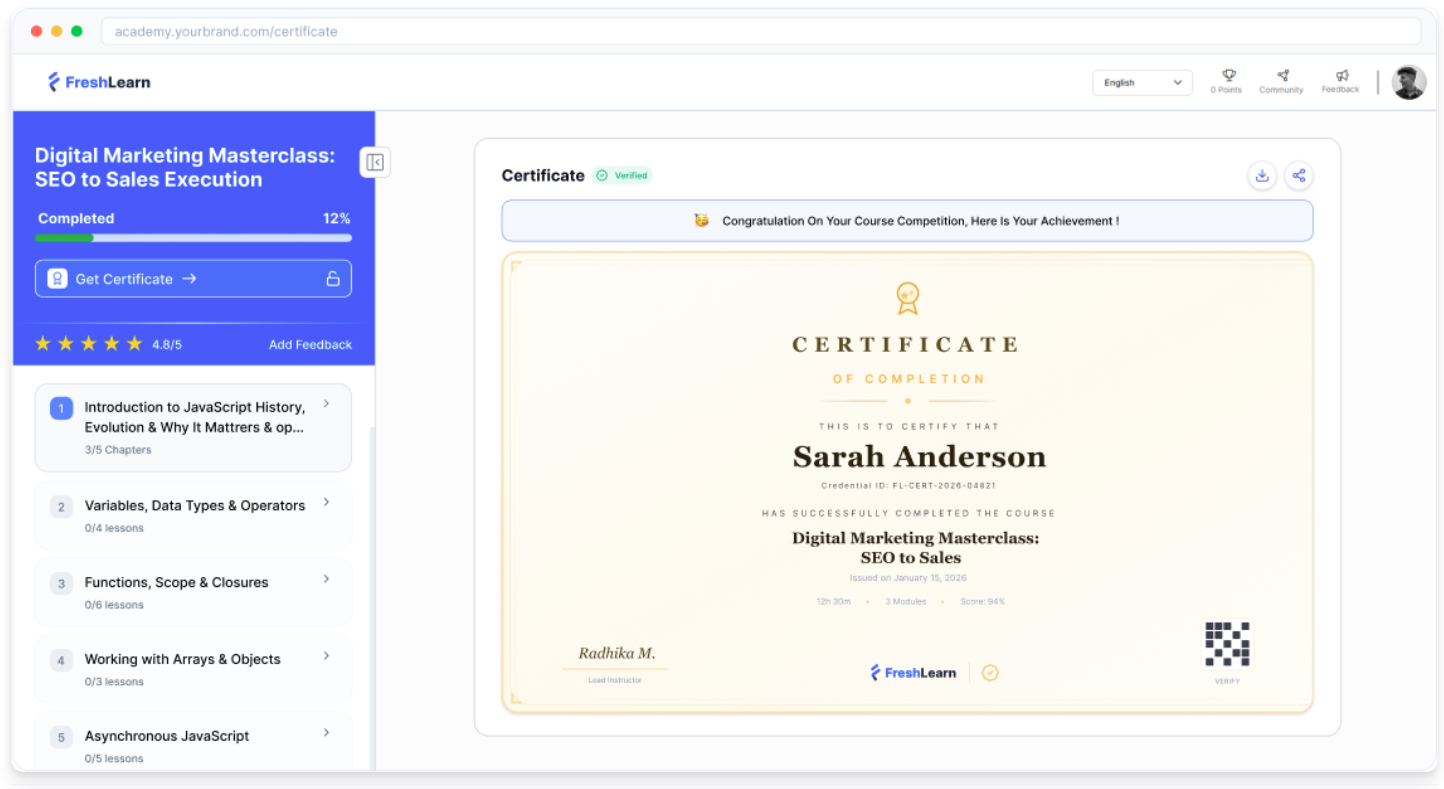
FreshLearn is a lightweight learning platform designed for creators, coaches, and small businesses looking for a budget-friendly way to launch training.

Why we picked it:
FreshLearn hits a very low entry price and is often grouped with other course platforms. It includes a free plan, making it accessible for organizations that want to start small and grow over time.
Pros
- Very low-cost entry, as it’s not based on seats but course creators
- Good for beginners and lightweight use cases
- Free plan available
Cons
- More course-creator-oriented than workforce-training-oriented
- May be less suited to complex corporate training programs
- Not the strongest fit for partner or compliance-heavy training
Key features:
- Course creation tools for launching training quickly
- eCommerce features for selling courses, memberships, and digital products
- Community and engagement tools to support learner interaction
- Learner management and progress tracking
- Customizable websites and landing pages
- Reporting and analytics to monitor learner activity
Best for: Small creators or lightweight training use cases that need a low-cost start.
Pricing: Free plan or $35/month billed every 2 years.
What users are saying on G2:
The Good
“Freshlearn has a mostly straightforward, relatively simple User Interface that delivers most of the basic functionality needed to set up pretty good trainings and courses. It also has very competitive pricing models that allow for unlimited users, which is very valuable, especially in use cases like ours where we offer our resources free of charge to all of our clients.” — Verified User in Computer Software, Mid-Market (4/5)
The Room for Improvement
““While the interface is user-friendly, the analytics tools, though functional, lack the depth and range of data insights I’ve seen elsewhere, which can be limiting when trying to optimize course performance and track student engagement on a more granular level.” — Henry T., President & CEO, Small Business (4/5)
What are the best affordable LMS options?
The best affordable LMS depends on your goals, team structure, and training requirements.
If you’re looking for open-source flexibility and have technical resources available, Moodle remains a strong option.
Organizations interested in active-user pricing may prefer iSpring Learn.
Course creators and training businesses often gravitate toward LearnWorlds or Thinkific because of their built-in eCommerce capabilities.
LearnDash is worth considering if you’re already invested in WordPress and want greater control over your learning environment.
FreshLearn provides a low-cost entry point for smaller creators and businesses.
For organizations focused on employee training, onboarding, compliance, customer education, or partner training, TalentLMS offers one of the strongest balances of affordability, usability, and functionality. Rather than requiring buyers to choose between cost, simplicity, and capability, it combines transparent pricing, AI-powered content creation, automation, reporting, and fast implementation in a platform designed for growing businesses.
While TalentLMS is designed specifically for workplace learning, organizations can integrate it with Moodle using Learning Tools Interoperability (LTI 1.3) and so combine Moodle’s academic capabilities with TalentLMS’s business-focused training experience. This flexibility, combined with fast deployment, scalable training management, and a low administrative burden, is what makes TalentLMS one of the best-value affordable LMS solutions available in 2026.
Frequently asked questions
What’s the most affordable LMS?
The answer depends on how you define affordability. The most affordable Learning Management Systems (LMS) range from free open-source platforms to budget-friendly SaaS options starting under $100 per month. Some platforms, such as Moodle, have no software licensing costs but require spending on hosting, maintenance, and support. Others charge a subscription fee but reduce implementation and administration costs. The most affordable LMS is usually the one that delivers the best overall value for your organization.
What’s a good affordable LMS for SMBs?
Many small and midsize businesses look for an LMS that’s easy to implement and manage without dedicated technical resources. TalentLMS, iSpring Learn, and LearnWorlds are common options, depending on training goals and use cases. Many LMS platforms implement tiered pricing or pay-per-user models, which can scale with the size of the organization, allowing for discounts as the number of users increases.
Are free LMS platforms worth it?
Before selecting an LMS, taking advantage of free trials or free tiers can help confirm that the user interface fits your organization’s workflow. However, free platforms often require additional investment in hosting, support, customization, or administration. It’s important to consider total cost of ownership rather than software licensing alone.
How much does an LMS cost?
LMS pricing varies widely. Some platforms offer free plans, while others charge monthly or annual subscription fees based on user numbers, features, or use. Costs can range from under $50 per month to several thousand dollars annually depending on organizational requirements. When evaluating LMS pricing, it’s important to consider additional costs such as per-enrollment fees, feature bundling, and the potential need for advanced features that may require higher-tier plans.


