

How To Keep Your Work Phone Safe From Hackers And Scammers
With more and more employees working remotely or traveling for work, using a mobile phone for business purposes is more common than ever. In fact, many companies provide their employees with mobile phones to help them stay connected and be more productive. But how safe is it to access company networks and projects through a mobile device, like a smartphone or tablet? If you don’t take the necessary measures, it can actually be catastrophic to your company’s data security. In this article, we will discuss 6 basic tips for mobile security that will ensure all the valuable information stored in and accessed by your smartphone is safe from hackers and scammers.
Why Does Mobile Security Matter For Employees?
There’s no denying that using your mobile phone for work can be very convenient. Checking your emails while commuting, forwarding a document without having to turn on your laptop, etc., can simplify your everyday life. However, the danger of data theft or a security breach is ever-present, and it can have severe consequences on your company’s reputation, financial state, and client relationships. Often, it doesn’t take more than clicking on a link in a phishing email to allow cybercriminals access to sensitive information regarding the company or its clients. Therefore, any company that values its brand and the trust of its clients must educate its workforce on a few necessary mobile security guidelines to keep them safe.
6 Tips To Guarantee Mobile Security For Employees
1. Use Strong Passwords
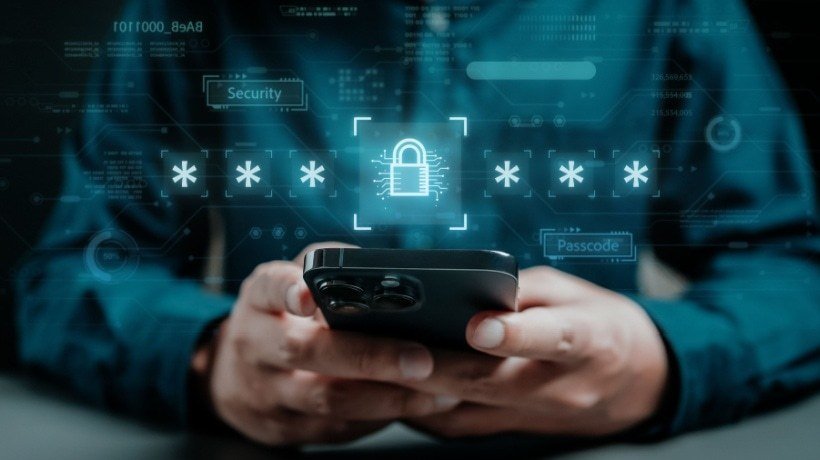
The first and most important step of mobile security is ensuring that you are the only person who can physically access your phone. Use a strong PIN or password to unlock it (not 0000 or 1234) or, better yet, use your phone’s biometric passkeys, such as face and fingerprint scanning. In the unlikely event that your phone is left unlocked and unattended, make sure that important work or banking apps require a password to open. If you are using a username and password, refrain from selecting the “Remember me” option, as this only makes it easier for other people to access your accounts. Finally, remember to change your passwords every few months to keep them secure.
2. Utilize A VPN
VPN stands for Virtual Private Network, and it’s commonly used on computers and laptops. If you are accessing the internet through your smartphone, especially using public Wi-Fi networks, you should definitely consider downloading it. This technology enables you to access the internet safely by creating a barrier between your device and the Wi-Fi network, encrypting your information and safeguarding it from cyberattacks. This way, if you visit a non-HTTPS website or any other site you are unsure about, the VPN can shield you from data or password theft attempts. VPN software is often inexpensive, but the protection it provides is invaluable.
3. Be Careful With Unknown Wi-Fi Networks
Everybody loves free Wi-Fi when working outside the home, but what if the real price you’re paying is your mobile security? Public networks in cafes or hotels often lack encryption, making your information easily accessible to anyone with basic hacking skills. Before you know it, whatever you are working on and the credentials you use to access important websites or applications can fall into the hands of people with malicious intent. Given the risk, it’s definitely safer to use your mobile 4G or 5G network, which automatically encrypts information. If you are running low on data, however, then use a VPN and only connect to password-protected Wi-Fi networks.
4. Keep Your Mobile Phone Updated
Mobile phone companies are well aware of the numerous threats our devices encounter whenever they venture into the vast worldwide web. As a result, they regularly release updates that enhance their security features to combat new security loopholes that hackers can take advantage of and respond to the latest threats and malware. To ensure your phone is armed with these so-called “security patches,” you need to regularly update your operating system and various applications to their latest versions. You can set these updates to happen automatically so that your device is always up to date with mobile security standards.
5. Prepare For The Worst
Despite your best efforts, physical threats might still catch you off guard. You must be prepared for the unfortunate event of having your phone stolen. This involves backing up your data, including photos, documents, and other important information. This way, if you lose access to your device, you will be able to restore your files. Additionally, you must be able to track your stolen device or, if that’s not possible, remotely lock access to it and/or wipe its data. This way, your sensitive personal or professional information remains secure, even if you can’t retrieve your device. Make sure you activate these functions beforehand so that if something happens, you can immediately log into your account from another device and protect your information.
6. Be Vigilant
It’s good to take precautions to ensure mobile security, such as using passwords, installing VPNs, and backing up your data. However, the best-case scenario is that you don’t end up needing them because you are careful when using your phone to access the internet. Of course, this doesn’t mean getting paranoid over every email and website, and, ultimately, avoiding using your phone for anything of importance. Instead, you just need to keep an eye out for suspicious behavior, emails from unknown senders, clickbait pop-ups, and downloads from untrustworthy sources. This way, you can enjoy the benefits of mobile usage without falling victim to its potential dangers.
Secure Mobile Usage For Remote Employees
When employees work outside the office more often than on-site, it might be challenging to monitor how safe their mobile phone usage is. To fortify your business against outside threats as much as possible, it’s essential that you instill in your remote workforce a mobile security mentality that they will keep up without needing someone to look over their shoulder. Direct them to resources about what can happen when they leave their devices unprotected, and organize courses about online security. Additionally, you can use a mobile device management (MDM) tool, which allows you to remotely ensure that the smartphones given to employees comply with the latest security standards and are, therefore, secured.
Conclusion
As remote work becomes more popular and employees increasingly use their phones to complete work-related tasks, mobile security is becoming more important than ever. If employees don’t know how to keep their mobile devices secure, their companies might suffer serious consequences. In this article, we discussed a few must-know tips about safeguarding smartphones and tablets against cyber attacks, which every company must urge their workforce to adopt.
