


Choosing a learning management system shouldn’t feel like a second job. But for plenty of teams, that’s precisely what it becomes.
You sign up full of good intentions. Then week one disappears into setup. Week two, you’re deep in an admin dashboard that looks like a cockpit, hunting through LMS tools for the one button that assigns a course.
By week three? Your “quick training rollout” you promised has quietly become a project of its own. Including a plan to manage, three open support tickets, and a colleague who keeps asking when it’ll be ready.
Meanwhile, the thing you wanted—people trained, new hires onboarded, customers up to speed—hasn’t happened yet.
That’s where an easy to use LMS comes in.
In this guide, we’ve compared 7 of the best learning management systems for 2026. We looked at how intuitive the learning process is, how quickly you can get started, and what real customers have to say. Saving you time and headaches so you can enjoy your morning cup of coffee in peace.
Top 7 easiest to use Learning Management Systems

How to choose the easiest LMS for your needs
The top learning management systems let you build a course, assign it, and see who’s completed it without reading a manual or asking an expert.
Setup is simple enough, so you can knock it out in one afternoon rather than budgeting weeks for it. Meaning admins aren’t overwhelmed managing courses, and learners can finish what you assign.
But no two LMS platforms will serve your specific needs the same. Some are better designed to help admins launch training quickly, while others prioritize course creation, authoring tools, customer education, customization, or flexibility.
So before you jump headfirst into comparing LMS feature lists, here are a few things to consider:
- Your team size and growth: Not all learning platforms can support every team size. Which means if you intend to scale, you want to consider what your final goals will look like. It’s best to pick something you won’t outgrow in a year.
- Your budget: Think about the plan you need now and the one you’ll need after scaling. How is it going to affect your budget? You want to choose a platform whose price will scale with you and not ahead of you. So what you pay will keep making sense.
- Your training needs: What are your training objectives? Are you training employees, or also planning on partner and customer training too? Multi-audience training usually means separate portals or spaces, while single-audience training doesn’t.
- Your content approach: Will you create your own courses from scratch, use material you already have, or lean on a ready-made course library and authoring tools? Easy to use LMS platforms don’t make you choose.
- Your time and resources: Some training platforms are live in an afternoon; others need setup or even IT support. What’s realistically achievable for one team might not be for another.
Easy to use LMS #1: TalentLMS
TalentLMS is built around one simple promise: get training up and running fast, without a learning curve of its own, months of implementation, or a 40-page manual. Whether you’re onboarding new hires, rolling out compliance training, or getting customers up to speed, see how easy training can be.
That focus on usability shows up in customer feedback too. According to G2, TalentLMS was awarded fastest implementation and easiest setup for 2026. That’s why teams choose it. Admins figure it out on day one, and learners don’t need instructions to get started.
Why we picked it
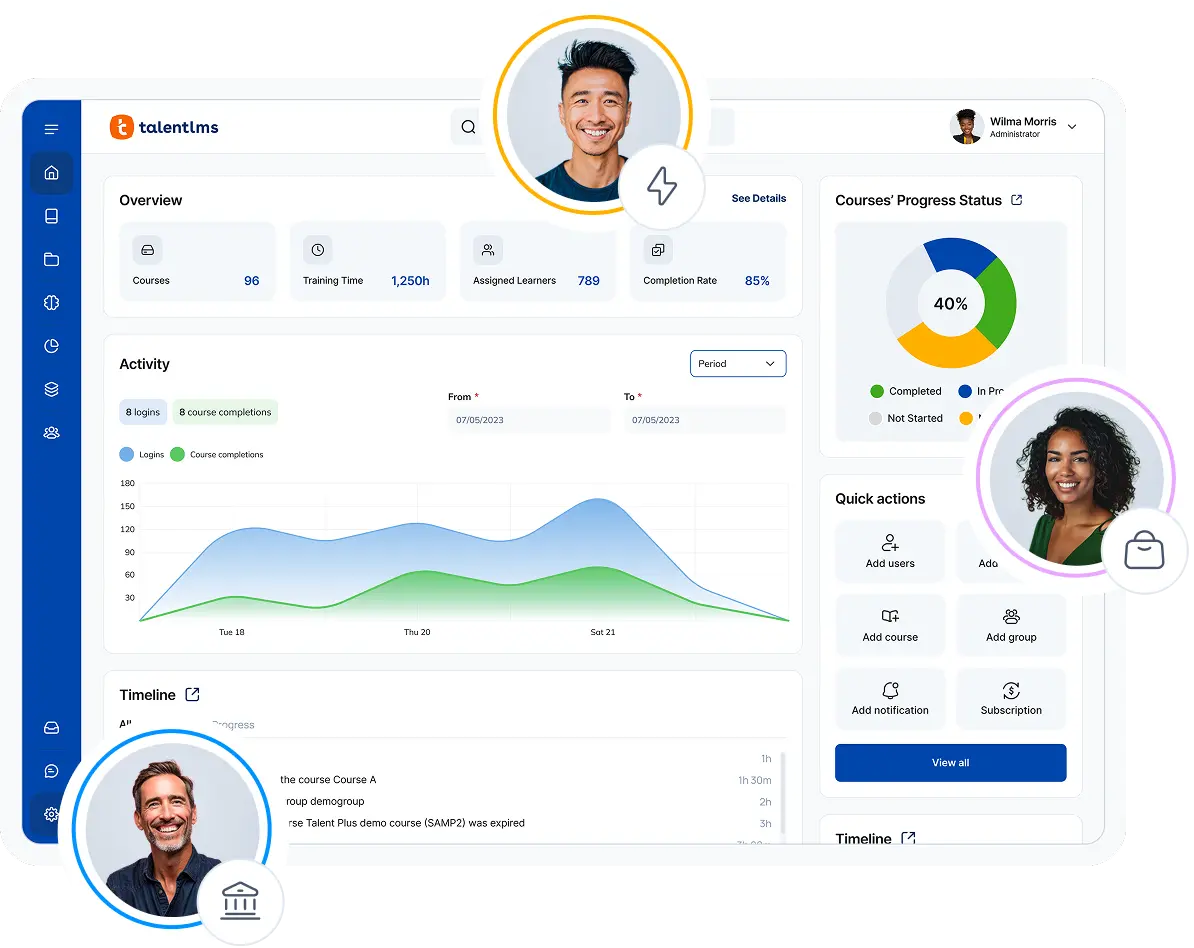
Picture the opposite of every LMS horror story: you log in, and within the first coffee of the day, you’ve built a course and assigned it, without needing an IT consultant on speed dial.
That’s the everyday reality of a growing business with TalentLMS. The admin dashboard stays just as clean at 400 learners as it was at 40. With its built-in AI authoring tool, TalentCraft, you can generate a full course from a single prompt without worrying about starting from scratch. And if you ever do need a helping hand, TalentLMS’s support team is one of the most capable out there.
Growth doesn’t have to mean more admin work, either. TalentLMS can help you scale without your workload also growing with you. Automations handle enrollments, reminders, recurring reports, and training outcomes. So you can easily track learner progress and course completion. Which means instead of maintaining the LMS, your team can spend more time delivering training.
Pros
- Live the same day, with minimal setup
- Create courses with the AI course creation tool (TalentCraft)
- Train employees, customers & partners from one platform using Branches
- Ready-made soft-skills training and compliance courses via TalentLibrary
- Reports that build themselves once set up, so tracking progress isn’t a manual job
Cons
- Not built for academic or educational institutions
- Deepest customization needs sit on higher tiers
Key features:
- Fast, no-fuss set-up
- AI course creation with TalentCraft
- Multi-portal feature with Branches
- Ready-made courses using TalentLibrary
- Easy, automated reporting and analytics
Best for:
SMBs and growing organizations that need an easy to use and affordable LMS software for employee onboarding, compliance, and customer and partner training.
Pricing:
Free plan available. Free premium trial. Paid plans start from $119/month for 40 users.
What users are saying on G2
The Good
“TalentLMS stands out as the best learning management platform because of its exceptional ease of use—both for administrators and learners. Setting up courses, managing users, and tracking progress is intuitive and requires minimal technical knowledge. Its flexibility is a major strength: it supports a wide range of content formats (video, SCORM, quizzes, documents) and integrates seamlessly with tools we already use. The platform scales effortlessly, whether you’re training a small team or hundreds of employees. ” – Michiel M., L&D Coordinator, Small-Business, 5/5
The Room for Improvement
“There were instances where the translation of our content did not hit the mark, and it would be helpful to provide the tool some prompts regarding our industry and audience to generate better text.” – Katrina L., Director of Training, Mid-Market, 5/5
How an easy to use LMS helped Smartbox train 12,000 learners globally
As Smartbox expands globally, frontline training has to keep pace. The team needs an LMS system that is simple enough for admins to manage without extensive training programs. While giving employees across different regions a consistent learning experience and all essential LMS features.
That’s precisely what TalentLMS gives Smartbox. One place to deliver onboarding and ongoing learning simply and without admin headaches. Instead of spending time managing complex learning systems, the team can focus on creating and delivering online training that supports real business growth.
The intuitive interface makes it easier to roll out new courses, monitor learner progress, and keep training organized as the company continues to scale internationally.
Easy to use LMS #2: LearnUpon
LearnUpon prioritizes simplicity without sacrificing control. Its intuitive interface and multi-portal architecture make it easy to manage training for different audiences without unnecessary complexity. So, if your priority is a system that both admins and learners can navigate without hand-holding, it earns its place.
Why we picked it
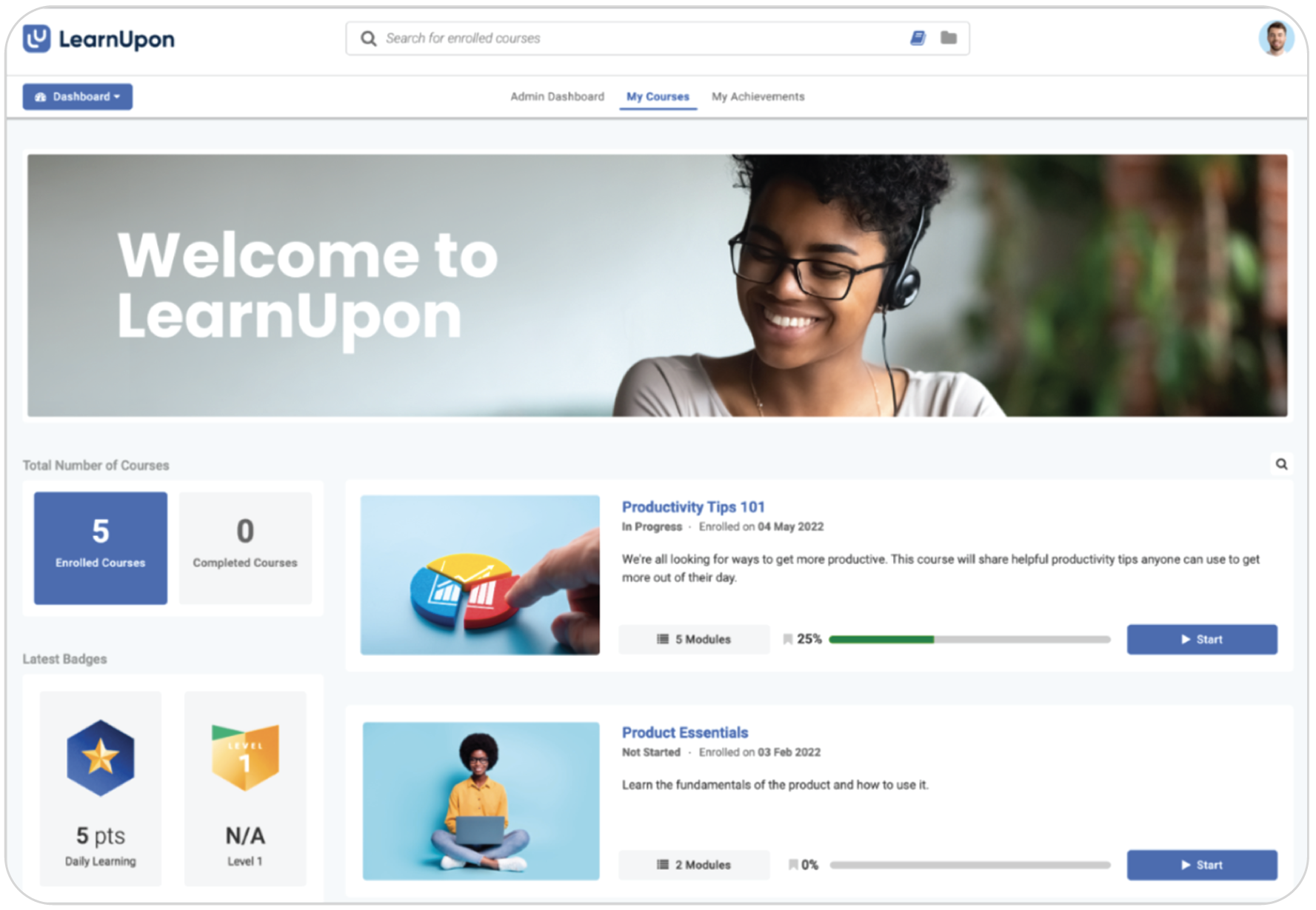
Where LearnUpon stands out is its portal structure. You can separate learning environments for employees, customers, partners, or different teams. Each group gets its own branded experience, while admins can focus on course management from a single backend.
Instead of hunting through menus, you can spend most of your time assigning training, tracking learner progress, and moving on with your day. Making training programs feel more manageable, as they can be shared across portals.
Pros
- Clean, well-organized interface
- Good learner and admin experience
- Supports multiple audiences and training types
- Helpful for organizations that want a polished LMS
Cons
- No published pricing
- May be more than some smaller teams need
- Some workflows can still feel more complex than the simplest tools
Key features:
- Multi-audience training support
- Portals or learning spaces for different groups
- Robust reporting and analytics
- Integrations with business tools
- Learning paths and structured training flows
Best for: Organizations that want a well-organized LMS system with a clean interface and strong admin usability.
Pricing:
No published pricing. Contact vendor. Sources claim annual contract values typically range between $15000 and $15000+.
What users are saying on G2
The Good
“I really like LearnUpon LMS for its simple UX/UI. The admin features make it easy to manage… The clean look and simple user experience stand out for me, especially since the layout is intuitive and uncluttered. This makes it ideal for our team members who don’t frequently use the LMS, as they can navigate it without having to memorize where everything is. Plus, the initial setup was super easy.” – Pamela B., Recruitment Operations Lead, Mid-Market, 4/5
The Room for Improvement
“Multi portal reporting. I would like to run a report across all the portals… but have to manually add the custom user data for three portals separately. Very time consuming.” – Steven D., Enterprise, 4/5
Easy to use LMS #3: iSpring LMS
iSpring LMS shows up again and again in “easy to use” conversations, and for good reason. It’s built around a clear, low-learning-curve experience for admins and learners alike. So, if you want to launch training without spending weeks learning a new platform, it’s a good option.
Why we picked it
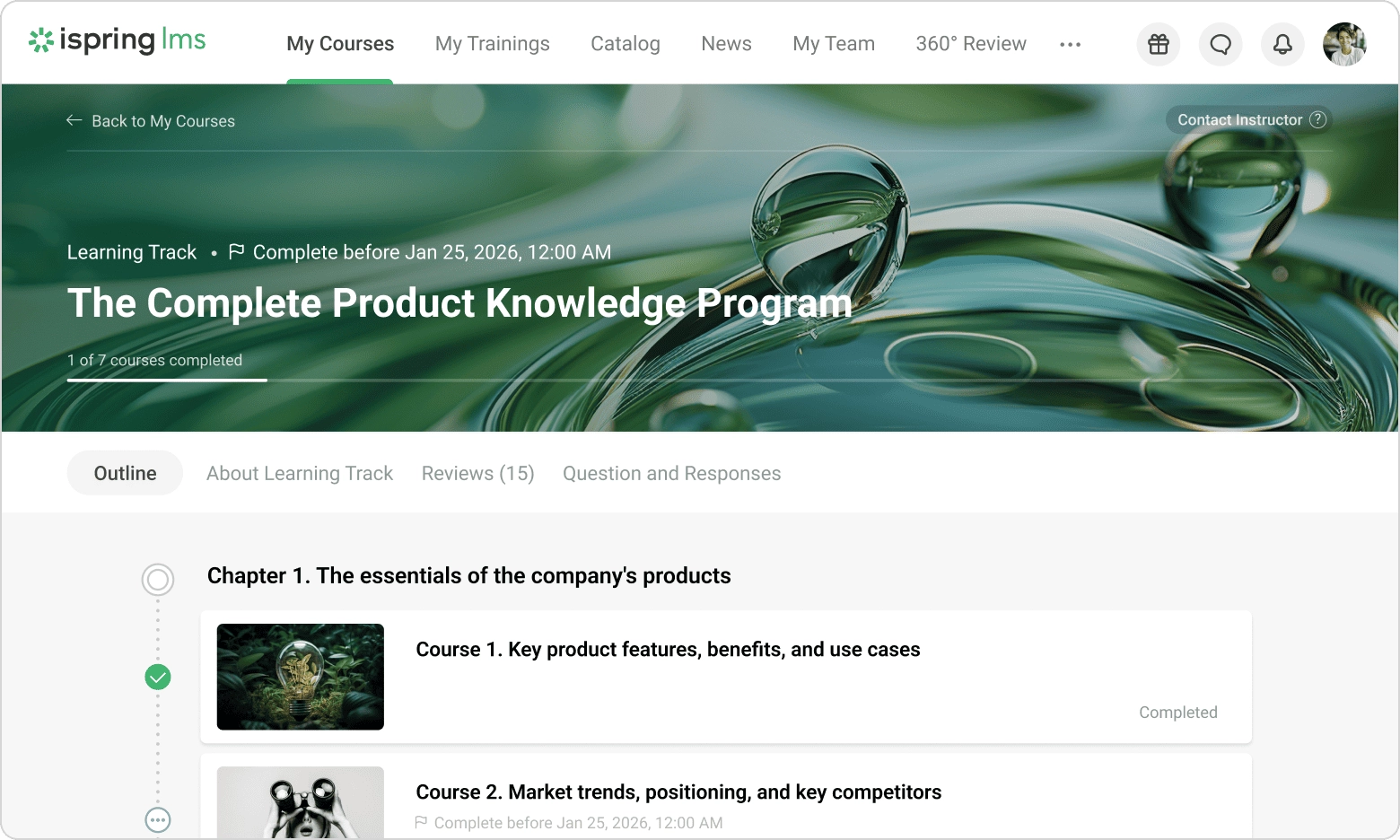
With iSpring, teams can start assigning courses with minimal onboarding. It allows you to move quickly to a live training program, without a “getting to know your LMS” phase or needing technical expertise.
iSpring’s strength is how it fits into existing workflows. Existing PowerPoint presentations can be converted into online courses without rebuilding the content from scratch. So you can save time, and learners can move through training easily. Learning paths, certifications, and progress tracking also make it simple to deliver training as you grow.
Pros
- Easy-to-use interface
Familiar course and content workflows
Good for training administration
Strong learner experience
Cons
- Pricing can increase significantly depending on features and user count
Less suited to highly unique or highly customized learning setups
Some users may want more flexibility in course design
Key features:
- Training assignment and tracking
- Learning paths
- Reporting and analytics
- Certification features
- Content creation ecosystem through iSpring tools
Best for: Teams that want a simple, reliable learning management system with familiar training workflows and a low learning curve.
Pricing:
Partially published pricing, starting at approx. $8K annually for 100 users
What users are saying on G2
The Good
“I like iSpring LMS for its ease of use and the comprehensive analytics it offers. Its simplicity makes it easier for our law firm’s training… The initial setup was extremely easy as well.” – Victoria Q., Director of Training, 4/5
Easy to use LMS #4: Trainual
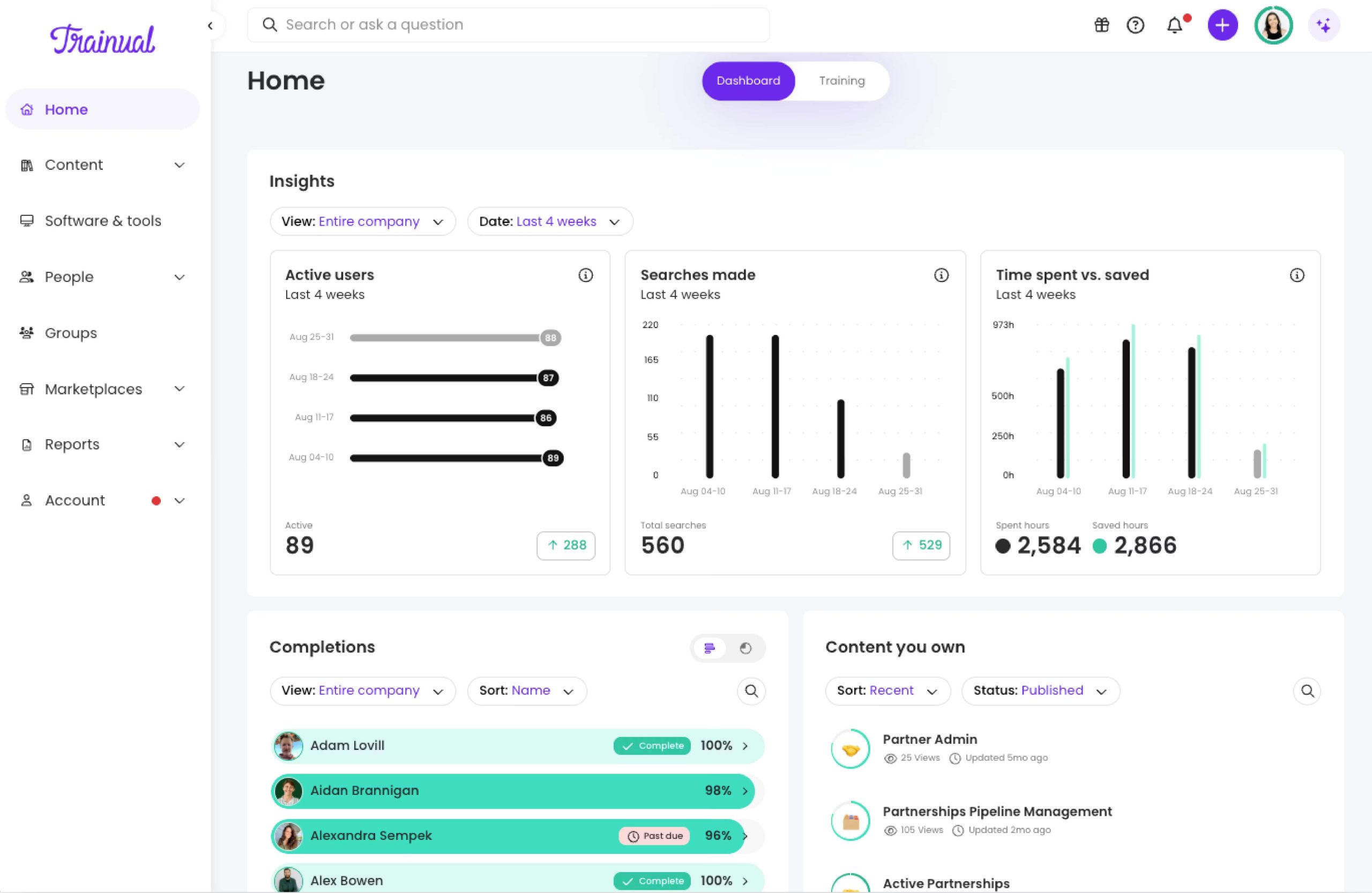
Trainual is built to make documenting and delivering training simple. It’s a great option for companies that want SOPs, onboarding, and internal know-how living in one searchable place. Instead of focusing primarily on course assignment, it’s designed to help growing businesses turn everyday processes into repeatable training.
Why we picked it
Trainual helps you turn your day-to-day workflows into structured learning materials that anyone can follow. Admins can build learning objectives and SOPs with text, videos, quizzes, and images. New employees learn at their own pace without digging through Slack threads or shared folders, and existing staff always have a single source of truth to come back to.
Role-based assignments are also available and can help teams deliver the right training automatically, while progress tracking gives admins visibility into what has been completed.
Pros
- Easy to get started
Strong for process and SOP training
Clear interface and simple workflows
Useful for onboarding and internal documentation
Cons
- Less suited to complex LMS use cases
Not ideal if you need a traditional enterprise LMS
Some teams may outgrow the simplicity
Key features:
- Process and SOP documentation
- Onboarding workflows
- Role-based training
- Knowledge management
- Searchable training content
- Tracking and progress visibility
Best for: Small and growing teams that want simple internal training and documentation in one place.
Pricing:
No published pricing; contact vendor. Third‑party sources show Core plans starting around $249/month for 10 users, with higher tiers for more seats and features.
What users are saying on G2
The Good
“The platform is simple and intuitive with its easy-to-use interface and great searchability. I also appreciate its reliable performance and responsive support. It allows employees to self-service, reducing the need to reach out to managers constantly.” – Amanda R., Call Center Supervisor, Mid-Market, 4.5/5
The Room for Improvement
“I would like to have the option to reorganize the steps of each process without having to open the process itself, and instead do it directly from the index. ” – Catalina M., SMB, 5/5
Easy to use LMS #5: Thinkific
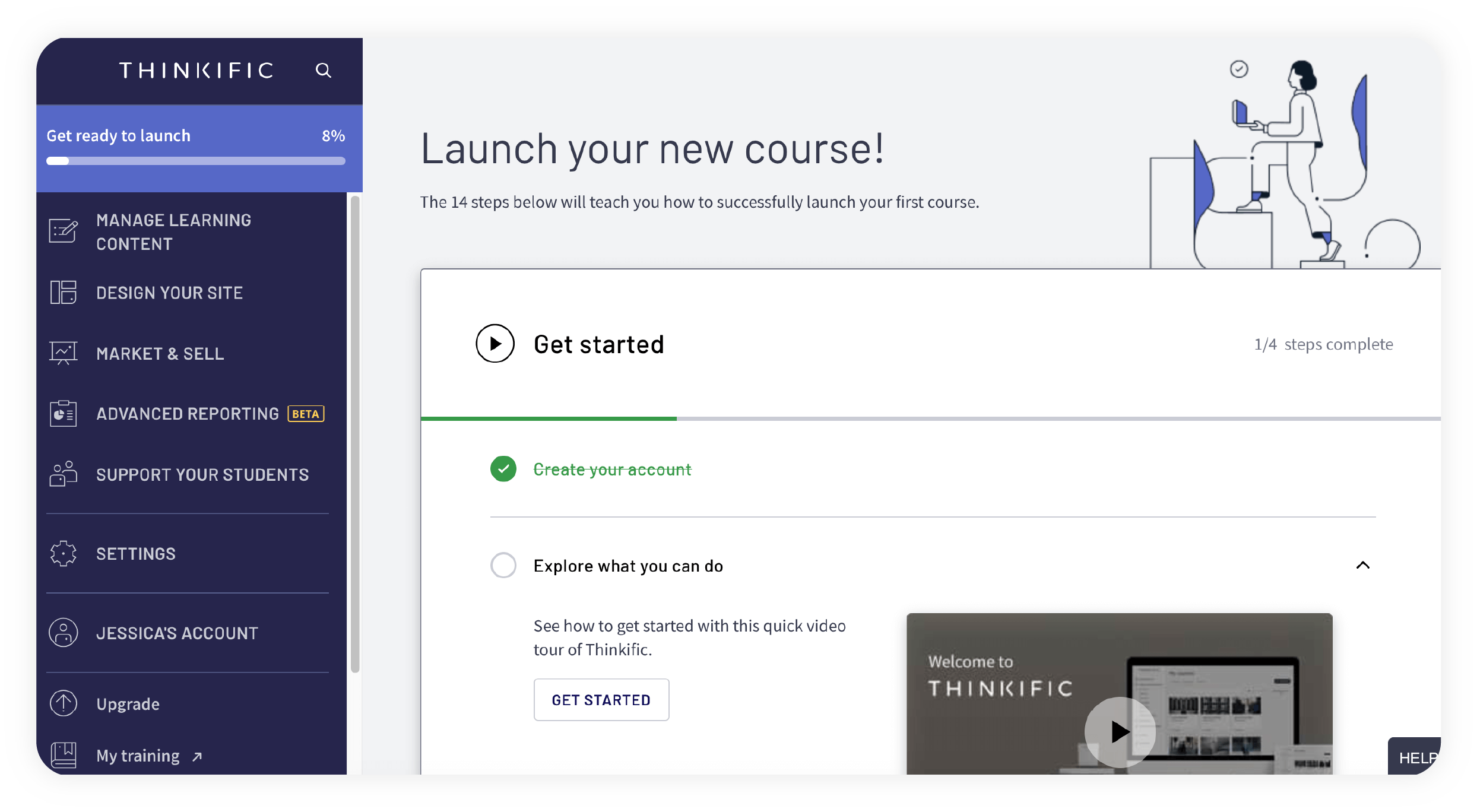
Thinkific is built to make course creation feel approachable, not technical. If you want to launch learning content, publish it and sell it yourself without waiting on anyone, it’s a great place to start.
Why we picked it
Thinkific allows you to pick a template, upload your content, and publish lessons within hours rather than wrestling with page builders.
What sets Thinkific apart is that it doesn’t stop at publishing. Payments, branded websites, and marketing tools are also built in, so you can sell your content without the need for extra software. This makes it a practical choice for creators who want to manage course creation and delivery in one place.
Pros
- Easy to use for course creation
- Good for self-serve publishing
- Clear and approachable setup
Cons
- Less traditional than a corporate LMS
- May be less ideal for heavily structured internal training
- Advanced use cases may require more workarounds
Key features:
- Course builder
- Student analytics
- Course delivery tools
- Payments and monetization options
- Website and content tools
- Basic learning management functionality
Best for: Course creators, educators, and businesses that want a simple platform for building and delivering courses.
Pricing:
Plans start from $36 per month for one creator seat.
What users are saying on G2
The Good
“I’m amazed by how easy it is to build a course. And whenever I get stuck, there are multiple ways to find the answers I need in a timely way. I’m genuinely enjoying creating courses and memberships, and most recently, building a new community using Thinkific’s amazing platform.” – Verified User in Religious Institutions, Small-Business, 4.5/5
The Room for Improvement
“There’s also room for improvement around governance and content management at scale. Better organization tools, more flexible admin permissions (I know this is coming soon!), stronger reporting customization, and improved bulk management features would make a significant difference for teams managing large learning libraries and multiple stakeholder groups. ” – Chelsea M., Instructional Design Specialist, Enterprise, 4/5
Easy to use LMS #6: LearnWorlds
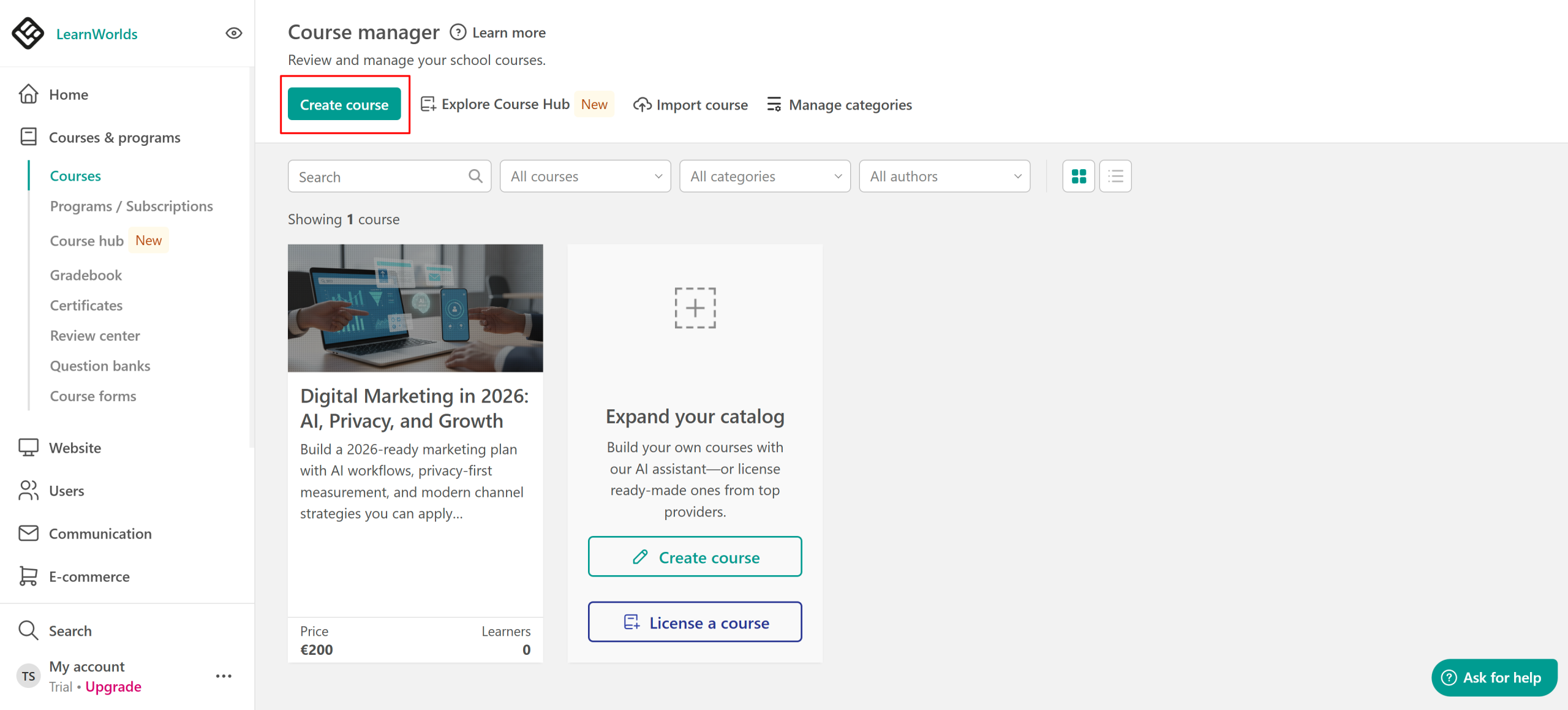
LearnWorlds is built for creators, coaches, training businesses, and companies that want to launch an online academy without needing to piece together different tools. Instead, it combines course creation, a branded learning website, learner engagement tools, and e-commerce into one platform. Striking a balance between simple to start and capable enough to grow with you.
Why we picked it
LearnWorlds gives you everything you need to build, brand, engage learners, and sell all from one platform. You can simply pick a template, drag and drop your content in, and your course looks polished. Then you can easily move on with launching your content and easily reach your audience with its e-commerce features.
Pros
- Easy to start with
- No coding or design skills required
- Modern, polished interface
- Good for course building and delivery
Cons
- Can still feel more feature-rich than some simpler tools
- Some advanced setups may take time to master
- Pricing may be higher than simpler alternatives
Key features:
- Course builder
- Engaging learner experience tools
- Website and school setup
- Analytics and tracking
- Content delivery and engagement features
- Quick-start setup
Best for: Users who want a modern, easy-to-use platform for creating and delivering online learning.
Pricing:
Plans start from $29 per month billed annually for one admin seat and 1000 active learners.
What users are saying on G2
The Good
“The platform is easy to use, and I love the different ways a course can be customized and has so much interaction. The customization LearnWorlds offers and the cart features are a big motivator for the switch. The initial setup was easy” – Kelly G., Childcare Provider, 5/5
The Room for Improvement
“There isn’t a simple way to export and backup courses, it’s something we can work around but I’m hoping for SCORM to eventually get integrated.” – Claire S., Small-Business, 5/5
Easy to use LMS #7: Moodle
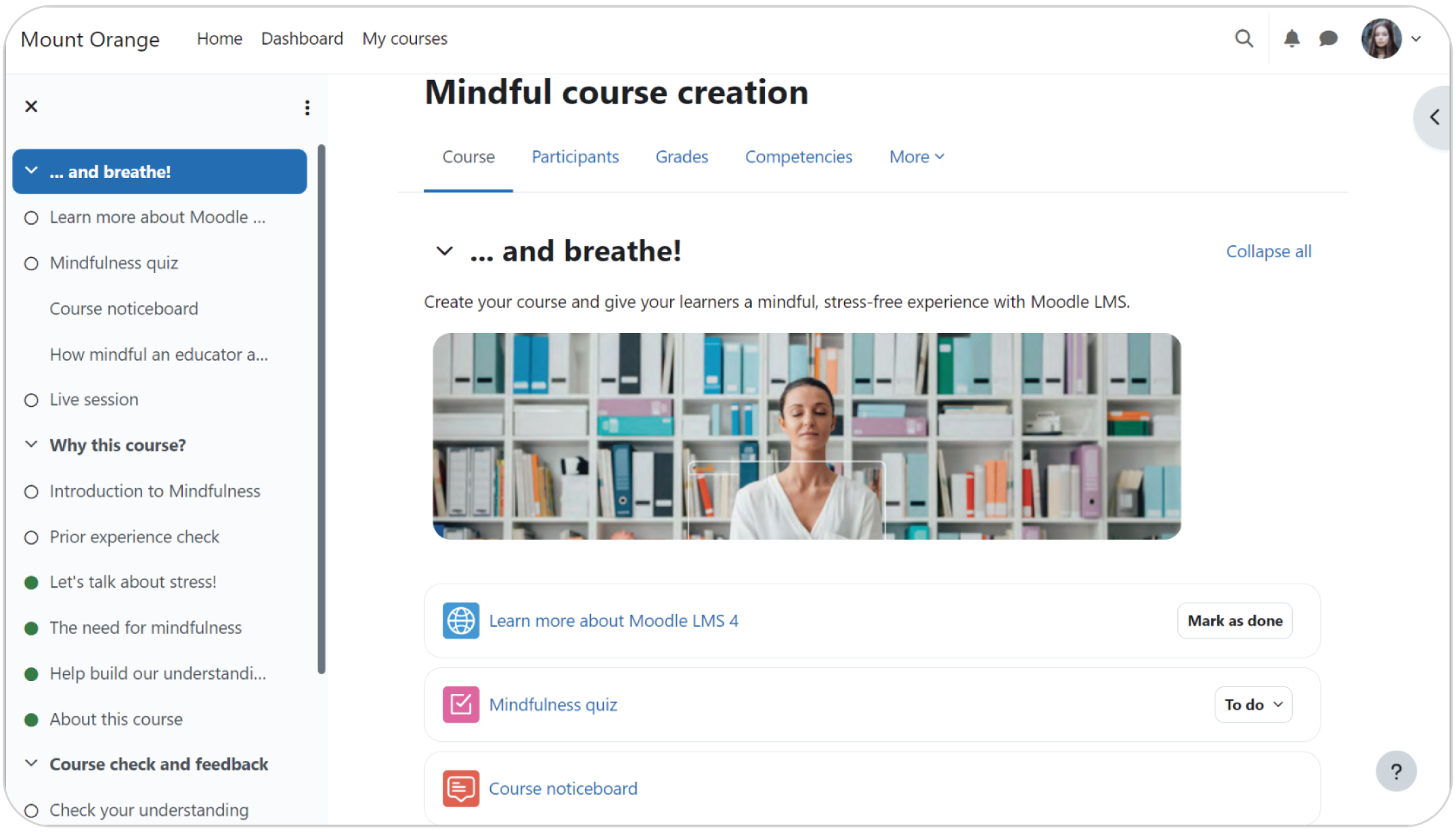
Moodle is a major, well-established LMS with a big ecosystem behind it. It earns its spot for teams that want a classic, customizable platform and are comfortable trading a bit of effort for greater ownership over their learning environment.
Why we picked it
Moodle has been around long enough to become the default comparison for almost every LMS. If your team is looking for maximum control, that’s where Moodle comes in. It offers a variety of options and a plugin for nearly every scenario.
But that level of control comes with a trade-off. Moodle is open-source and self-hosted, which means you might need developers and IT support before launching any course. If you have the technical and coding skills in-house, that’s a real advantage. If you don’t, the setup and upkeep will likely outweigh the payoff.
Pros
- Free and open source
- Widely known traditional LMS
- Flexible and customizable
- Large user community
Cons
- Requires more setup and maintenance than hosted tools
- Can be less intuitive for first-time users
- May need technical help depending on deployment
Key features:
- Course and activity management
- Open-source flexibility
- Customization options
- Community support
- Scalable deployments
- Traditional LMS functionality
Best for: Organizations that want a traditional LMS and are comfortable with more setup and admin responsibility.
Pricing:
Free and open source; hosting and setup costs apply.
What users are saying on G2
The Room for Improvement
“Administrative complexity is a recurring challenge for me. Moodle is powerful, but that power comes at a cost: the configuration options are extensive and not always logically organized. As a result, it’s easy for less experienced admins to misconfigure something or get lost in deeply nested settings. ” – Marco M., Program Manager, Small-Business, 4.5/5
Which easy to use LMS to choose
Ultimately, the easiest Learning Management System isn’t the one with the longest feature list. When it comes down to it, it all depends on your team’s specific needs and goals. Here’s the quick version:
- TalentLMS stands out for user-friendliness, fast setup, AI-powered capabilities, and flexible integrations. Making it a strong fit for most use cases, especially when you want to launch quickly without a steep learning curve.
- LearnUpon is a clean, structured option for teams that want a polished, multi-audience system.
- iSpring LMS is reliable and offers a familiar course delivery for internal teams.
- Trainual is best for simple internal training, onboarding, and SOP management all in one place.
- Thinkific is a good choice for course creators and entrepreneurs who want to build, market, and sell online courses from a single platform.
- LearnWorlds is suited to businesses and training providers looking for a branded learning experience with more learner engagement and customization options.
- Moodle caters to organizations that want a traditional LMS and are comfortable with more setup and maintenance in exchange for flexibility.
FAQs
What is the easiest LMS to use?
There’s no single winner for every team for the easiest to use LMS. TalentLMS is consistently rated among the easiest to use, holding G2 badges for easiest setup and fastest implementation in 2026. The “easiest” LMS for you is the one that matches your team size, audience, and how quickly you need to launch.
What is the most commonly used LMS?
The most commonly used LMS depends on whether it’s a corporate LMS vs. an educational LMS. TalentLMS, Docebo, and Cornerstone are the most popular corporate LMSs. While, the educational leaders are Canvas LMS, Moodle, and Blackboard Learn.
What is the best free LMS platform?
There are a lot of free LMS platforms that can support your needs. One of the best free LMS platforms is TalentLMS. If you’re looking to start training without any cost, TalentLMS combines an easy to use platform with a genuinely free plan. Allowing you to build and run training without upfront or hidden fees. Then, once you’re ready to scale, you can upgrade to the right plan that suits your team’s needs.
Is an LMS easy to use?
An LMS can be easy to use, but that ultimately depends entirely on the training platform itself. Traditional systems can carry a steep learning curve. While modern, purpose-built tools are designed so admins and learners can get going with little or no training. Choosing an intuitive LMS up front, like TalentLMS, is the single biggest factor in whether your rollout feels easy.
